
LinkedIn paid advertising costs $5-15 per click for most B2B audiences. That's not feasible for every business, especially those just starting out. The good news: you can effectively promote your business on LinkedIn without spending a dollar on ads.
This guide covers proven strategies to get visibility, generate leads, and build your brand through LinkedIn's free features.
Optimize Your Personal Profile
Your personal profile is your most powerful free marketing asset on LinkedIn.
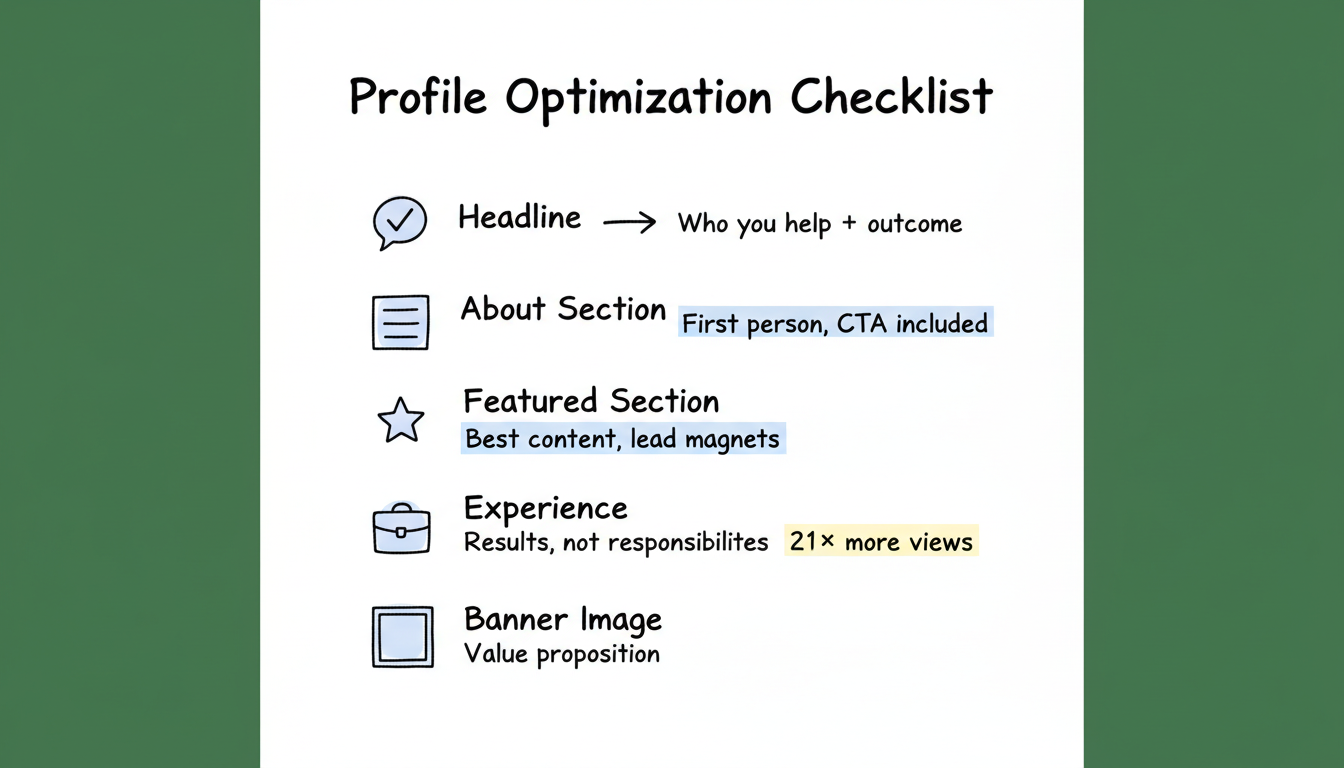
Profile Optimization Checklist
Headline: Go beyond your job title. Include who you help and what outcome you deliver. Keep in mind that the first 156 characters of your LinkedIn headline are indexed by Google, so front-load your most important keywords for search visibility.
- Weak: "Marketing Manager at ABC Company"
- Strong: "Helping B2B SaaS companies generate pipeline through LinkedIn | Marketing Manager at ABC"
About Section: Write in first person. Explain who you help, what problems you solve, and include a clear call to action.
Featured Section: Showcase your best content, case studies, or lead magnets. This is prime real estate.
Experience: Write descriptions that highlight results, not just responsibilities.
Profile Photo: Professional headshot with good lighting. Profiles with photos get 21x more views.
Banner Image: Use this space to reinforce your value proposition or promote a specific offer.
Activate Creator Mode for Maximum Visibility
Creator Mode is a free profile setting that transforms how LinkedIn treats your account. To enable it, go to Settings > Resources > Creator Mode and toggle it on.
Once activated, several things change. Your profile's default action switches from "Connect" to "Follow," making it easier to build a broader audience beyond your direct connections. You can select up to five hashtag topics that display prominently on your profile, signaling your areas of expertise to both visitors and the LinkedIn algorithm.
Creator Mode also rearranges your profile layout. The Featured and Activity sections move above your About section, putting your content front and center for anyone who lands on your page. This is a significant advantage when prospects research you before reaching out.
Perhaps most importantly, Creator Mode unlocks access to LinkedIn Live and LinkedIn Newsletters. Live video broadcasts let you engage your audience in real time, while Newsletters give you a direct subscription channel that notifies followers via email and in-app push notifications.
Choose your five hashtag topics carefully. Align them with the keywords your target audience searches for. For example, if you serve B2B SaaS companies, topics like #SaaSMarketing, #B2BLeadGeneration, and #LinkedInStrategy make your profile more discoverable. These hashtags function as profile-level SEO, helping LinkedIn surface your content and profile in relevant searches. For tools that complement your organic Creator Mode efforts, explore LinkedIn lead generation tools that can amplify your reach.
Build an Active Company Page
Your Company Page extends your reach beyond personal connections.
Page Essentials
Element | Best Practice |
Logo | Clear, recognizable at small sizes |
Tagline | 120 characters describing what you do |
About | Company story with keywords for search |
Specialties | Add relevant terms for discoverability |
CTA Button | Link to your most important conversion page |
Page Content Strategy
Post consistently from your Company Page:
- Company updates and milestones
- Employee spotlights
- Industry news with your perspective
- Behind-the-scenes content
- Customer success stories
Pages with weekly updates see 2x more engagement than inactive pages.
Use Showcase Pages and Free Job Posts
Beyond your main Company Page, LinkedIn offers additional free tools that expand your brand presence and capture different audience segments.
Showcase Pages
Showcase Pages are sub-pages of your Company Page designed to highlight specific products, services, or business initiatives. Each Showcase Page gets its own follower base, content feed, and analytics dashboard, making them function as free targeted landing pages within LinkedIn.
To create one, visit your Company Page admin view and select "Create a Showcase Page." Give it a name and description that includes relevant keywords. For instance, a marketing agency might create separate Showcase Pages for "SEO Services," "Paid Media Management," and "Content Strategy." Each page can target a distinct audience segment with tailored content. This approach also supports more granular LinkedIn advertising targeting options if you later decide to promote Showcase Page content.
Free Job Postings
LinkedIn allows one free job post at a time. Navigate to the Jobs tab and select "Post a free job" to get started. Beyond the obvious hiring benefit, free job posts deliver brand visibility by appearing in search results and candidate feeds. They also signal that your company is actively growing, which builds credibility with prospects and partners.
250 Monthly Page Invite Credits
Every Company Page receives 250 invitations per month to invite people to follow your page. Maximize your acceptance rate by inviting engaged connections first, meaning those who have recently liked, commented on, or shared your content. These warm invitations convert at a much higher rate than cold outreach.
Create Valuable Content
Organic content is free advertising. When your posts get engagement, LinkedIn shows them to more people—including people outside your network.
Content Types That Work
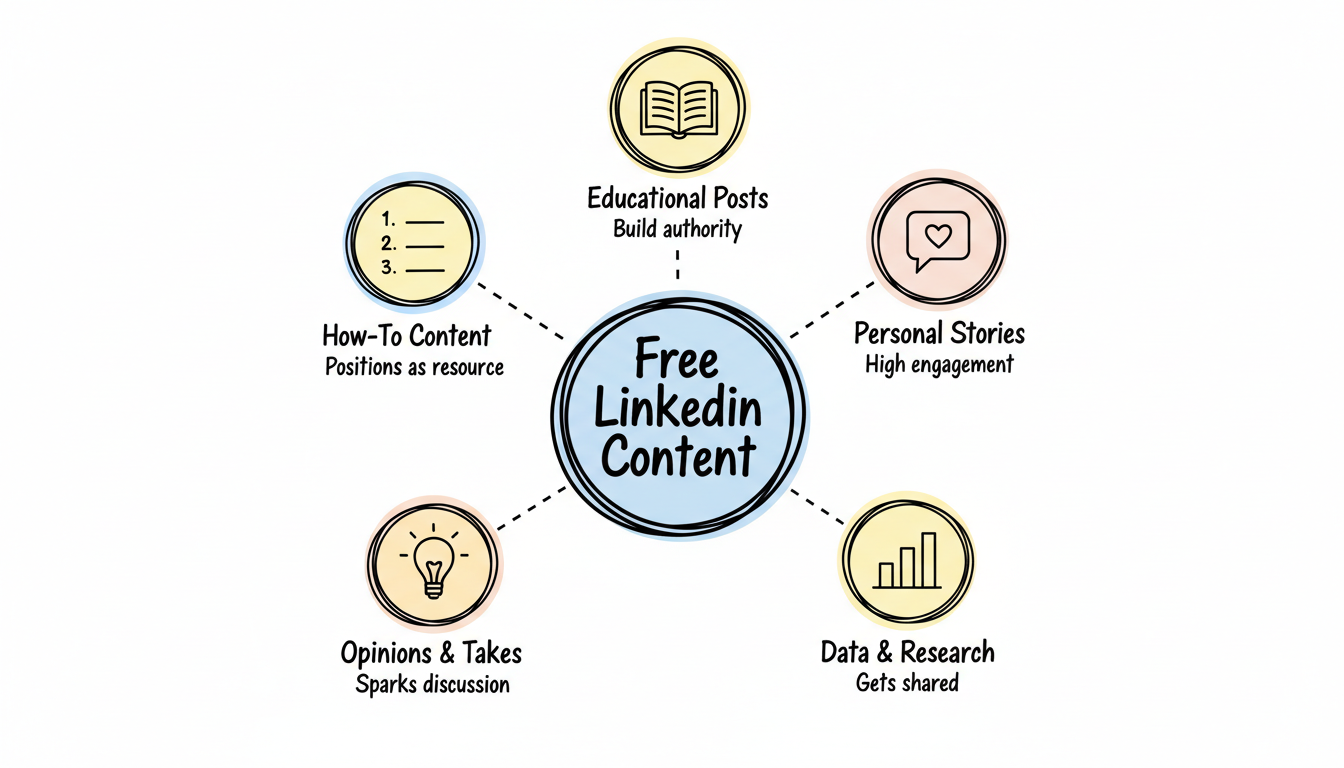
Educational Posts: Share insights that help your target audience solve problems. These build authority and attract followers.
Personal Stories: Business lessons from your experience resonate deeply. First-person narratives get higher engagement than corporate announcements.
Data and Research: Original data or curated statistics with your analysis perform well and get shared.
Opinions and Takes: Thoughtful perspectives on industry trends generate discussion.
How-To Content: Step-by-step guides position you as a helpful resource.
Native Video: Short-form video (30–90 seconds) is one of LinkedIn's highest-engagement formats. Add captions for silent viewing, use vertical format for mobile, and lead with a strong hook in the first three seconds to stop the scroll.
Content Formatting Tips
- Hook in first line: The first 150 characters must capture attention
- Use line breaks: Dense paragraphs get skipped
- Include a question: Invite comments to boost engagement
- Post consistently: 3-5x per week builds momentum
Best Times to Post
According to LinkedIn marketing research, early weekday mornings perform best for most B2B audiences. Test different times and track what works for your specific audience.
Leverage Document Posts and LinkedIn Articles
Two of LinkedIn's most underused free content formats can significantly expand your reach and authority.
Document Posts / Slideshare Carousels
You can upload PDFs or slide decks directly to LinkedIn, creating carousel-style posts that users swipe through. These document posts consistently outperform text-only updates because the swipe interaction increases dwell time, which the algorithm rewards with broader distribution.
For best results, use bold headlines on each slide, keep decks to 8–12 slides, and place a strong call to action on the final slide. SlideShare, which LinkedIn owns, serves as an additional free distribution channel—upload your decks there as well to capture search traffic from Google and SlideShare's own discovery engine.
LinkedIn Articles via Pulse
LinkedIn Articles are standalone long-form content pieces, distinct from Newsletters (which are subscription-based series). Articles published through LinkedIn Pulse are indexed by Google and can rank independently in search results, giving your content visibility beyond the LinkedIn platform.
Best use cases include thought leadership essays, detailed case studies, and industry analyses. A practical tip: repurpose your existing blog content as LinkedIn Articles for additional reach. LinkedIn applies canonical tags, so you won't face duplicate content penalties in search rankings.
Engage Strategically
Commenting and engaging with others' content extends your reach without creating original posts.
Engagement Strategy
Comment meaningfully: Add value, not just "Great post!" Comments that share additional insights or ask thoughtful questions get noticed.
Engage early: Being one of the first commenters on popular posts increases your visibility.
Tag thoughtfully: Mention relevant people who might contribute to the discussion.
Reply to comments on your posts: This signals to LinkedIn's algorithm that your content sparks conversation.
Where to Engage
- Posts from your ideal customers
- Content from industry thought leaders
- Discussions in relevant LinkedIn Groups
- Your connections' professional updates
Leverage LinkedIn Groups
Groups provide access to targeted audiences interested in specific topics.
Finding the Right Groups
Search for groups where your target customers discuss their challenges. Look for:
- Active discussion (not ghost towns)
- Relevant membership criteria
- Moderation that prevents spam
Group Participation Strategy
- Listen first: Understand the community culture
- Add value: Answer questions, share resources
- Don't pitch: Groups ban promotional content
- Build relationships: Connect with active members
Over time, helpful participation builds recognition and drives profile visits.
Use LinkedIn Events
LinkedIn Events let you promote webinars and virtual gatherings for free.
Creating Effective Events
- Compelling title: Include the benefit attendees will get
- Clear description: Agenda, speakers, takeaways
- Relevant targeting: Invite connections likely to attend
- Follow-up content: Post updates before and after
Events appear in attendees' networks, creating organic reach.
Employee Advocacy
Turn your team into brand ambassadors—it's free and highly effective.
Implementing Employee Advocacy
- Create shareable content: Make it easy for employees to post
- Provide guidelines: Brand voice, dos and don'ts
- Celebrate participation: Recognize employees who engage
- Don't force it: Authentic participation works better
Employee networks combined can dwarf your Company Page reach.
LinkedIn Newsletter
LinkedIn Newsletters notify your subscribers via email and in-app—free distribution to opted-in audiences.
Starting a Newsletter
- Build your following (need creator mode or 150+ connections)
- Choose a focused topic
- Commit to a consistent schedule
- Promote signup in your regular posts
Newsletters help you own your audience relationship beyond the algorithm.
Understand the LinkedIn Algorithm
Knowing how LinkedIn decides which content gets seen can dramatically improve your organic reach. The algorithm evaluates every post through a multi-phase process.
First, LinkedIn's spam filter checks for obvious violations like misleading links or engagement bait. Posts that pass move to a low-quality filter where the algorithm assesses formatting, relevance, and initial signals. Next comes the engagement scoring phase: LinkedIn shows your post to a small subset of your network and measures how they respond.
Three signals matter most during this phase. Early engagement velocity—likes and comments within the first 60 minutes—tells LinkedIn your content resonates. Dwell time, or how long viewers spend reading your post, indicates depth of interest. Comment depth, meaning replies to comments and threaded conversations, signals genuine discussion rather than superficial reactions.
Practical implications: post when your specific audience is most active, ask a genuine question to drive comments, and reply to every comment within the first hour. These actions directly influence how widely LinkedIn distributes your content.
Social proof reinforces algorithmic performance as well. Request endorsements and recommendations from clients and collaborators—these trust signals are visible on your profile and build credibility with visitors who discover you through the algorithm's content distribution. For a broader view of how these organic principles fit into a multi-platform approach, see our guide on 10 essential social media strategies for startup growth.
Track What'S Working
LinkedIn provides free analytics for profiles and Company Pages.
Key Metrics to Monitor
Metric | Why It Matters |
Profile views | Interest in you personally |
Post impressions | Content reach |
Engagement rate | Content relevance |
Follower growth | Audience building |
Search appearances | Discoverability |
Review monthly and double down on what generates results. For those ready to scale beyond organic efforts, understanding how much LinkedIn ads cost can help you plan your next phase of growth.
When to Consider Paid Ads
Free strategies work, but they have limits:
- Slower growth: Organic reach takes time to build
- Limited targeting: You can't reach specific job titles reliably
- Algorithm dependent: Platform changes affect visibility
- Time investment: Creating content takes significant effort
Consider paid LinkedIn advertising when:
- You have a proven offer and need faster scale
- You're targeting a very specific audience
- Organic efforts have plateaued
- Budget allows for testing
Many businesses find that combining free organic tactics with strategic paid campaigns creates the best results. The simplest bridge from organic to paid is post boosting: select a high-performing organic post and amplify it with a small budget to extend its reach to a targeted audience beyond your followers. If you want to learn the details, our guide on how to run LinkedIn ads walks through the full setup process.
If you're new to the platform, our LinkedIn advertising for beginners guide covers the fundamentals of getting started. For scaling results, exploring the best LinkedIn ads for lead generation can help you identify which formats deliver the strongest ROI.
For businesses seeking expert guidance, working with a LinkedIn ad management company can help optimize both organic and paid efforts for maximum ROI. You can also review LinkedIn ads cost benchmarks to set realistic budget expectations.
Frequently Asked Questions
What Is the 5-3-2 Rule on LinkedIn?
The 5-3-2 rule is a content mix framework: for every 10 posts, share 5 curated pieces from others, 3 original posts you created, and 2 personal or fun updates. This balance keeps your feed valuable without being overly promotional and encourages reciprocal engagement from your network.
What Is the 3-2-1 Rule on LinkedIn?
The 3-2-1 rule suggests posting 3 pieces of industry-relevant content, 2 posts that show pride in your work or company culture, and 1 soft promotional post. It prevents your profile from becoming a sales channel and builds authentic trust with your audience over time.
What Is the 95-5 Rule on LinkedIn?
The 95-5 rule recognizes that only about 5% of your target market is actively buying at any given time. The remaining 95% are not yet in-market. Your LinkedIn content should focus on building awareness and trust with the 95% so you are top-of-mind when they enter the buying cycle.
Is It Completely Free to Advertise on LinkedIn?
Yes, LinkedIn offers several free advertising methods including Company Pages, Showcase Pages, Creator Mode, organic posts, LinkedIn Articles, Newsletters, Events, Groups, and one free job posting at a time. Paid options like Sponsored Content and InMail exist but are entirely optional. Most small businesses see strong results from organic strategies alone.
Can You Really Generate Leads on LinkedIn for Free?
Yes, many businesses generate leads through organic LinkedIn activity. It requires consistent effort—posting valuable content, engaging with prospects, and optimizing your profile. Free strategies work best for building awareness and nurturing relationships, while paid ads excel at reaching specific audiences at scale. Combining both approaches often delivers the strongest LinkedIn lead generation strategies.
How Often Should I Post on LinkedIn for Free Marketing?
Post 3-5 times per week for optimal visibility. Consistency matters more than volume. Better to post three quality pieces weekly than seven mediocre ones. Engagement on others' posts can supplement your posting frequency.
How Long Does It Take to See Results from Free LinkedIn Marketing?
Expect 3-6 months of consistent effort before seeing significant results. Building audience, authority, and engagement takes time. Early wins might include profile views and connection requests; leads typically follow after establishing credibility.