
WordPress powers over 40% of all websites, making it the most common platform organizations optimize for AI search visibility. The right combination of plugins and configuration transforms standard WordPress sites into AEO-ready content hubs that AI systems can easily parse, understand, and cite in their generated answers. For a broader look at traditional WordPress optimization techniques, see our guide to advanced SEO tips for WordPress.
According to Addlly AI's AEO Checklist, schema markup and structured data help AI platforms understand what your content is about. If you skip this step, your site is less likely to be picked for featured snippets, voice search, or AI generated summaries.
Why WordPress Sites Need AEO Optimization
Standard WordPress installations lack the structured data and formatting that AI systems prefer when selecting content for citations.
According to ClickRank's AEO Guide, answer engine optimization focuses on precision over volume—publishing more content does not increase visibility unless that content can be confidently reused by answer engines. WordPress sites optimized for AEO include proper schema markup, structured formatting, and clear answer patterns.
WordPress AEO requirements:
Requirement | Why It Matters | Solution |
Schema markup | Helps AI parse content meaning | SEO plugins with schema |
FAQ structure | Matches Q&A retrieval patterns | FAQ blocks with schema |
Content chunking | Enables snippet extraction | Proper heading hierarchy |
Fast loading | Core Web Vitals impact | Caching and optimization |
Mobile responsiveness | Multi-platform accessibility | Responsive themes |
AEO vs GEO: What WordPress Site Owners Need to Know
As AI search grows, two related terms appear frequently: Answer Engine Optimization (AEO) and Generative Engine Optimization (GEO). AEO focuses on getting your content cited directly by answer platforms like Perplexity and ChatGPT Search. GEO targets visibility within AI-generated summaries and overviews, such as Google AI Overviews.
For WordPress site owners, the practical strategies overlap significantly. Both rely on structured data, clear content formatting, and strong authority signals. The key difference lies in measurement: AEO tracks direct citations and answer placements, while GEO measures inclusion in generative summaries. Most WordPress AEO plugins and techniques discussed in this guide apply equally to GEO, since the underlying content signals that AI systems evaluate are the same regardless of the output format.
Which Answer Engines to Optimize For
The major answer engines each discover and cite WordPress content differently. Perplexity crawls the web actively and prioritizes well-structured, authoritative content with clear citations. ChatGPT Search favors freshness and factual accuracy, pulling from pages that provide direct, well-formatted answers. Google AI Overviews leverage existing search index data heavily, making traditional SEO signals like schema markup and Core Web Vitals especially important.
Understanding these differences helps WordPress site owners prioritize their optimization efforts. Structured data matters across all three platforms, but freshness signals carry more weight with ChatGPT Search, while domain authority and backlink profiles influence Perplexity citations more heavily. A well-rounded AEO strategy addresses all three platforms simultaneously through comprehensive schema implementation and content structuring.
Best WordPress Plugins for AEO
Several plugin categories work together to create comprehensive AEO optimization.
All-In-One SEO Plugins
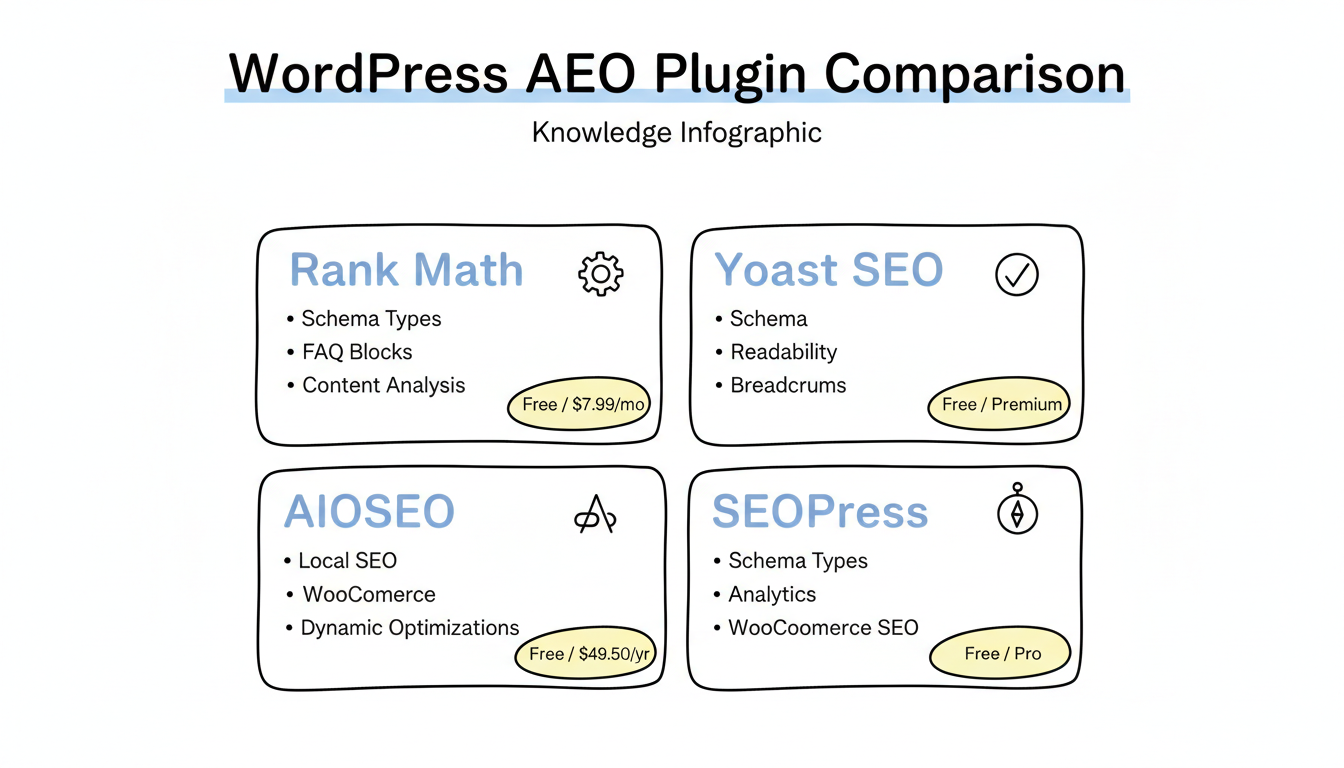
According to Backlinko's WordPress SEO plugin rankings, Rank Math has become the top recommendation for new WordPress sites due to its comprehensive free features including schema markup, content optimization, and internal linking tools.
Top SEO plugins for AEO:
Plugin | AEO-Relevant Features | llms.txt Support | AI Crawler Analytics | Pricing |
Rank Math | Extensive schema types, FAQ blocks, content analysis | No | No | Free / $7.99/month Pro |
Yoast SEO | Schema implementation, readability analysis, breadcrumbs | No | No | Free / Premium available |
AIOSEO | Local SEO, WooCommerce schema, social integration | No | No | Free / $49.50/year Pro |
SEOPress | Schema types, Google Analytics, WooCommerce SEO | No | No | Free / Pro available |
According to OptinMonster's SEO plugin guide, AIOSEO is equipped with integrated SEO tools including capabilities such as dynamic optimizations, product page enhancements, and additional features designed to drive increased organic traffic.
Best AEO WordPress Plugins for 2026
While traditional SEO plugins provide foundational AEO support through schema and sitemaps, a new category of dedicated AEO plugins has emerged on wordpress.org specifically built for AI search visibility. These plugins go beyond standard SEO by handling llms.txt generation, AI crawler analytics, and automated schema injection tailored for answer engine consumption. For a comprehensive overview of the broader tool landscape, see our roundup of AEO tools and software.
The Answer Engine Optimization plugin provides a full-stack AEO workflow, including automated llms.txt file generation, AI citation monitoring, and schema templates optimized for answer extraction. The AEO Audit plugin takes a diagnostics-first approach, scanning your site for AI visibility gaps and providing prioritized recommendations for schema, content structure, and crawler accessibility. Cairrot rounds out the category with its focus on AI crawler management and compliance automation, generating and maintaining llms.txt files based on your site structure while tracking which AI platforms are crawling your content.
Dedicated AEO plugin comparison:
Plugin | Key Feature | llms.txt Support | Pricing |
Answer Engine Optimization | Full AEO workflow with AI citation tracking | Yes - auto-generated | Free / Pro available |
AEO Audit | AI visibility diagnostics and gap analysis | Yes - with recommendations | Free / Pro available |
Cairrot | AI crawler management and compliance | Yes - auto-maintained | Free / Premium available |
Managing AI Crawlers on WordPress
AI answer engines rely on web crawlers to index content, and WordPress site owners need to manage which crawlers can access their content. Proper crawler management ensures your pages appear in AI-generated answers while maintaining control over how your content is used.
Which AI Crawlers to Allow
Each major AI platform operates its own web crawler. Understanding which crawlers serve which platforms helps you make informed decisions about access.
Crawler | Parent Company | Feeds Into |
GPTBot | OpenAI | ChatGPT, ChatGPT Search |
ClaudeBot | Anthropic | Claude AI |
PerplexityBot | Perplexity AI | Perplexity search answers |
Google-Extended | Gemini, AI Overviews |
Setting Up Llms.Txt and AI.Txt
The llms.txt file is an emerging standard that tells AI crawlers which pages to prioritize and how to interpret your content. You can implement it on WordPress through two methods.
The plugin method is the simplest: dedicated AEO plugins like Cairrot and the Answer Engine Optimization plugin automatically generate and maintain your llms.txt file based on your site structure. They update it as you add or modify content, keeping it synchronized with your sitemap.
For manual implementation, create a plain-text file named llms.txt and place it in your WordPress root directory via FTP or your hosting file manager. The file should list your most important pages with brief descriptions of their content purpose.
Example robots.txt entries for AI crawler management:
# Allow AI crawlers
User-agent: GPTBot
Allow: /

User-agent: ClaudeBot
Allow: /

User-agent: PerplexityBot
Allow: /

# Block specific directories from AI crawlers
User-agent: GPTBot
Disallow: /wp-admin/
Disallow: /private/
Example llms.txt file structure:
# MySite llms.txt
# Homepage
https://example.com/ - Main site overview and services

# Key content pages
https://example.com/blog/ - Industry insights and guides
https://example.com/services/ - Service descriptions and pricing
https://example.com/about/ - Company background and team
Schema-Specific Plugins
For sites needing advanced structured data beyond standard SEO plugin capabilities.
According to Hostinger's schema plugin rankings, compliance with Google's structured data guidelines ensures schema is correctly recognized and interpreted—improving rankings in search results and AI visibility.
Dedicated schema plugins:
WordPress Schema Plugin Options
├── Schema & Structured Data for WP & AMP
│   ├── Comprehensive schema types
│   ├── AMP compatibility
│   ├── Conditional display options
│   └── Rating: 4.9/5
│
├── Schema App Structured Data
│   ├── Automatic markup generation
│   ├── Minimal setup required
│   ├── All content types supported
│   └── Best for beginners
│
├── WP SEO Structured Data Schema
│   ├── JSON-LD output format
│   ├── Manual customization options
│   ├── Google guidelines compliant
│   └── Rating: 4.1/5
│
└── Schema Pro
    ├── Premium comprehensive solution
    ├── 20+ schema types
    ├── Automatic detection
    └── WooCommerce integration
According to Connor Kimball's AEO strategies guide, files like llms.txt, similar to robots.txt, are emerging standards to give instructions to LLM crawlers. This can be managed automatically on platforms like WordPress with dedicated AEO tools such as Cairrot, simplifying technical compliance.
Essential Schema Types for AEO
Different schema types serve different AEO purposes.
According to Addlly AI's AEO guide, using FAQ, HowTo, and Article schema markup helps answer engines, AI platforms, and search engines understand your content and identify direct answers.
Priority schema types for WordPress:
Schema Type | Use Case | AEO Impact |
FAQ Schema | Q&A content | High - direct answer extraction |
HowTo Schema | Tutorial content | High - step retrieval |
Article Schema | Blog posts | Medium - content categorization |
Organization Schema | Company pages | Medium - entity recognition |
Product Schema | E-commerce | High - product information |
Person Schema | Author pages | Medium - E-E-A-T signals |
Speakable Schema | Voice search content | Medium - voice assistant extraction |
Breadcrumb Schema | Site navigation structure | Medium - site hierarchy clarity for AI |
According to Elsner Technologies, structured data and schema optimization services implement FAQ schema, How-To markup, Product schema, and Organization data—this structured information helps AI platforms extract accurate details about your business.
Strengthening E-E-A-T Signals for AI Visibility
AI answer engines evaluate authoritativeness when deciding which content to cite. The E-E-A-T framework (Experience, Expertise, Authoritativeness, Trustworthiness) plays a central role in how AI systems rank and select source content. WordPress site owners can strengthen these signals through a combination of structured data for AI search and content practices.
Person schema is the foundation of E-E-A-T for individual authors. Link author bio pages to their Google Knowledge Graph profiles and include credentials, publication history, and expertise areas. Speakable schema marks content sections as suitable for voice assistant reading, which signals to AI systems that your content is concise and authoritative enough for direct answer delivery. Breadcrumb schema clarifies your site structure, helping AI crawlers understand content hierarchy and topical relationships between pages.
Practical E-E-A-T implementation steps for WordPress include creating detailed author bio pages with Person schema, adding Speakable markup to your most important answer paragraphs, and ensuring Breadcrumb schema reflects a logical content taxonomy. These signals compound over time as AI systems build confidence in your domain as a reliable source.
Step-By-Step WordPress AEO Setup
Implementing AEO on WordPress follows a logical progression.
AEO implementation workflow:
WordPress AEO Setup Process
├── Step 1: Core Plugin Installation
│   ├── Install Rank Math or Yoast SEO
│   ├── Complete setup wizard
│   ├── Connect Google Search Console
│   └── Configure basic settings
│
├── Step 2: Schema Configuration
│   ├── Enable all relevant schema types
│   ├── Configure Organization schema
│   ├── Set up Author schema
│   └── Test with Schema Validator
│
├── Step 3: Content Structure
│   ├── Add FAQ blocks to key pages
│   ├── Implement proper heading hierarchy
│   ├── Create answer-first paragraphs
│   └── Add internal links
│
├── Step 4: Technical Optimization
│   ├── Install caching plugin
│   ├── Optimize images
│   ├── Enable lazy loading
│   └── Test Core Web Vitals
│
└── Step 5: Monitoring & Iteration
    ├── Track AI platform mentions
    ├── Monitor featured snippet wins
    ├── Analyze Search Console data
    └── Continuous content optimization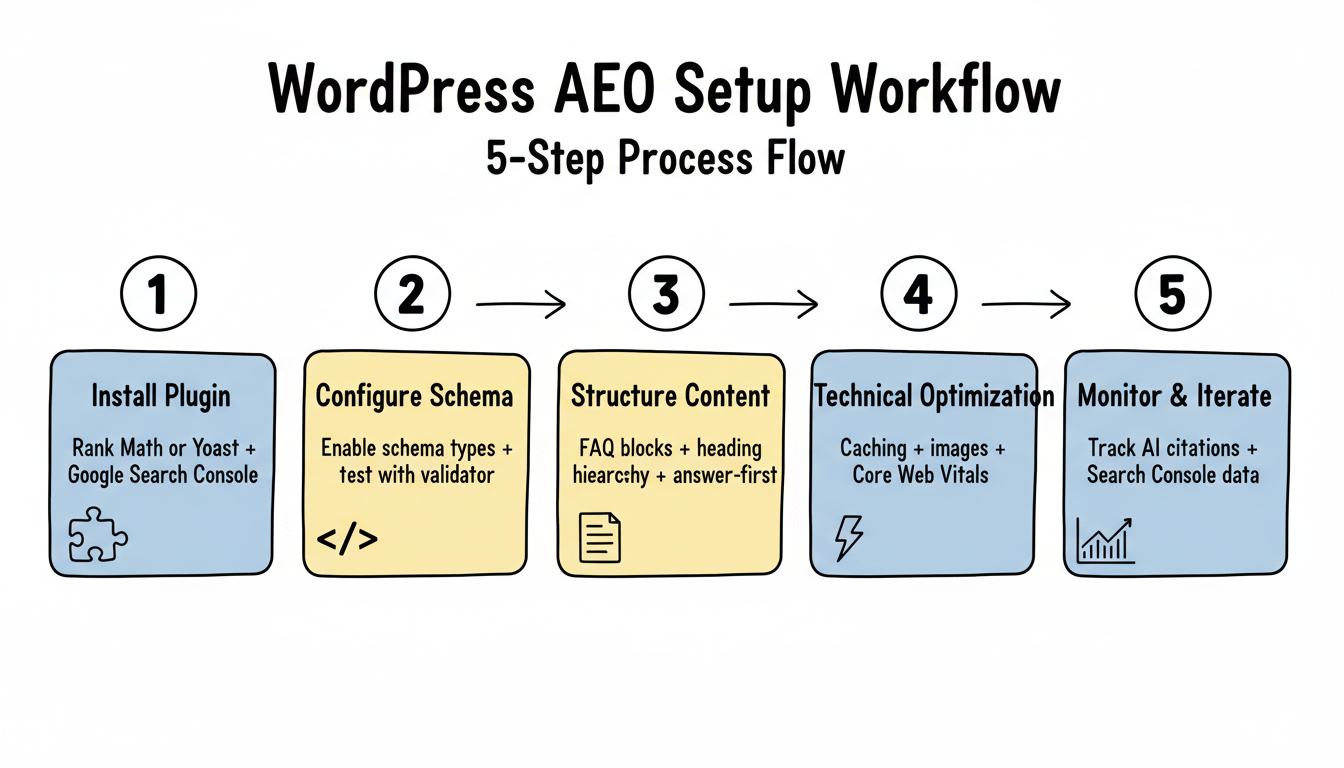
Content Optimization for AEO in WordPress
Beyond plugins, content structure determines AI citation potential. Many organizations implement SEO automation tools to streamline this process at scale, but understanding the fundamentals remains critical.
According to Elementor's WordPress SEO guide, schema markup provides search engines and AI systems with more explicit information about your content, like product prices, reviews, event details, recipes, and more.
Content optimization checklist:
- Use clear H2 and H3 headings with question-based structure
- Lead paragraphs with direct answers before elaboration
- Include summary boxes and key takeaway sections
- Add FAQ sections with Schema markup enabled
- Implement table of contents for longer content
- Use bullet points and numbered lists for scannability
Measuring WordPress AEO Success
Tracking implementation effectiveness requires appropriate metrics. AI citation tracking has become a measurable KPI alongside traditional SEO metrics, with dedicated AI citation tracking tools now available to monitor how often and where your content appears in AI-generated answers.
According to eesel.ai's SEO tools analysis, tools like Frase's GEO Score Checker analyze URLs for Authority, Readability, and Structure—giving concrete ways to optimize content for AI citation by ChatGPT and Google's AI Overviews. Understanding Google AI Overview ranking factors helps prioritize which metrics matter most for your content strategy.
WordPress AEO metrics to track:
Metric | Tool | Target |
Schema validation | Google Rich Results Test | 100% valid |
Core Web Vitals | PageSpeed Insights | All green scores |
Featured snippets | Search Console | Increasing trend |
AI citations | Manual tracking / AEO tools | Growing mentions |
Organic traffic from AI | Analytics | Measurable referrals |
Common WordPress AEO Mistakes
Avoid these pitfalls when implementing AEO on WordPress.
According to Addlly AI's AEO Checklist, overlooking schema markup limits AEO success—without structured data, your site is less likely to be picked for featured snippets, voice search, or AI generated summaries.
Mistakes to avoid:
- Installing multiple conflicting SEO plugins
- Implementing schema without validation testing
- Ignoring Core Web Vitals performance issues
- Using vague or overly complex headings
- Failing to update schema after content changes
- Neglecting mobile optimization
Frequently Asked Questions
What Is the Best AEO Plugin for WordPress?
Dedicated AEO plugins like the Answer Engine Optimization plugin and AEO Audit plugin on wordpress.org are purpose-built for AI search visibility. They handle llms.txt generation, AI crawler analytics, and schema auto-injection. Traditional SEO plugins like Rank Math and AIOSEO also support AEO through their schema and sitemap features, but lack AI-specific citation tracking and crawler management tools.
How Do I Set Up Llms.Txt on WordPress?
You can add an llms.txt file to your WordPress site manually by placing a plain-text file in your root directory via FTP or your hosting file manager. Alternatively, dedicated AEO plugins generate and maintain llms.txt automatically based on your site structure. The file tells AI crawlers which pages to prioritize and how to interpret your content for answer generation.
Should I Block AI Crawlers Like Gptbot on WordPress?
Blocking AI crawlers prevents your content from appearing in AI-generated answers, which reduces your visibility in answer engines. Most WordPress sites benefit from allowing GPTBot, ClaudeBot, and PerplexityBot access. Use robots.txt to selectively allow or disallow specific crawlers based on your content strategy. Only block if you have specific licensing or paywall concerns.
What Is the Difference Between AEO and GEO for WordPress?
Answer Engine Optimization focuses on getting your content cited in direct-answer platforms like Perplexity and ChatGPT Search. Generative Engine Optimization targets visibility within AI-generated summaries and overviews. For WordPress sites, both strategies overlap significantly since they rely on structured data, clear content formatting, and authority signals. The main difference is in how you measure results.
Key Takeaways
WordPress AEO optimization combines the right plugins with proper implementation:
- Choose one comprehensive SEO plugin - Rank Math or Yoast for schema and content optimization
- Implement relevant schema types - FAQ, HowTo, Article, and Organization as priorities
- Structure content for extraction - Clear headings, answer-first paragraphs, FAQ sections
- Optimize technical performance - Core Web Vitals impact AI platform preferences
- Test and validate continuously - Use Google's tools to verify proper implementation
According to Addlly AI's GEO tools guide, schema acts like a nametag that helps AI systems identify your brand clearly—without structured data, AI crawlers access your site but might miss key details that determine citation selection. Organizations seeking expert guidance can explore answer engine optimization services to accelerate implementation and avoid common pitfalls.