
Mobile has become the primary way users interact with AI-powered search. In 2026, dedicated AI search apps, mobile integrations, and generative AI features have transformed how people discover information on their phones. Understanding the mobile AI search landscape is essential for both users seeking the best tools and businesses optimizing for mobile visibility.
This guide covers the AI search app ecosystem, tools to track and optimize your presence in AI Overviews and AI Mode, and how mobile experiences differ from desktop.
The Mobile AI Search Landscape
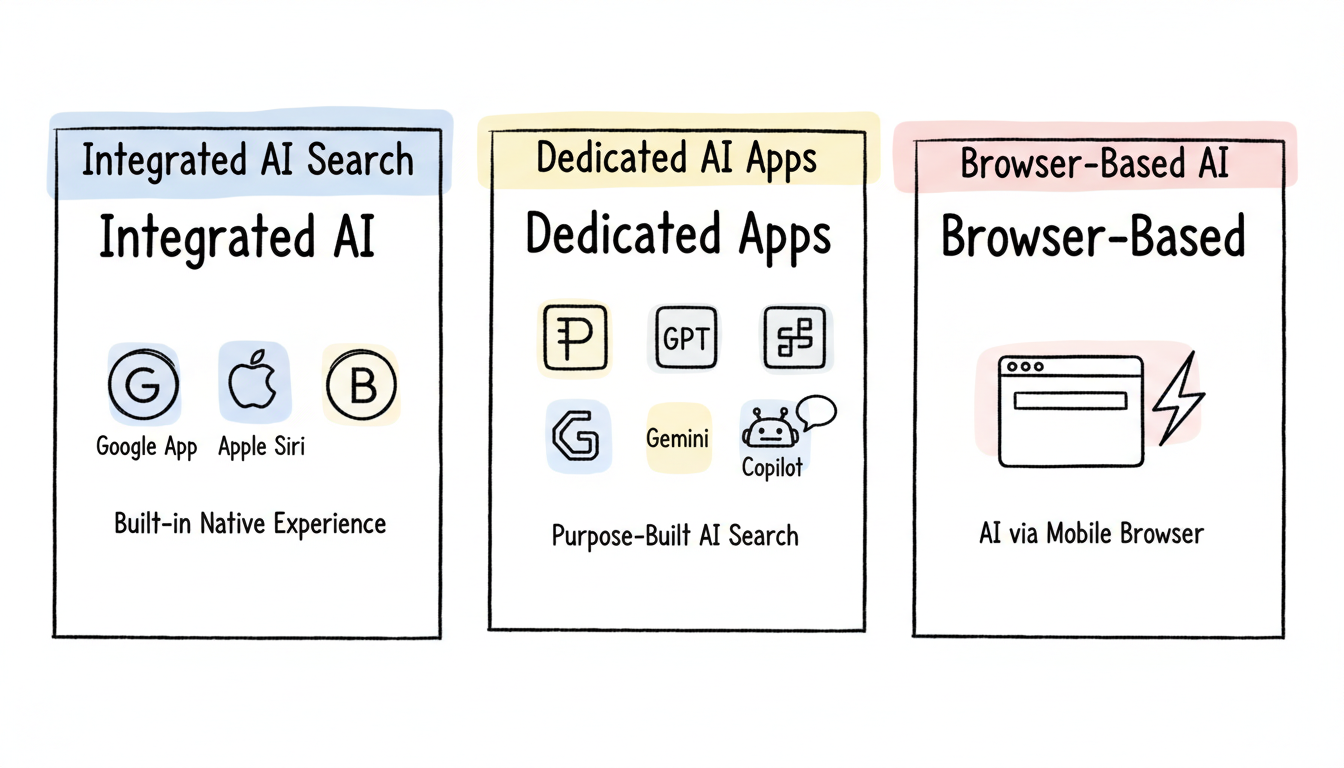
Mobile AI search has evolved into three distinct categories:
Integrated AI Search (Google, Apple)
AI features built into native mobile experiences:
Platform | Integration | Key Feature |
Google App (Android/iOS) | AI Overviews in search | Summaries within traditional search |
Google Gemini App | Standalone AI assistant | Full conversational AI |
Apple Siri (2026) | Gemini-powered AI | Voice-first interaction |
Samsung Bixby | Enhanced AI capabilities | Device integration |
Dedicated AI Search Apps
Purpose-built apps for AI-powered search:
App | Platform | Primary Strength |
Perplexity | iOS/Android | Citation-backed answers |
ChatGPT | iOS/Android | Conversational depth |
Microsoft Copilot | iOS/Android | Productivity integration |
Claude | iOS/Android | Safe, nuanced responses |
Browser-Based AI Search
AI search accessed through mobile browsers:
- Google AI Mode via Chrome
- Bing Copilot via Edge
- Third-party AI search engines
Google AI Mode vs. AI Overviews: What Changed in 2026
Google Search now offers two distinct generative AI experiences, and understanding the difference is critical for anyone optimizing content for AI search visibility.
AI Overviews are the AI-generated summaries that appear automatically at the top of qualifying Google Search results. They provide concise, synthesized answers drawn from multiple web sources and are triggered by informational, comparison, and complex queries. Users do not need to opt in -- AI Overviews simply appear when Google determines they add value to the search result.
AI Mode is a separate, opt-in conversational interface. Users activate it by tapping the AI Mode button in the Google app (available on Android and iOS) or on desktop Search. Once inside AI Mode, users can ask multi-turn, follow-up questions and receive longer, more detailed AI-generated responses. AI Mode uses a different generative AI model pipeline and may surface different sources than standard AI Overviews.
The key distinction: AI Overviews are passive (they appear automatically), while AI Mode is active (user-initiated for deeper exploration). AI Mode responses tend to be more comprehensive and conversational, whereas AI Overviews prioritize brevity and quick answers.
For content creators, being cited in AI Mode requires different optimization than traditional AI Overviews. AI Mode favors depth, entity coverage, and authoritative multi-faceted content. Understanding how Google AI Overviews work provides the baseline, but tracking visibility across both experiences is becoming essential for SEO practitioners.
Google AI Overview on Mobile
Google's AI Overviews appear differently on mobile compared to desktop. Understanding how to use Google AI Overview effectively on mobile devices requires familiarity with their unique presentation and interaction patterns.
Mobile-Specific Behavior
Compact presentation: AI Overviews occupy significant mobile screen space but are designed for quick scanning.
Expandable summaries: Initial view shows condensed information; users tap to expand for full detail.
Voice integration: AI Overviews work with voice search, reading summaries aloud when requested.
Gesture navigation: Swipe actions help users move between AI answers and traditional results.
What Triggers Mobile AI Overviews
AI Overviews appear for:
- Informational queries ("how to," "what is")
- Comparison queries ("best," "vs")
- Factual questions with clear answers
- Complex questions requiring synthesis
They're less common for:
- Navigational queries (brand names, specific websites)
- Local searches (handled by Maps)
- Transactional queries (shopping, booking)
Mobile vs. Desktop Differences
Aspect | Mobile | Desktop |
Screen space | Dominates viewport | Shares with sidebar |
Interaction | Tap to expand | Visible by default |
Follow-up | Conversational prompts | Related questions |
Citations | Collapsed by default | More visible |
Top AI Search Apps in 2026
Perplexity AI
Best for: Research with verifiable sources
Perplexity has become the leading mobile AI search app for users who need trustworthy, cited answers.
Mobile features:
- Voice search with spoken answers
- Pro Search for deeper exploration
- Thread follow-up for ongoing conversations
- Source citations visible in-app
- Offline access for recent searches (Pro)
Strengths: Citation transparency, clean interface, focused search experience
Limitations: Less conversational than ChatGPT, deep research less impressive than desktop
ChatGPT Mobile
Best for: Conversational AI with broad capabilities
OpenAI's mobile app brings the full ChatGPT experience to phones.
Mobile features:
- Voice conversations (natural dialogue)
- Image upload and analysis
- Web search integration
- Custom GPTs access
- Conversation history sync
Strengths: Deep reasoning, multi-modal input, natural conversation
Limitations: Web search requires enabling, citations less prominent
Google Gemini App
Best for: Integration with Google services
Google's standalone AI assistant app connects deeply with Android and Google ecosystem.
Mobile features:
- Integration with Gmail, Calendar, Maps
- Image generation capabilities
- Extensions for third-party services
- Voice activation ("Hey Google")
- Overlay mode on Android
Strengths: Ecosystem integration, device-level features, free tier
Limitations: Data collection concerns, less conversational depth
For users who need more advanced capabilities, the Google One AI Premium Plan ($19.99/mo) unlocks Gemini Advanced with extended context windows, deeper research capabilities, and priority access to new AI features. The free tier provides solid baseline functionality but limits the number of complex queries and restricts access to the latest model versions.
Microsoft Copilot
Best for: Productivity-focused users
Copilot brings AI assistance with strong productivity tool connections.
Mobile features:
- Bing search integration
- Office 365 document access
- Image generation (Designer)
- Voice and text input
- Enterprise features
Strengths: Work-focused features, Microsoft ecosystem
Limitations: Less popular than alternatives, feature overlap
Mobile-First AI Search Features
Mobile AI search offers capabilities unavailable on desktop:
Voice Interaction
Natural spoken queries and responses:
- Ask questions conversationally
- Receive spoken summaries while driving
- Follow-up questions without typing
- Hands-free operation
Camera Integration
Visual search and analysis powered by Google Lens:
- Photo-based search queries
- Document scanning and analysis
- Real-world object identification
- Screenshot question-answering
Google Lens is the visual search engine behind camera-based AI queries across the Google app, Chrome, and Circle to Search. It processes over 20 billion visual searches per month, making it the dominant visual AI search tool on mobile. Lens results can include Google AR overlays for products, places, and real-time translations.
Circle to Search and Google Lens: Mobile-Only AI Search Features
Circle to Search is Android's gesture-based visual AI search feature. Users can highlight, circle, or tap any on-screen content to trigger an AI-powered Google Search without leaving their current app. It works on Pixel phones and Samsung Galaxy flagship devices running Android 14 or later.
When a user circles on-screen content that matches a query qualifying for AI Overviews, Google may display an AI-generated summary directly in the results. This creates a seamless path from visual discovery to AI-synthesized answers -- all without switching apps or typing a query.
Google Lens extends this visual AI search capability to camera-based queries. Point your phone camera at a product, landmark, plant, or text, and Lens identifies it and returns relevant search results, shopping options, or translations. Lens powers the camera input across the Google app, Chrome address bar, and the Circle to Search gesture itself.
These mobile-only features make the AI search experience on phones fundamentally different from desktop. For businesses following mobile SEO best practices, optimizing images and visual content for Google Lens recognition is an emerging priority.
Notification and Widgets
Persistent AI assistance:
- Home screen widgets for quick access
- Notification actions for AI responses
- Always-on assistant availability
- Shortcut triggers
Location Awareness
Context from physical location:
- Relevant local information
- Place-based recommendations
- Navigation integration
- Nearby service queries
Google Discover and the AI-Powered Mobile Content Feed
Google Discover is the AI-curated content feed on the Google app home screen and Chrome new tab page on mobile. Unlike traditional search, Discover requires no query -- content is pushed to users based on their interests, search history, and AI-inferred topic preferences.
Discover's relationship to AI Overviews is worth noting: content that performs well in Discover often shares the entity-rich, authoritative signals that also help earn AI Overview citations. Google uses similar quality and relevance signals across both surfaces.
To optimize for Discover, focus on high-quality images (1,200px minimum width), strong E-E-A-T signals, and consistent topic authority. Content should be timely, visually compelling, and structured with clear entity references. For a deeper dive, see our guide on Google Discover optimization.
Discover is part of the broader mobile AI search ecosystem -- alongside AI Overviews, AI Mode, and Circle to Search -- that makes mobile the most dynamic surface for AI-powered content distribution.
Choosing the Right AI Search App
Consider these factors when selecting your primary mobile AI search tool. For a comprehensive comparison, review our guide to AI search tools software comparison that evaluates features across platforms.
Factor | Best Choice | AI Overview Tracking |
Source verification needed | Perplexity | No |
Deep conversation wanted | ChatGPT | No |
Google ecosystem user | Gemini | No |
Microsoft/work focus | Copilot | No |
Privacy priority | Brave Leo | No |
Voice-heavy usage | Gemini or ChatGPT | No |
Note: None of the consumer AI search apps above provide AI Overview tracking capabilities. For monitoring your brand's visibility in AI Overviews, dedicated SEO tools are required -- see the tracking tools section below.
Multi-App Approach
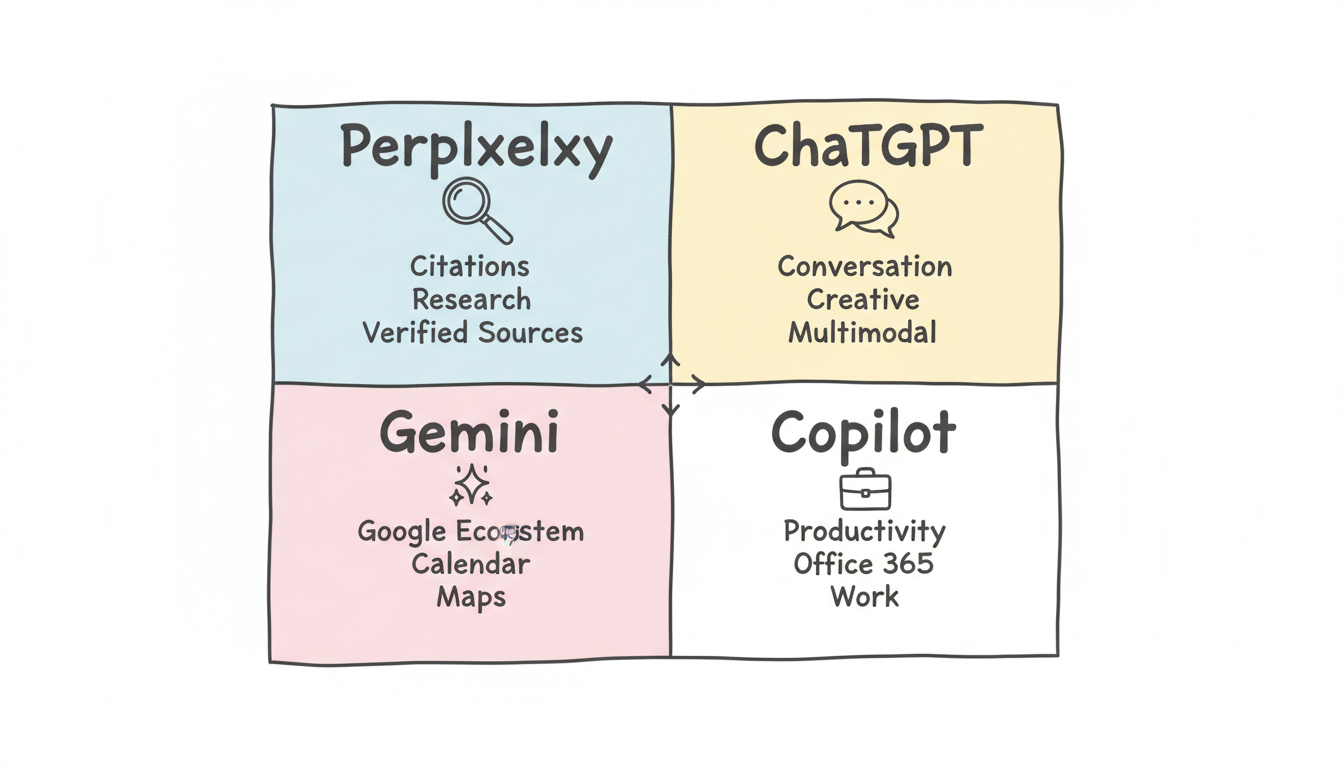
Many power users employ multiple apps:
- Perplexity for research requiring citations
- ChatGPT for creative tasks and coding help
- Gemini for Google-integrated queries
- Native search for quick, simple queries
AI Overview Tracking Tools: Monitor Your Brand Visibility
Brands have no native way to see when or how they appear in AI Overviews, making third-party AI overview tracker tools essential for SEO practitioners. Without dedicated monitoring, you are flying blind on one of the most impactful SERP features in 2026.
AI overview tools fall into three main categories:
Rank Tracking Platforms with AIO Detection
Enterprise SEO platforms have added AI Overview detection to their existing rank tracking infrastructure. Semrush Position Tracking now flags keywords where AI Overviews appear and whether your domain is cited. Ahrefs offers a SERP Features filter for AI Overviews in its keyword tracking reports. SE Ranking provides similar detection with competitive citation analysis.
Dedicated AIO Monitoring Tools
Purpose-built AI overview tracker tools offer deeper insight into citation patterns. ZipTie monitors AI Overview citations across keyword sets and alerts you to changes. Otterly.AI tracks AI visibility across Google, Bing, and Perplexity. seoClarity's AIO Tracker provides enterprise-grade monitoring with historical trending.
DIY Approaches
Google Search Console now shows performance data filtered by queries where AI Overviews appeared, providing basic impression and click data at no cost. For more granular needs, custom SERP scrapers can capture AI Overview content and citation sources, though they require technical resources to maintain.
Tool | AIO Detection | Pricing | Best For |
Semrush | Yes (Position Tracking) | $129+/mo | All-in-one SEO teams |
ZipTie | Yes (dedicated) | $49+/mo | Focused AIO monitoring |
Otterly.AI | Yes (multi-engine) | $39+/mo | Multi-platform AI visibility |
seoClarity | Yes (enterprise) | Custom | Enterprise teams |
Ahrefs | Yes (SERP filter) | $99+/mo | Keyword-level tracking |
Google Search Console | Limited | Free | Basic impression data |
Stackmatix provides AI Overview monitoring as part of its SEO toolkit, combining citation tracking with AI Overview optimization strategies to help teams move from monitoring to action. Applying structured data for AI search is one of the most effective tactics to improve your chances of being cited.
For tracking frequency, monitor your priority keywords weekly and review citation reports monthly. The metrics that matter most are: citation rate (percentage of tracked keywords where you appear in the AI Overview), position within the AI snippet (first cited vs. supporting source), and traffic attribution from AI Overview clicks. For a complete monitoring setup walkthrough, see our guide on AI search visibility monitoring.
Optimizing Content for Mobile AI Search
Businesses targeting mobile AI visibility should consider optimizing for website AI-powered search engines with mobile-specific strategies.
Mobile-Friendly Content Structure
- Short paragraphs (2-3 sentences maximum)
- Clear headings that work as standalone answers
- Bulleted lists for scannable information
- Tables that render well on small screens
Voice Search Optimization
- Natural language phrasing
- Question-and-answer format
- Conversational keyword targeting
- Pronunciation-friendly terminology
Local Mobile Optimization
- Complete Google Business Profile
- Location-specific content
- Mobile-friendly contact methods
- Reviews and ratings cultivation
Future Mobile AI Search Trends
The mobile AI search experience continues evolving:
Apple-Google partnership: Siri powered by Gemini will bring enhanced AI to iOS users in 2026, integrating Google's AI capabilities with Apple's interface.
Agentic capabilities: Mobile AI apps are gaining the ability to take actions -- book appointments, make purchases, send messages -- not just answer questions.
Deeper device integration: AI assistants increasingly control device settings, apps, and features based on context and user needs.
Android XR and wearable AI search: Google is extending AI search features beyond phones with Android XR, bringing AI Overviews and conversational AI to extended reality headsets and smart glasses. As wearable devices gain adoption, visual and voice-first AI search interactions will become a new frontier for content visibility.
Proactive assistance: AI that surfaces information before you ask, based on location, schedule, and patterns. Implementing schema markup for AI search optimization helps AI systems understand and surface your content proactively.
FAQs
Is Google AI Overview Available in the Mobile App?
Yes. Google AI Overviews appear in the Google Search app and through Chrome mobile when searching on google.com. The experience is optimized for mobile screens with expandable summaries.
Which AI Search App Is Best for Iphone?
It depends on your needs. Perplexity offers the best source citations. ChatGPT provides the deepest conversations. The native Google app gives AI Overviews integrated with traditional search. Many users benefit from having multiple apps.
Do AI Search Apps Work Offline?
Most AI search apps require internet connectivity for full functionality. Some, like Perplexity Pro, cache recent searches for offline access. On-device AI features are limited but expanding.
Are AI Search Apps Free to Use?
All major AI search apps offer free tiers with usage limits. Premium subscriptions ($15-20/month) provide higher limits, advanced features, and better model access.
What Is the Best AI Overview Tracker Tool in 2026?
The leading AI Overview tracker tools in 2026 are Semrush Position Tracking (with AI Overview detection), ZipTie (dedicated AIO monitoring), and Otterly.AI. Semrush offers the most comprehensive solution for enterprises already using its platform, while ZipTie provides focused AIO tracking at a lower price point. Google Search Console also shows limited AI Overview impression data for free.
How Is Google AI Mode Different from AI Overviews?
AI Overviews appear automatically on qualifying Google searches as brief AI-generated summaries. AI Mode is a separate, opt-in experience where users enter a conversational interface for multi-turn, in-depth AI-powered research. AI Mode surfaces different sources and provides longer, more detailed responses than standard AI Overviews. Both are accessible through the Google app on mobile.
Does Circle to Search Work with AI Overviews?
Circle to Search is an Android feature that lets you highlight any on-screen content to trigger a Google search. When the circled content matches a query that qualifies for AI Overviews, Google may display an AI-generated summary in the results. Circle to Search is available on Pixel phones and Samsung Galaxy devices running Android 14 or later.
Can I Track How Often My Website Appears in Google AI Overviews?
Yes. Google Search Console provides basic impression data for queries where AI Overviews appeared. For more detailed tracking, third-party tools like Semrush, ZipTie, and seoClarity offer dedicated AI Overview monitoring that tracks citation frequency, position within the AI snippet, and changes over time. Regular monitoring helps you understand which content earns AI Overview citations and optimize accordingly.