
A Google Ads manager account (also called a My Client Center or MCC) is a single Google Ads login that lets you link, manage, and switch between multiple individual Google Ads accounts without signing out. You use it to oversee client or multi-brand portfolios, control who has access, view cross-account performance, and run bulk changes and shared libraries from one dashboard. It is a free account type that sits above standard Google Ads accounts rather than replacing them.
If you run more than one Google Ads account - an agency with clients, a company with separate brands or regions, or a freelancer managing multiple advertisers - a manager account removes the friction of logging in and out and gives you account-level oversight. This guide covers what a manager account is, how it differs from a regular account, how to set one up, how access and billing work, and the mistakes that break multi-account setups.
TL;DR: Google Ads Manager Accounts at a Glance
- A manager account is a parent login, not a second ad account. It links child accounts; it does not spend or serve ads itself.
- Best for agencies, multi-brand companies, and freelancers managing more than one Google Ads account.
- Access is layered: administrative, standard, read-only, email-only, and standard (no access to boundaries).
- Billing can stay per-child-account or move to consolidated billing on the manager account for some configurations.
- Cross-account tools (bulk uploads, shared negative lists, scripts, and reporting) only exist at the manager level.
What Is a Google Ads Manager Account?
A Google Ads manager account is a specialized account type that acts as a container for other Google Ads accounts. When you log in, you see a list of every linked account and can jump into any of them, run reports across all of them at once, and apply shared settings. Google calls the container a "manager account" and the older term "MCC" (My Client Center) still appears across documentation and community threads.
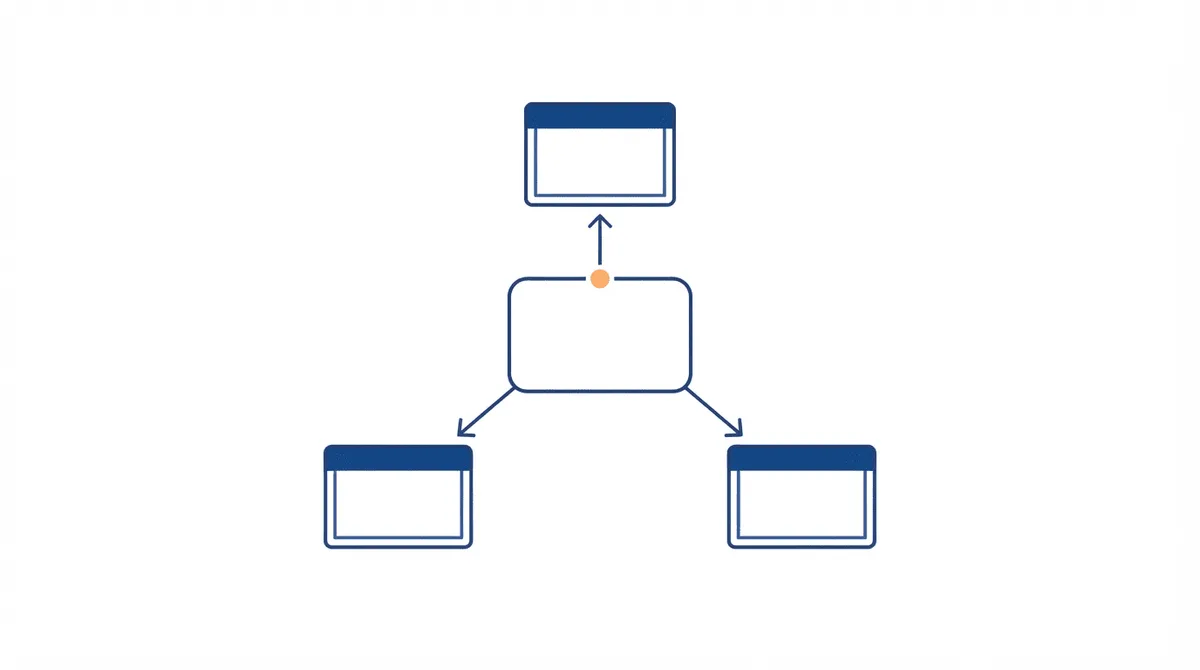
The key distinction is hierarchy. A standard Google Ads account holds campaigns, ad groups, keywords, and billing. A manager account holds links to standard accounts. It does not run campaigns of its own. Think of it as a control tower: you can see every runway and dispatch changes, but the planes themselves live in the hangars below.
Manager Account vs Regular Google Ads Account: What'S the Difference?
The difference is scope and purpose. A regular account is where advertising happens - you build campaigns, set bids, and pay for clicks. A manager account is where oversight happens - you link accounts, grant access, and pull cross-account reporting.
| Capability | Regular Google Ads Account | Manager Account |
|---|---|---|
| Runs campaigns and spends budget | Yes | No |
| Links to other ad accounts | No | Yes |
| Cross-account bulk edits | No | Yes |
| Shared negative keyword lists across accounts | No | Yes |
| Consolidated multi-account reporting | No | Yes |
| Owns its own billing | Yes | Optional (consolidated billing) |
For startups still setting up their first account, our Google Ads for startups guide covers the campaign-side decisions. A manager account only becomes relevant once you operate more than one account.
Who Should Use a Google Ads Manager Account?
Three groups get the most value from a manager account:
- Agencies and freelancers managing client accounts. Linking clients under one login means you never juggle multiple credentials, and you can onboard or offboard a client by changing a link rather than resharing passwords.
- Multi-brand or multi-region companies that keep separate accounts for legal, tax, or reporting reasons but want centralized oversight.
- In-house teams with sandbox or test accounts that need to keep experimental work out of the production account while still monitoring it.
If you run exactly one account, a manager account adds no benefit. The tipping point is two or more accounts that you touch regularly.
How Do You Create a Google Ads Manager Account?
Creating a manager account is free and separate from any existing ad account:
- Go to the Google Ads manager account sign-up page and create a new Google Ads account designated as a manager account.
- Choose whether to use an existing Google login or a dedicated one. Agencies often use a role-based email (e.g. ads@your-agency.com) rather than a personal account so access survives staff changes.
- From the manager dashboard, click "Link existing account" or "Create new account" to add child accounts.
- For existing accounts, enter the 10-digit customer ID and send a link request. The child account's admin approves it.
- For new accounts you create under the manager, you become the admin automatically.
One caution: do not link a manager account to another manager account unless you intend a true hierarchy (agency-of-agency). A flat structure with one manager and many children is easier to audit.
How Does Access and User Management Work?
Manager accounts use access levels that apply at the manager level and can cascade to linked accounts:
- Administrative access: Full control over the manager account, including linking and unlinking accounts and managing users.
- Standard access: Can manage campaigns and run reports across linked accounts but cannot change account links or user access.
- Read-only access: Can view everything but change nothing - useful for clients or executives who need visibility.
- Email-only access: Receives notifications but cannot log in to the account interface.
- Standard (no access to boundaries): A scoped variant that limits reach to specific sub-accounts.
When you grant a user access at the manager level, you can choose whether that access applies to all linked accounts or only selected ones. This is how an agency gives a junior buyer control of one client without exposing the rest of the portfolio.
How Does Billing Work in a Manager Account?
By default, each linked account keeps its own billing and payment method. The manager account is not a wallet. Two exceptions matter:
- Consolidated billing: Available in some configurations, it lets a manager account receive one invoice covering multiple child accounts. This is common for agencies that front ad spend for clients.
- Manager-paid billing: The manager account pays, then bills clients separately. This requires the right account type and is not available in every country.
Before enabling consolidated or manager-paid billing, confirm it is offered in your region and that your client contract supports it. The wrong billing mode is one of the most painful things to unwind later.
What Cross-Account Tools Does a Manager Account Unlock?
The real payoff of a manager account is the tools that only exist at the parent level:
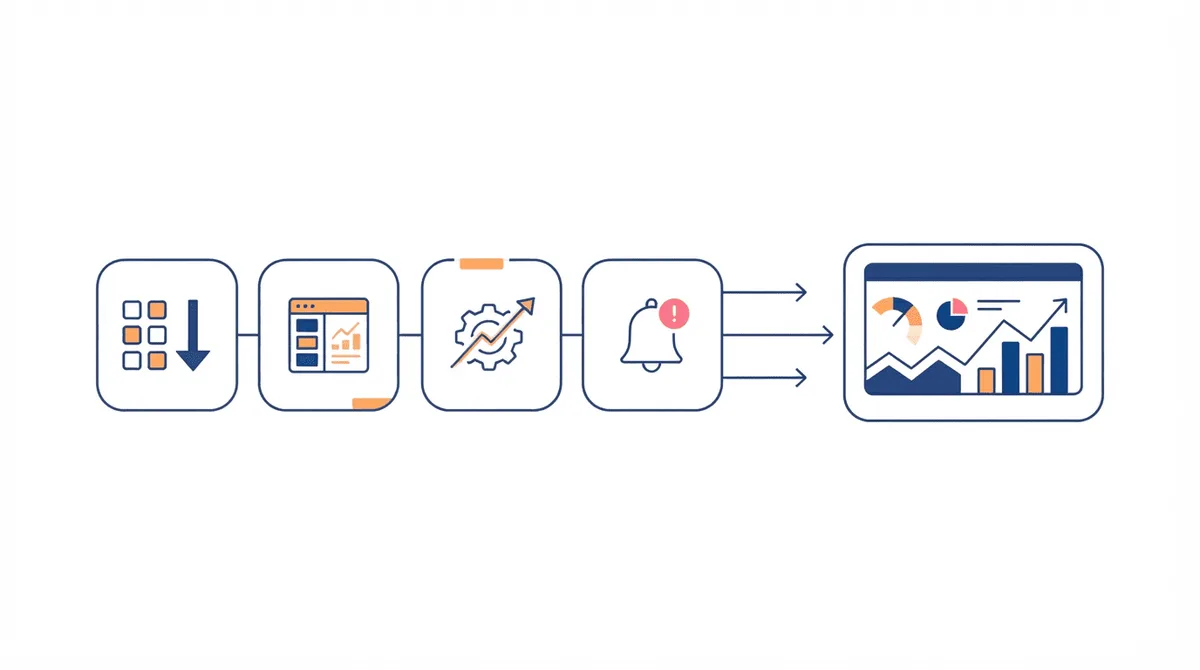
- Bulleted uploads and edits: Apply the same campaign, ad group, or keyword changes across many accounts from a single sheet.
- Shared library: Negative keyword lists, audience lists, and extensions can be shared across every linked account so you maintain them once.
- Cross-account reporting: A single dashboard or report covers performance across the portfolio, with filters by account, label, or manager.
- Manager account scripts: Google Ads scripts run across all linked accounts for automated reporting, alerting, and cleanup.
- Labels: Tag accounts by client, vertical, or health status and report on groups instantly.
These capabilities are why account structure matters. Our Google Ads account structure guide explains how to organize campaigns within an account; a manager account is the layer above that.
What Are the Common Manager Account Mistakes?
- Linking personal Gmail accounts: When the person leaves, access leaves with them. Use role-based emails.
- Over-linking: Pulling every test and legacy account into one manager makes reporting noisy. Keep the manager to active, managed accounts.
- Granting administrative access too widely: Only a few people should control links and users.
- Mixing agencies in one manager: If two agencies share a manager, neither has clean isolation. Use separate managers per agency or per client group.
- Ignoring access audits: Review who has access quarterly. Stale access is the most common security gap.
How Do You Link or Unlink an Account?
To link, you need the child account's 10-digit customer ID and admin approval on that account. From the manager, enter the ID and send a request; the child account admin accepts. To unlink, the manager removes the link, or the child account cancels the manager's access from its own account settings. Unlinking does not delete the child account or its history - it simply removes the parent connection. Plan offboarding in contracts so a departing client's unlink is a clean, expected step.
FAQ: Google Ads Manager Accounts
Is a Google Ads Manager Account Free?
Yes. Creating and using a manager account (MCC) is free. You pay only for the ad spend in the linked child accounts. There is no platform fee for the manager container itself.
Can a Manager Account Run Its Own Campaigns?
No. A manager account is a container for links and oversight. It has no campaigns, no billing of its own by default, and serves no ads. Campaigns live in the linked standard accounts below it.
How Many Accounts Can a Manager Account Link?
A single manager account can link a very large number of child accounts - into the thousands for agencies. Practical limits come from reporting performance and access hygiene, not a hard cap. For extremely large portfolios you can nest manager accounts into a hierarchy.
What Happens to My Data If I Unlink a Client Account?
Unlinking removes the parent connection but does not delete the child account or its historical data. The child account keeps its campaigns, history, and performance records. The former manager simply loses visibility and control.
Should a Startup Use a Manager Account?
Only once it runs more than one Google Ads account - for example separate brand and regional accounts, or a production and a test account. A single-account startup gains nothing from a manager and should focus on campaign structure instead.