
You've optimized your content for AI search - but how do you know if it's actually working? Checking whether your site appears in Google AI Overviews requires manual verification since Google doesn't provide an AI Overview report in Search Console. This guide covers practical methods to confirm your visibility.
The Manual Verification Process
Google doesn't send notifications when your content gets cited. You need to check yourself.
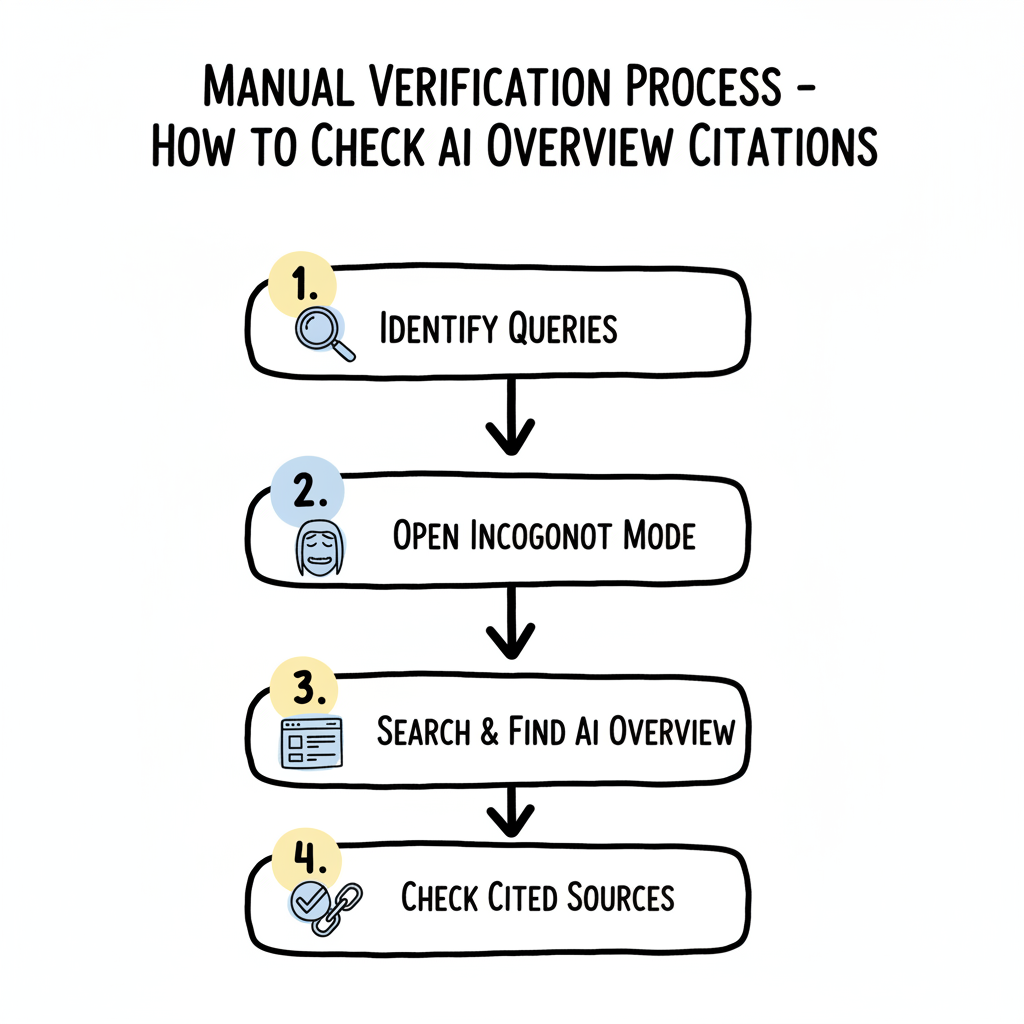
Basic verification steps:
- Identify queries your content should answer
- Search those queries on Google
- Look for AI Overview boxes at the top of results
- Check if your site appears in the cited sources
This sounds simple, but effective verification requires systematic testing rather than random spot checks.
Preparing Your Query Test List
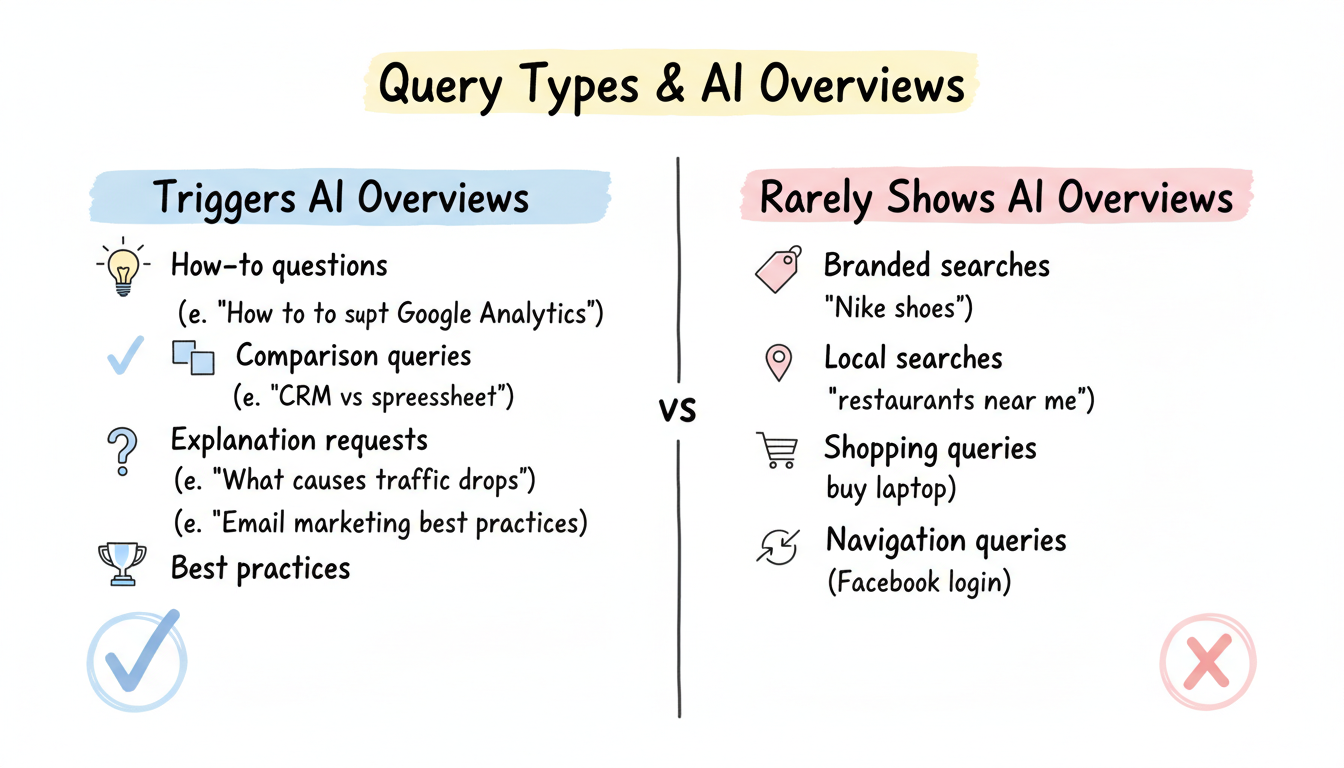
Not every query triggers AI Overviews. Test with queries that align with AI Overview patterns.
Query types most likely to show AI Overviews:
Query Type | Example | Why It Works |
How-to questions | "How to set up Google Analytics" | Educational intent |
Comparison queries | "CRM vs spreadsheet for sales" | Requires synthesis |
Explanation requests | "What causes website traffic drops" | Complex topics |
Best practices | "Email marketing best practices" | Multiple factors |
Query types rarely showing AI Overviews:
- Branded searches ("Nike shoes")
- Local searches ("restaurants near me")
- Shopping queries ("buy laptop")
- Navigation queries ("Facebook login")
Build a list of 10-20 queries relevant to your content that match AI Overview trigger patterns.
Conducting the Manual Check
Step 1: Use Incognito Mode
Personalization affects search results. Test in a clean environment.
Why incognito matters:
- Removes search history influence
- Eliminates location bias (partially)
- Shows default AI Overview behavior
- More representative of new user experience
Open an incognito/private window before testing.
Step 2: Search Your Test Queries
Enter each query from your test list and examine results. Understanding how AI search content structure influences visibility can help you identify which queries are most likely to trigger citations.
What to look for:
AI Overview Location: Top of search results
                     (above organic listings)

Visual Indicators:
+-- "AI Overview" label or similar header
+-- Summarized answer text
+-- Expandable sections (sometimes)
+-- Source links with website icons

Source Section:
+-- Small website favicons
+-- Page titles as links
+-- Usually 3-6 sources listed
+-- "Show more" expansion option
When an AI Overview appears, check the source attribution.
Finding your site in sources:
- Look at the small icons and links below the AI text
- Click "Show more" if sources are collapsed
- Check both the visible sources and expanded list
- Note your position among cited sources (if present)
Recording your findings:
Query | AI Overview Present | Your Site Cited | Position |
[query 1] | Yes/No | Yes/No | 1st/2nd/Not listed |
[query 2] | Yes/No | Yes/No | 1st/2nd/Not listed |
Interpreting Your Results
What different outcomes mean for your strategy.
Your Site Appears in AI Overview
Good signs:
- Listed in top 3 sources (highest visibility)
- Appearing consistently across related queries
- Your domain appears for your core topics
Next steps:
- Document which content types get cited
- Identify patterns in successful pages
- Apply those patterns to other content
AI Overview Exists, but Your Site Isn'T Cited
Possible reasons:
Reason | Check | Solution |
Competitors dominate | Review cited sources | Analyze their content format |
Content doesn't match | Compare your content to query | Restructure for direct answers |
Technical issues | Verify indexing in GSC | Fix crawling problems |
E-E-A-T gaps | Assess authority signals | Build expertise indicators |
If you're consistently missing citations, reviewing winning in AI overview case studies can reveal what successful sites are doing differently.
No AI Overview Appears
This doesn't mean failure:
- Not all queries trigger AI Overviews
- Google tests different query sets over time
- Some topics remain AI Overview-free intentionally
Try rephrasing the query or testing related variations. For platform-specific optimization, consult the platform specific AI search optimization guide to understand how different search environments behave.
Testing Different Devices
AI Overview behavior varies by device.
Desktop vs. mobile differences:
Factor | Desktop | Mobile |
AI Overview frequency | Higher | Varies by query |
Source visibility | More sources shown | Condensed view |
Expansion behavior | Click to expand | Tap to expand |
Test on both desktop and mobile to get complete visibility picture.
Regional Considerations
AI Overviews roll out differently by region.
Testing across regions:
If your audience spans multiple countries:
- AI Overviews may not appear in all regions
- Test from your target audience's location
- VPN testing can show different results (though may violate ToS)
For US-focused sites, test while connected to US networks.
Tracking Changes Over Time
One check shows a snapshot. Regular monitoring reveals trends. Setting up proper AI search performance reporting templates helps you track visibility systematically rather than relying on ad-hoc checks.
Simple tracking approach:
- Pick 5-10 priority queries
- Check weekly at the same time
- Record presence/absence and source position
- Note major changes in citation status
What to track:
Weekly AI Overview Check Log

Date: [date]
Query: [your test query]
AI Overview present: Yes/No
Your site cited: Yes/No
Your source position: [1-6 or N/A]
Competitors cited: [list domains]
Notes: [any changes from last week]
Citation isn't permanent. Sites can lose AI Overview visibility.
If you lose citations:
- Check if AI Overview still exists for that query
- Review which sources replaced you
- Analyze competing content for changes
- Verify no technical issues (deindexing, errors)
- Update your content if competitors improved
Don't panic over single-query fluctuations - AI Overviews shift regularly.
What to Do When You Are Not Appearing
If your checks show no citation, resist the urge to rewrite blindly. First confirm the query actually triggers an AI Overview at all, since many commercial and navigational searches still return a classic list. If the overview exists and you are absent, compare the cited pages to yours on structure, depth, and recency.
Close the gap by adding a direct answer near the top of the page, labeling sections with clear headings, and including the primary evidence the overview sources tend to use. Re-check on a fixed cadence rather than daily, because inclusion can shift as Google re-evaluates the corpus around a topic.
How Often AI Overviews Refresh Your Content
Citation is not a one-time win. Google re-reads and re-ranks sources as it refreshes the underlying index and as user behavior changes which pages satisfy the query. A page that earned a citation last month can lose it if a fresher, clearer competitor appears.
Build a lightweight monitoring habit: keep a saved list of the queries where visibility matters, and re-run your manual check every few weeks. When a citation drops, look first at whether a newer source now answers the question more completely, then update your page to match or exceed it.
Sharing Visibility Findings with Stakeholders
Visibility data is only useful if it changes decisions. Turn your manual checks into a short shared log that records the date, the query, whether you appeared, and the snippet shown. A running record makes it easy to show progress or explain a dip without re-running tests in a meeting.
Frame the findings around business questions, not raw impressions. Stakeholders care whether the brand shows up where buyers research, and whether the cited answer reflects the right positioning. A one-page monthly summary of appeared versus missing queries is more actionable than a raw export of every check.
Key Takeaways
Verifying your AI Overview visibility:
- Use incognito mode - Eliminates personalization effects
- Test query types that trigger AI Overviews - Educational, comparison, how-to queries
- Check source sections - Your site appears as a small link below the AI text
- Test multiple devices - Desktop and mobile show different behavior
- Track over time - Weekly checks reveal trends better than one-time tests
- Document findings - Simple spreadsheet tracking provides useful data
Manual verification isn't as convenient as an automated dashboard, but it gives you direct confirmation of what users actually see when they search.