
Running Facebook ads can transform your business—but only if you set them up correctly. With over 3 billion monthly active users, Facebook (now part of Meta) remains one of the most powerful advertising platforms available.
This guide walks you through everything you need to run your first Facebook ad campaign in 2026, from setting up your accounts to launching and optimizing your ads.
Getting Started
Before creating ads, you need to set up the foundational infrastructure. This takes about 15-30 minutes and only needs to be done once.
What You Need
- A Facebook personal profile – This is required to access Meta Business Suite
- A Facebook Business Page – Your ads will run from this page
- A Meta Business Suite account – This manages your pages, ad accounts, and team access
- A payment method – Credit/debit card or PayPal
Create Your Meta Business Suite Account
Meta Business Suite (formerly Business Manager) is the central hub for managing your advertising. Here's how to set it up:
- Go to business.facebook.com
- Click "Create Account"
- Enter your business name, your name, and business email
- Add your business details (address, phone number)
- Verify your email address
Once created, you can add your Facebook Page and create an ad account from within Business Suite. If you're managing campaigns for multiple clients, consider learning how to run Facebook ads for clients to structure your Business Suite properly.
Create Your Facebook Page (If Needed)
If you don't have a business page yet:
- From Business Suite, click "Settings" then "Accounts" > "Pages"
- Click "Add" > "Create a new Page"
- Choose your page category (Local Business, Brand, etc.)
- Fill in your page name, category, and description
- Upload your profile picture and cover photo
Your page represents your business identity on Facebook and Instagram—it's where your ads will appear to come from.
Setting Up Ads Manager
Ads Manager is where you'll create, manage, and analyze all your Facebook advertising campaigns.
Access Ads Manager
From Meta Business Suite:
- Click the menu icon (nine dots) in the left sidebar
- Select "Ads Manager" under the "Advertise" section
Or go directly to adsmanager.facebook.com.
Install the Meta Pixel
The Meta Pixel is a small piece of code that tracks visitor actions on your website. It's essential for:
- Tracking conversions from your ads
- Building retargeting audiences
- Optimizing ad delivery
To install:
- In Ads Manager, go to "Events Manager" (in the menu)
- Click "Connect Data Sources" > "Web"
- Select "Meta Pixel"
- Name your pixel and enter your website URL
- Choose your installation method:
- Partner Integration (easiest) – Works with Shopify, WordPress, Wix, etc.
- Manual Installation – Add code to your website's header
Set up standard events to track specific actions like purchases, add to cart, and leads. This data makes your campaigns significantly more effective, especially if you're running an ecommerce meta ads strategy.
Set Up Your Payment Method
- In Business Suite, go to "Settings" > "Payments"
- Click "Add payment method"
- Enter your credit card, debit card, or PayPal details
- Set your billing threshold and account spending limit (optional but recommended for beginners)
Before investing heavily, use a Facebook ads cost calculator to estimate your budget needs based on your goals.
Creating Your First Campaign
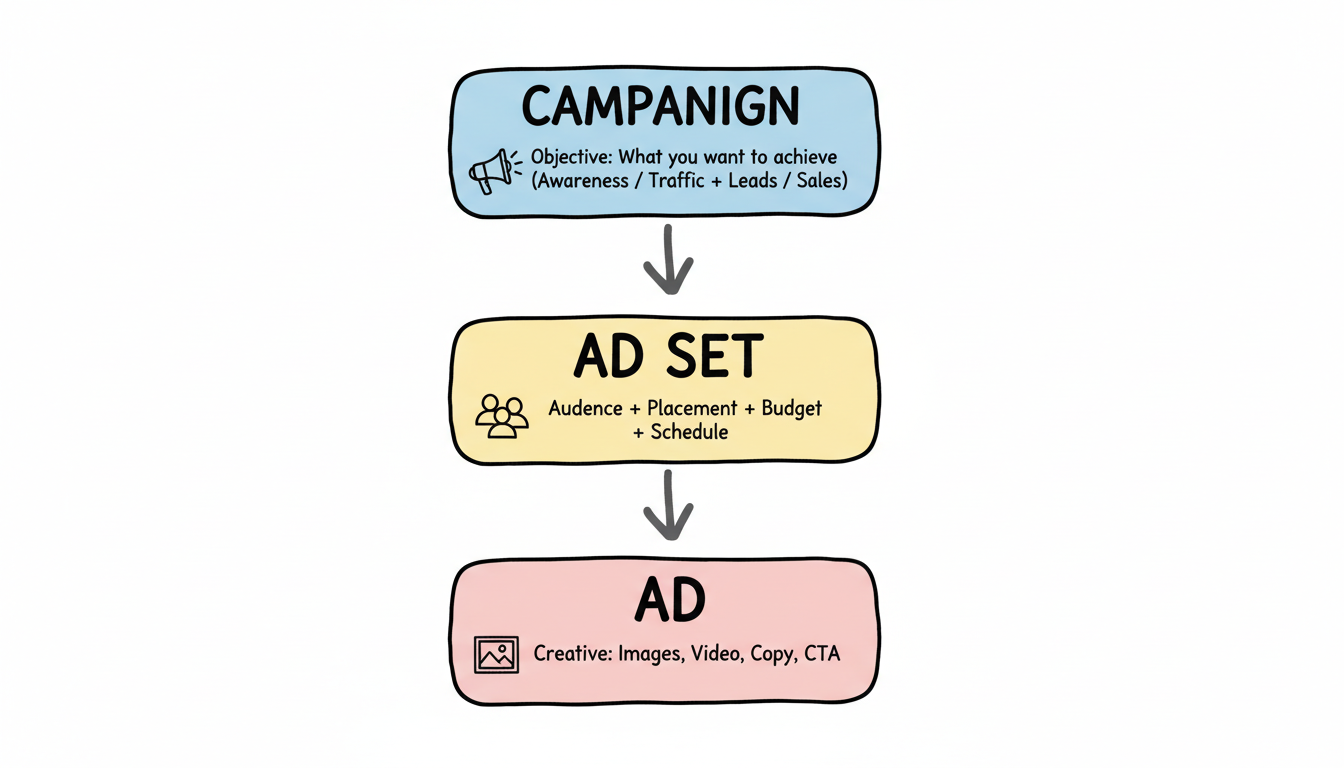
Facebook ads follow a three-level structure: Campaign > Ad Set > Ad. Understanding this hierarchy is crucial.
Level | What You Set |
Campaign | Objective (what you want to achieve) |
Ad Set | Audience, placement, budget, schedule |
Ad | Creative (images, video, copy) |
Step 1: Choose Your Campaign Objective
Your objective tells Facebook what result you want. Choose the one that matches your actual business goal.
Awareness Objectives:
- Brand awareness
- Reach
Traffic & Engagement:
- Traffic (drive visitors to website/app)
- Engagement (likes, comments, shares)
- Video views
Conversion Objectives:
- Leads (collect contact information)
- Sales (drive purchases on your website)
- App promotion (installs and engagement)
Pro tip: For most businesses starting out, the "Sales" or "Leads" objective with conversion optimization delivers the best ROI. Avoid optimizing for awareness unless you have a large budget.
Step 2: Name Your Campaign
Use a naming convention that helps you identify campaigns later:
[Objective]_[Audience]_[Offer]_[Date]
Example: Sales_Lookalike_SummerSale_Jan2026
Step 3: Set Your Campaign Budget
You'll choose between:
- Campaign Budget Optimization (CBO): Facebook distributes budget across ad sets automatically
- Ad Set Budget: You control how much each ad set spends
For beginners, CBO is recommended—it lets Facebook's algorithm find the best opportunities. Understanding the average cost of Facebook ads in your industry helps you set realistic budgets.
Targeting Options
Ad set level is where you define who sees your ads. Facebook offers the most sophisticated targeting options of any ad platform.
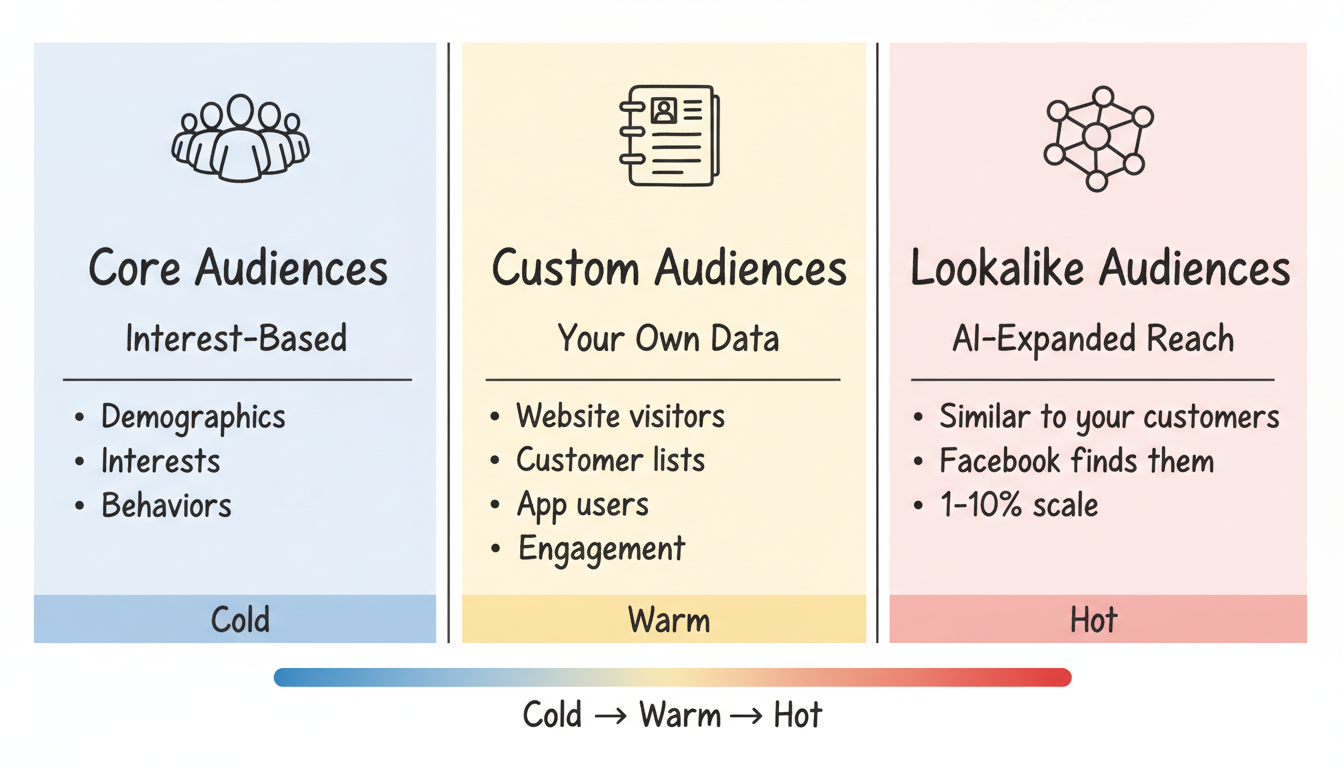
Core Audiences (Interest-Based)
Build audiences based on:
Demographics:
- Age, gender, location
- Language, education level
- Job title, employer
Interests:
- Pages they follow, content they engage with
- Hobbies, entertainment preferences
- Purchase behaviors
Behaviors:
- Purchase history, device usage
- Travel patterns, recent movers
- Small business owners
Custom Audiences (Your Data)
Reach people who already know your business:
- Website visitors – Anyone who visited specific pages
- Customer lists – Upload emails or phone numbers
- App users – People who've used your app
- Engagement audiences – People who've interacted with your content on Facebook/Instagram
Lookalike Audiences
Facebook's most powerful feature. Upload a source audience (like your customers), and Facebook finds similar people likely to convert.
Source Size | Lookalike % | Best Use |
1,000-50,000 | 1-2% | Highest quality, smaller reach |
50,000+ | 3-5% | Broader reach, still relevant |
Large list | 5-10% | Maximum scale, lower precision |
2026 Update: Facebook's Andromeda algorithm increasingly relies on your creative to determine targeting. Broad audiences often perform as well as highly targeted ones because AI handles optimization.
Placement Options
Choose where your ads appear:
- Advantage+ Placements (recommended): Facebook automatically optimizes across all placements
- Manual Placements: You select specific spots (Facebook Feed, Instagram Stories, Reels, etc.)
For beginners, start with Advantage+ placements and let the algorithm optimize. If you need to run ads on Instagram without Facebook, you'll use manual placements to restrict delivery.
Budget & Bidding
Setting the right budget prevents wasted spend and ensures your campaigns have enough data to optimize.
Daily vs. Lifetime Budget
- Daily Budget: Spend roughly this amount each day
- Lifetime Budget: Spend this total over the campaign duration
Daily budgets offer more flexibility; lifetime budgets work well for promotions with specific end dates.
Minimum Budget Guidelines
According to industry best practices, campaigns under $1,000/month struggle to generate meaningful data. For beginners:
- Testing phase: $20-50/day minimum per ad set
- Growth phase: $50-150/day
- Scaling: $150+/day
Bidding Strategies
- Lowest Cost (default): Get the most results for your budget
- Cost Cap: Set a maximum cost per result
- Bid Cap: Control your bid in the auction
- ROAS Goal: Target a specific return on ad spend
Start with Lowest Cost until you understand your typical costs, then experiment with caps. Your meta ads bidding strategy should evolve as you gather performance data.
Optimization Tips
Launching is just the beginning. Here's how to improve performance over time.
The Learning Phase
Every new ad set enters a "learning phase" where Facebook tests how to deliver your ads. During this period:
- Performance may be unstable
- Costs might be higher
- Allow 50 conversion events before judging results
Avoid making significant changes during learning—each edit restarts the process.
What to Test
Creative testing is critical in 2026. According to experts, brands scaling successfully are running 10-60x more creative variants than they did previously.
Test these elements:
- Images vs. video – Video often outperforms but not always
- Hook variations – First 3 seconds determine video success
- Ad copy length – Short vs. long form
- Call-to-action buttons
- Audience segments
For e-commerce brands, a structured meta ads funnel strategy helps you test the right creative at each stage of the customer journey.
Automated Rules
Set up automated rules to manage campaigns while you sleep:
- Pause ad sets spending 1.5x your target CPA without conversion
- Increase budget for ad sets exceeding performance targets
- Send alerts when metrics exceed thresholds
Key Metrics to Track
Metric | What It Tells You |
CTR (Click-Through Rate) | Ad relevance and creative performance |
CPC (Cost Per Click) | Efficiency of traffic generation |
Conversion Rate | Landing page effectiveness |
ROAS (Return on Ad Spend) | Overall campaign profitability |
Frequency | How often users see your ads |
Watch frequency closely—when it exceeds 3-4, ad fatigue sets in and performance typically drops. Understanding what is good ROI for Facebook ads helps you set appropriate performance benchmarks.
Frequently Asked Questions
How Much Does It Cost to Run Facebook Ads?
There's no minimum to start. Average costs in 2026 include CPC of $0.50-$1.12 and CPM of $5-$20 depending on your industry and targeting. Most experts recommend at least $20-50/day per ad set for meaningful results. Your total investment should also account for creative production and potentially management time or agency fees.
How Long Does It Take to See Results from Facebook Ads?
The learning phase typically lasts 7-10 days or until your ad set reaches 50 optimization events. You should see initial data within 24-48 hours, but allow 2-4 weeks before making major strategic decisions about what's working.
Should I Use Advantage+ Campaigns or Manual Setup?
Meta Advantage Plus campaigns work well for e-commerce with established conversion data. However, manual campaigns offer more control for beginners learning the platform. Start manual to understand the mechanics, then test Advantage+ once you're comfortable.
What'S the Best Ad Format for Beginners?
Start with single image ads—they're easiest to create and test quickly. Once you understand what messaging works, graduate to carousel ads (multiple images) and video. Reels and Stories formats are increasingly effective in 2026 as users spend more time in those placements. If you're just learning how to create Facebook ads for beginners, stick with simple formats initially.
How Do I Know If My Facebook Ads Are Working?
Define success before launching. For e-commerce, track ROAS (aim for 3-4x or higher). For lead generation, monitor cost per lead against your customer lifetime value. If a lead is worth $500 to your business, a $50 cost per lead is excellent. Track these metrics in Ads Manager and compare against your targets weekly. Use a Facebook ads ROI calculator to measure profitability accurately.