
LinkedIn single image ads use a 1200x628px horizontal format (1.91:1), deliver a median CTR of 0.42% at a $13.23 CPC, and generate leads at $50-$150 CPL. Square (1200x1200px) and vertical (720x900px) orientations are also supported, with vertical ads delivering only on mobile. This guide covers every spec, benchmark, and best practice you need to launch and optimize single image ads on LinkedIn in 2026.
What Are the LinkedIn Single Image Ad Specs in 2026?
Here are the current specifications for LinkedIn single image ads:
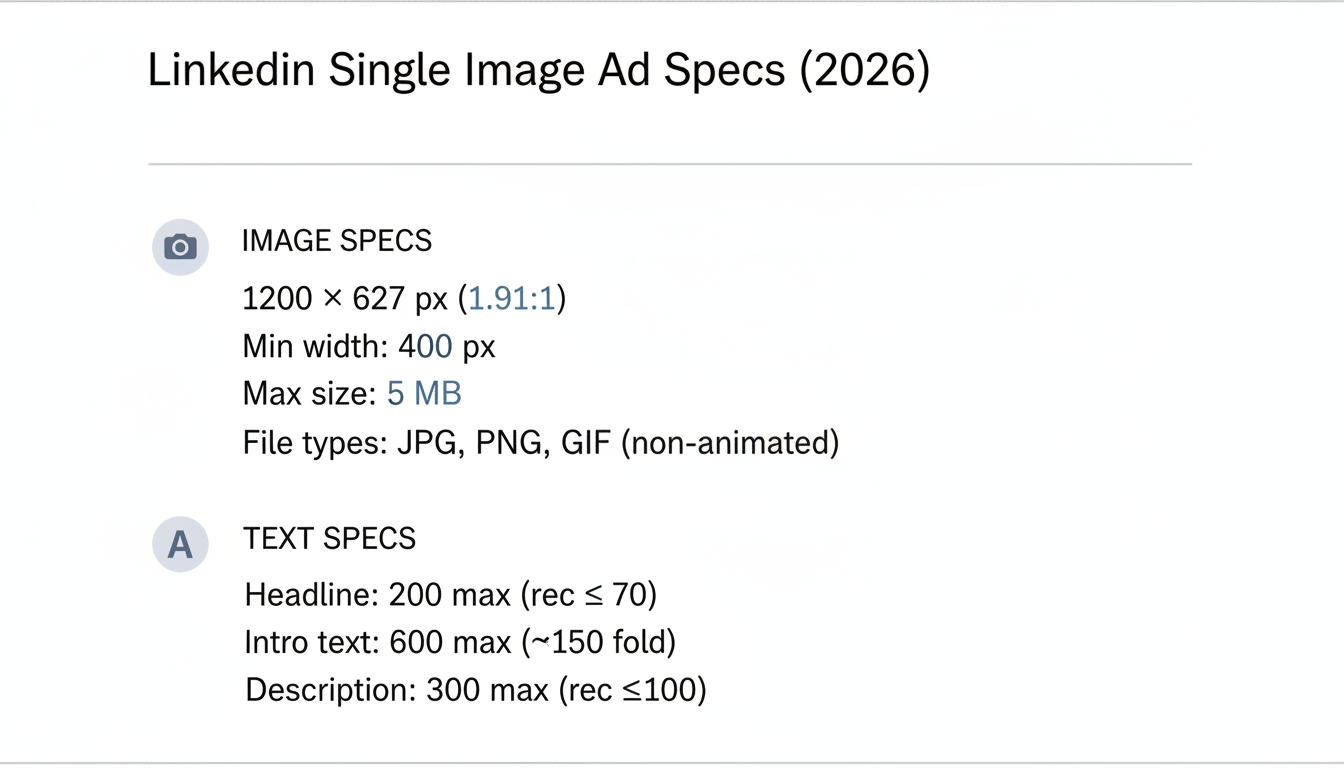
Image Dimensions
LinkedIn single image ads support three orientations: horizontal, square, and vertical. Each orientation has specific recommended sizes and delivery behavior.
Orientation | Recommended Size | Aspect Ratio | Minimum Size | Delivery |
Horizontal (landscape) | 1200 x 628 pixels | 1.91:1 | 640 x 360 pixels | Desktop and mobile |
Square | 1200 x 1200 pixels | 1:1 | 400 x 400 pixels | Desktop and mobile |
Vertical (4:5) | 720 x 900 pixels | 4:5 | 400 x 500 pixels | Mobile only |
Vertical (1:1.91) | 628 x 1200 pixels | 1:1.91 | 360 x 640 pixels | Mobile only |
Important: Vertical image ads (4:5 and 1:1.91 ratios) are delivered exclusively on mobile devices. If your campaign targets desktop-heavy audiences, stick with horizontal (1.91:1) or square (1:1) formats. Square images display well on both desktop and mobile without cropping, making them a versatile choice when you need a single creative across placements.
Maximum file size for all orientations is 5 MB. Accepted file types are JPG, PNG, and GIF (non-animated).
Ad Text Specifications
Every text element has a strict character limit controlling how your copy displays and where truncation occurs.
Element | Character Limit | Recommendation |
Ad headline | 200 characters max | 70 characters or less |
Introductory text | 600 characters max | 150 characters above fold |
Description | 300 characters max | 100 characters optimal |
According to LinkedIn's 2026 ad specifications, using the 1.91:1 aspect ratio ensures your image displays fully without unwanted cropping across desktop and mobile feeds.
LinkedIn Audience Network (LAN) Specs
The LinkedIn Audience Network (LAN) extends your single image ads beyond the LinkedIn feed to partner apps and websites. When LAN is enabled, your ads reach professionals while they browse third-party content, expanding your potential reach significantly.
LAN has one additional requirement: you must provide a description field limited to 70 characters. This description appears below your ad on partner placements and is separate from your introductory text. Keep it concise and action-oriented.
When to enable LAN:
- Brand awareness campaigns where broad reach matters
- Retargeting campaigns to stay visible across the web
- When you have sufficient budget to support expanded delivery
When to disable LAN:
- Lead generation campaigns requiring precise targeting
- When testing new creative (keep variables controlled)
- If your analytics show low-quality traffic from partner sites
What Are the Performance Benchmarks for LinkedIn Single Image Ads?
Understanding typical performance helps you set realistic expectations and identify when your campaigns need optimization. For a deeper comparison, see our breakdown of LinkedIn Ads vs Google Ads.
Median Performance Metrics
The table below shows industry-wide benchmark data across five core performance metrics.
Metric | Single Image Ad Benchmark |
Median CTR | 0.42% |
Median CPC | $13.23 |
Typical CPL range | $50 - $150 |
Top LinkedIn advertisers achieve CTRs well above the 0.42% median by combining precise audience targeting with strong creative. Use these benchmarks as a baseline, not a ceiling.
These benchmarks reflect aggregate data across industries. B2B SaaS and professional services campaigns often see higher CPCs but stronger conversion rates due to high-intent audiences.
Top Performer Patterns
Campaigns that consistently outperform benchmarks share these creative patterns:
- Avoid stock photos: Custom photography and branded graphics outperform generic stock images
- Use dark or bold backgrounds: High-contrast images with dark backgrounds stop the scroll more effectively in the LinkedIn feed
- Include in-image CTAs: Adding a clear call-to-action directly on the image (such as "Download Free Guide" or "See the Data") boosts click-through rates
- Feature real people: Authentic team photos and customer faces drive higher engagement than abstract graphics
The "Read More" Click Cost Trap
When a user clicks "Read more" to expand your introductory text, LinkedIn counts it as a charged click. Long intro text inflates your CPC without driving landing page visits. Keep introductory text under 150 characters to avoid this cost drain.
Benchmark performance also varies significantly by industry and seniority tier. Technology and financial services campaigns typically see CPCs 30-50% above the $13.23 median when targeting Director-level and above. Consumer and retail campaigns targeting broader audiences often achieve lower CPCs but at the cost of lead quality. Always compare your performance against industry-specific benchmarks rather than platform-wide averages to get an accurate read on campaign health.
How Do LinkedIn Single Image Ads Compare to Other Ad Formats?
Single image ads are one of several LinkedIn ad formats. Choosing the right format depends on your campaign objective, creative assets, and budget.
Format | Best For | Typical CTR | Creative Effort |
Single image ad | Brand awareness, lead gen, quick launches | 0.42% | Low |
Video ad | Product demos, storytelling, thought leadership | 0.44% | High |
Carousel ad | Multi-feature showcase, sequential storytelling | 0.40% | Medium |
Document ad | Thought leadership, lead magnets, gated content | 0.50% | Medium |
Message ad | Direct outreach, event invites, personalized offers | Varies | Low |
Conversation ad | Interactive funnels, multi-path offers | Varies | Medium |
Text ad | Low-budget awareness, sidebar placement | 0.02% | Very low |
Other LinkedIn ad formats include spotlight ads (personalized with profile photos), follower ads (grow company page followers), and event ads (promote LinkedIn Events). These formats serve specialized use cases and are less commonly compared against single image ads.
Single image ads remain the best starting point for most advertisers because they require minimal creative investment while delivering competitive engagement rates. For a cross-platform perspective, compare these numbers against Facebook ads cost benchmarks for 2026.
Why Do Single Image Ads Work on LinkedIn?
Single image ads deliver consistent results because they balance simplicity with impact. Unlike video or carousel formats, they require minimal creative effort while still capturing attention in the LinkedIn feed.
The static nature of a single image actually works in its favor on LinkedIn, where users often scroll quickly through their feed. A strong image with a clear value proposition stops the scroll more reliably than a multi-card carousel that requires interaction to reveal its message. This lower friction leads to more predictable performance across campaigns and audience segments.
For B2B advertisers, single image ads also offer significant practical advantages: faster creative production cycles, easier A/B testing of messaging, and lower CPMs compared to video formats.
Performance Characteristics
According to LinkedIn advertising analysis, single image ads provide:
Metric | Single Image Performance |
Engagement level | Moderate |
Best use case | Brand awareness, updates |
Setup complexity | Low |
Creative requirements | Simple |
When to Use Single Image Ads
Ideal scenarios:
- Brand awareness campaigns
- Company announcements and updates
- Lead generation with clear offers
- Traffic-driving campaigns
- Testing new messaging or audiences
Less ideal for:
- Complex product explanations (use carousel or video)
- Multi-feature showcases (use carousel)
- Detailed demonstrations (use video)
The decision to use a single image versus carousel or video is not just about format preference -- it is about cognitive load. Complex products with multiple benefits are better served by carousel ads that let users swipe through each benefit sequentially. Single image ads force you to commit to one core message, which is a creative discipline that often improves clarity and performance even for complex offers.
When in doubt, run a format test. Some audiences respond better to the passive simplicity of a static image, while others engage more with interactive formats. The LinkedIn ad formats page provides format-specific performance guidance, but real-world results vary by audience, industry, and objective.
How Do You Create Effective LinkedIn Single Image Ads?
Visual quality and composition determine whether your ad stops the scroll. When building out LinkedIn advertising campaigns, your image choice can make or break performance.
Image Best Practices
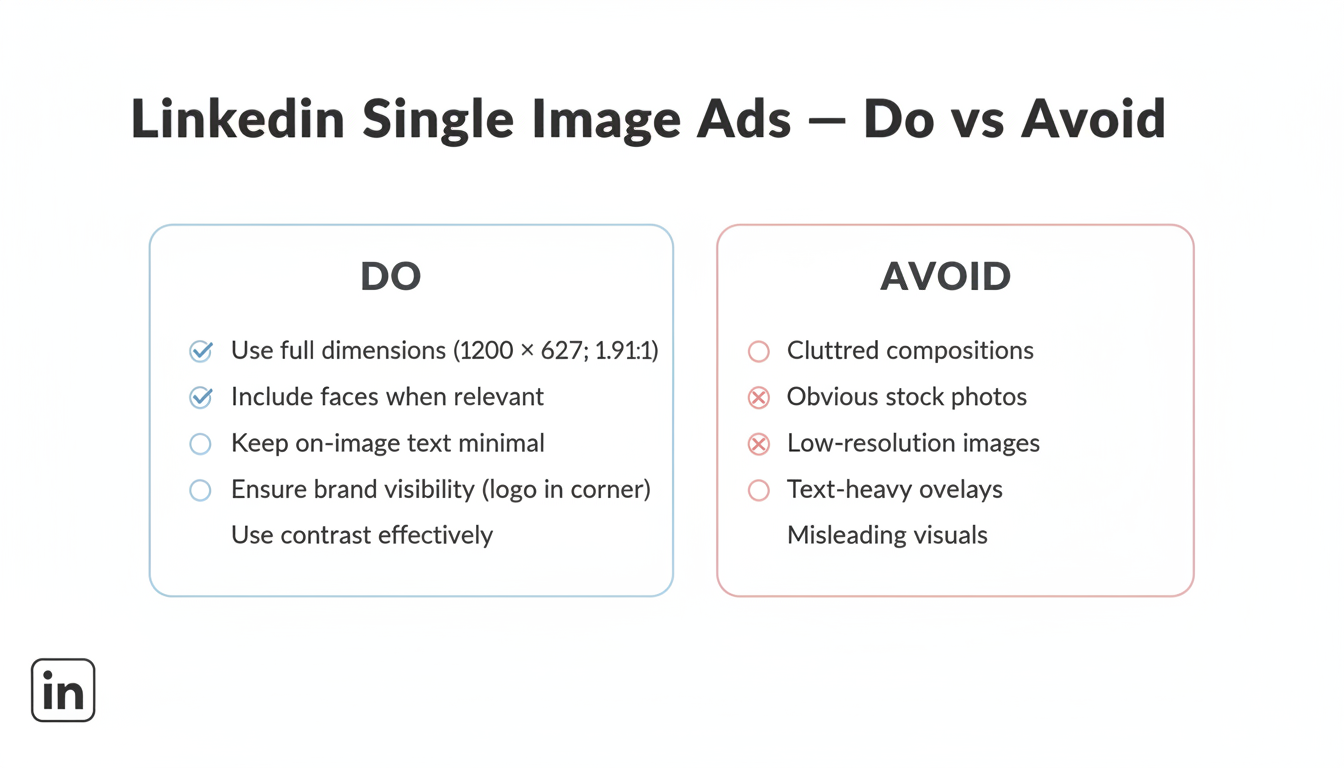
1. Use the full dimensions Upload at 1200 x 628 pixels for horizontal, 1200 x 1200 for square, or 720 x 900 for vertical. Images below minimum sizes may appear pixelated or stretch awkwardly.
2. Include faces when relevant Ads featuring real people increase engagement by 20-30%. Use authentic photos, not obvious stock images.
3. Keep text minimal on images LinkedIn is a text-friendly platform -- your caption does the heavy lifting. Limit on-image text to key messages or statistics.
4. Ensure brand visibility Include your logo, but don't make it the focal point. Position in a corner where it supports rather than dominates.
5. Use contrast effectively Your image competes with a busy feed. Use contrasting colors to ensure visibility without being jarring.
Persona-Specific Creative Tips
Different audience personas respond to different creative approaches. Tailoring your single image ad creative to your target persona improves relevance and click-through rates.
C-suite and executives: Use clean, data-driven visuals with bold statistics. Keep messaging focused on strategic outcomes, ROI, and competitive advantage. Avoid jargon and get to the business impact quickly.
Managers and directors: Feature practical solutions and workflow improvements. Show product interfaces, process diagrams, or team collaboration imagery. Emphasize efficiency gains and time savings.
Individual contributors: Highlight skill development, career growth, and hands-on benefits. Use relatable scenarios and peer-level language that speaks to day-to-day challenges.
What to Avoid
These common image mistakes reduce engagement and may lead to ad rejection.
- Cluttered compositions: Focus on one clear visual message
- Obvious stock photos: LinkedIn users recognize them immediately
- Low-resolution images: They suggest low-quality offerings
- Text-heavy images: Save detailed copy for the ad text fields
- Misleading visuals: Ensure images match landing page expectations
What Are the Best Headline and Copy Guidelines for LinkedIn Ads?
Your text elements work together with visuals to drive action. If you're planning comprehensive campaigns, consider reviewing proven LinkedIn advertising templates to structure your messaging effectively.
Headline Structure
Effective formulas:
- [Number] + [Benefit] + [Timeframe]
- "5 Ways to Cut LinkedIn Ad Costs This Quarter"
- [Question] targeting pain point
- "Struggling with Low LinkedIn Lead Quality?"
- [Result] + [Audience]
- "How SaaS Companies Generate 10x More Demos"
Keep headlines under 70 characters to ensure full visibility on mobile devices.
Introductory Text
The intro text appears above your image. Structure it for scanning:
First 150 characters matter most -- that's what displays before "see more" truncation. Remember that "Read more" clicks count as charged clicks, so keeping intro text concise also protects your budget.
Effective structure:
- Hook (problem or benefit) - Line 1
- Supporting point - Line 2
- CTA or value proposition - Line 3
Example:
"Most B2B companies waste 40% of their LinkedIn budget on the wrong audiences.
We analyzed 500 campaigns to find what actually works.
Download the free guide."
Call-To-Action Selection
LinkedIn offers several CTA button options:
CTA Button | Best For |
Learn More | Educational content, blog posts |
Download | Ebooks, whitepapers, guides |
Sign Up | Webinars, newsletters, free trials |
Register | Events, demos |
Request Demo | High-intent conversion |
Get Quote | Pricing-focused offers |
Apply Now | Recruitment ads |
Match your CTA to the actual landing page action. Mismatched CTAs hurt conversion rates.
CTA selection also signals intent to LinkedIn's algorithm, influencing which members see your ad. "Download" CTAs attract users in research mode, while "Request Demo" reaches those closer to a purchase decision. Align your CTA with your audience's current stage in the buying journey rather than your preferred conversion action.
The introductory text is often the most underutilized copy element in a LinkedIn ad. Most advertisers treat it as a headline extension, but it is better used to address an objection, add social proof, or quantify the value proposition. A headline that says "Reduce Reporting Time by 80%" pairs well with intro text that adds "Join 500+ ops teams already using automated dashboards."
Single Image Ad Examples
Here's what works across different campaign objectives:
Brand Awareness Example
Visual: Team photo or office scene showing company culture Headline: "Meet the Team Behind [Company]'s Growth Platform" Intro: Behind-every-great-tool story CTA: Learn More
Lead Generation Example
Visual: Report cover mockup or data visualization Headline: "2026 B2B Marketing Benchmarks Report" Intro: Stats that highlight report value + download offer CTA: Download
Many LinkedIn lead generation companies use this format to capture high-intent prospects with targeted content offers.
Traffic Example
Visual: Blog post featured image with key stat overlay Headline: "Why Your LinkedIn CPL Increased 40% (And How to Fix It)" Intro: Problem-agitation-solution hook CTA: Learn More
Direct Response Example
Visual: Product screenshot or demo preview Headline: "See How [Product] Reduces Reporting Time by 80%" Intro: Pain point + transformation promise CTA: Request Demo
Across all four objectives, the highest-performing examples share three traits: a single focal point in the image with no competing visual elements, a headline that communicates a specific outcome rather than a generic claim, and an introductory text that amplifies the visual message rather than repeating it. When your headline says "Reduce Reporting Time by 80%," your intro should back it up with who achieved that result or how, not simply restate the headline in different words.
Audience alignment is equally important. The same product screenshot that resonates with a hands-on practitioner will feel irrelevant to a VP who cares about strategic outcomes. Build at least one creative variant per audience tier in your campaign, and let LinkedIn's performance data tell you which resonates. Often the winning creative is not the one your creative team preferred -- it is the one the audience voted for with their clicks.
How Should You Test LinkedIn Single Image Ads?
Systematic testing improves performance over time.
What to Test First
Priority order:
- Image variations - Different visuals with same copy
- Headline variations - Same visual, different headlines
- CTA buttons - Test which drives more clicks
- Intro text length - Short vs. detailed
Testing Parameters
Run statistically valid tests by following these minimum thresholds before drawing conclusions.
- Minimum impressions: 10,000 per variation before conclusions
- Test duration: 7-14 days minimum
- Variations: 2-4 per test (more complicates analysis)
- Budget: Equal daily budget across variations
Understanding how much LinkedIn ads cost helps you allocate sufficient budget for meaningful testing.
Metrics to Compare
Track these five metrics to identify the strongest performing variation.
Metric | What It Tells You |
CTR | Creative engagement |
CPC | Cost efficiency |
Conversion rate | Landing page alignment |
CPL | Overall efficiency |
Isolating variables is the most common testing mistake. When you change both the image and the headline simultaneously, you cannot determine which change drove the performance difference. Build a structured testing roadmap: first establish a baseline with your current creative, then systematically change one element per test cycle. Only when a variant outperforms the control by a statistically significant margin should you lock it in as the new baseline and move on to the next variable.
Testing cadence matters as much as test design. Running a test for only 3 days when your audience takes 7-10 days to convert produces misleading data. For demand generation campaigns with longer consideration cycles, extend your test windows accordingly. A two-week minimum is rarely wrong, and for high-CPL enterprise deals, four weeks may be necessary to capture enough conversion events for reliable conclusions.
How Do You Manage Ad Frequency and Creative Fatigue on LinkedIn?
Even the best-performing single image ad will decline over time as your target audience sees it repeatedly. Managing ad frequency is essential for maintaining performance.
Signs of creative fatigue:
- CTR declining steadily over 2-3 weeks
- CPC increasing without targeting changes
- Frequency metric exceeding 4-5 impressions per user
- Comment engagement dropping or turning negative
Refresh cadence recommendations:
- Swap creative every 4-6 weeks for always-on campaigns
- Prepare 3-4 image variations before launch to rotate
- Test new creative against your top performer before retiring it
- Monitor frequency in Campaign Manager and pause ads exceeding 5x frequency
Creative fatigue is the silent budget killer in LinkedIn campaigns. Rotating your ad visuals every 4-6 weeks maintains performance without requiring a complete strategy overhaul.
Rotating creative regularly keeps your single image ads fresh and prevents audience fatigue from eroding your campaign performance.
LinkedIn's Campaign Manager provides a native frequency metric in your ad analytics dashboard. When you see this number approach 4, it is time to act rather than wait. Audiences in tight B2B niches -- think CTOs at Series B SaaS companies -- are smaller than B2C audiences, so they exhaust faster. A 5,000-person audience saturates in days when you are spending aggressively.
One practical rotation strategy is to maintain a library of three to five creative variants at all times. When one variant hits the fatigue threshold, you swap it out and let it rest for 60 days. This approach ensures you always have fresh creative ready to deploy without the overhead of starting from scratch every month. Pair each variant with a different headline angle -- offer-led, social proof-led, and pain-point-led -- so each rotation also tests a new message frame.
Track your creative library in a simple spreadsheet noting each variant's launch date, pause date, and peak performance metrics. When you bring a rested creative back after 60 days, treat it as a new test -- audiences refresh and the same visual can perform differently with updated targeting or a refined offer.
What Are the Most Common LinkedIn Single Image Ad Mistakes?
These four mistakes are the most frequently cited causes of rejected or underperforming ads.
Mistake 1: Wrong Aspect Ratio
Uploading images with non-standard aspect ratios causes awkward cropping or letterboxing.
Fix: Use one of LinkedIn's supported ratios -- 1.91:1 (horizontal), 1:1 (square), 4:5 or 1:1.91 (vertical). Match the ratio to your campaign's device targeting: horizontal and square work on all devices, while vertical is mobile-only.
Mistake 2: Text Truncation
Long headlines and intro text get cut off on mobile.
Fix: Keep headlines under 70 characters; front-load key message in first 150 characters of intro text.
Mistake 3: Low Contrast Images
Images that blend into the feed get scrolled past.
Fix: Use bold colors or high contrast to stand out while remaining professional.
Mistake 4: Generic Stock Photos
Overused stock photos signal "advertisement" before users engage.
Fix: Use custom photography, branded graphics, or authentic team photos.
Generic stock photos are particularly damaging on LinkedIn because the platform's audience is professionally sophisticated. They have seen the same handshake-in-a-boardroom image thousands of times and they instantly categorize it as an ad to skip. Real team photos, event photography, or even well-designed graphic templates with your brand colors convert better than a stock library subscription, even when the custom assets are imperfect.
Beyond these four technical mistakes, there is a strategic error that underlies many underperforming campaigns: designing for the wrong audience. Showing a product-feature screenshot to a VP who has never heard of your company fails not because the creative is bad but because it assumes too much prior awareness. Match your creative angle -- brand story, social proof, specific outcome -- to where your audience sits in the buying journey.
How to Create a LinkedIn Single Image Ad
Setting up a single image ad in Campaign Manager takes a few steps. Here is the full process from account setup to launch.
Step 1: Verify Account Permissions
Make sure you have the correct permissions -- at minimum, a Campaign Manager account with a Sponsored Content poster role on your company page.
Step 2: Create an Ad Set
Create an ad set within your campaign. The ad set controls targeting, bid strategy, and placements including whether to enable the LinkedIn Audience Network.
Step 3: Create a New Single Image Ad
Create a new single image ad in your ad set. Upload your image, add headline text and introductory text, and select your CTA button. Preview the ad on both desktop and mobile before saving.
Step 4: Add Additional Ad Variations
Use the options to create additional ads within the same ad set. Running two to four variations simultaneously lets LinkedIn optimize delivery toward the best-performing creative.
After launching your ad set, allow 24-48 hours for LinkedIn's delivery algorithm to begin optimizing. Early performance data can be misleading because LinkedIn tests creative across different audience segments before settling into a delivery pattern. Resist the urge to make changes in the first 48 hours; doing so resets the learning phase and delays optimization.
Once your campaign has accumulated at least 2,000 impressions per variant, begin reviewing performance by audience segment rather than just aggregate numbers. A creative that performs poorly on desktop may convert exceptionally well on mobile, or vice versa. Campaign Manager's demographic breakdown report shows performance split by seniority, industry, and device type -- use this to refine both your targeting and your creative in the next iteration.
Document each test and its outcome before moving to the next creative cycle. Building an internal record of what worked, what failed, and why creates a compounding advantage over time. Teams that test systematically and record results consistently produce better campaigns with each passing quarter -- not because they get lucky, but because they stop repeating past mistakes.
Key Takeaways for LinkedIn Single Image Ads
Use these six guidelines when planning, building, and launching your sponsored image campaigns on LinkedIn.
- Optimal image size: 1200x628px (1.91:1) for desktop feed; 1:1 square for mobile-first campaigns.
- Character limits: Introductory text ≤150 characters, headline ≤70 characters, description ≤100 characters.
- Performance benchmark: Median CTR is 0.44%; top performers targeting decision-makers exceed 1.2% CTR.
- Best CTA for leads: "Download" and "Register" CTAs outperform "Learn More" by up to 3x for lead generation.
- Creative fatigue: Refresh creatives every 2-4 weeks or when frequency exceeds 4 impressions per member.
- Testing priority: Test visuals first (accounts for 70%+ of performance variance), then headlines, then CTAs.
These principles apply regardless of your target audience or industry. The specific numbers -- image dimensions, character limits, benchmark CTRs -- are the mechanics. The strategy is what determines whether your ads generate pipeline or simply consume budget. Apply the specs correctly, then focus your energy on the creative strategy and audience intelligence that separate effective LinkedIn advertisers from average ones.
Frequently Asked Questions
Answers to the most common questions about specs, sizing, costs, and best practices.
What Is a Single Image Ad on LinkedIn?
A single image ad on LinkedIn is a sponsored content format showing one static image with headline text, introductory text, and a CTA button. It appears natively in the LinkedIn feed on desktop and mobile, labeled "Promoted," and supports brand awareness, lead generation, and website traffic objectives.
What Is the Best Size for LinkedIn Single Image Ads?
The recommended size is 1200x628px (1.91:1 horizontal). For square ads, use 1200x1200px (1:1). For vertical mobile ads, use 720x900px (4:5) or 628x1200px (1:1.91). Keep file size under 5 MB and use JPG or PNG.
How Much Does a LinkedIn Single Image Ad Cost?
These ads have a median CPC of approximately $13.23 and a median CTR of 0.42%. Typical CPL ranges from $50-$150 depending on industry and targeting. Costs rise when targeting senior decision-makers in competitive SaaS or financial services verticals.
What Is the LinkedIn Audience Network (LAN)?
The LinkedIn Audience Network (LAN) extends your ads beyond the LinkedIn feed to third-party apps and websites. LAN requires a separate 70-character description field. Enable it for brand awareness and retargeting; disable it for lead generation campaigns requiring precise targeting.
What Is the Minimum Daily Budget for LinkedIn Ads?
LinkedIn requires a minimum daily budget of $10 per campaign. However, effective testing typically needs $50-$100/day per ad set to generate enough data for optimization. For more details, see our LinkedIn ads minimum daily budget guide.