
The right search engine marketing tools can mean the difference between campaigns that scale profitably and those that drain your budget. As AI reshapes paid search in 2026, choosing the right software stack has become more important—and more complex—than ever.
This guide covers the essential SEM tools across five categories: keyword research, bid management, analytics, automation, and our top recommendations for different business sizes and needs.
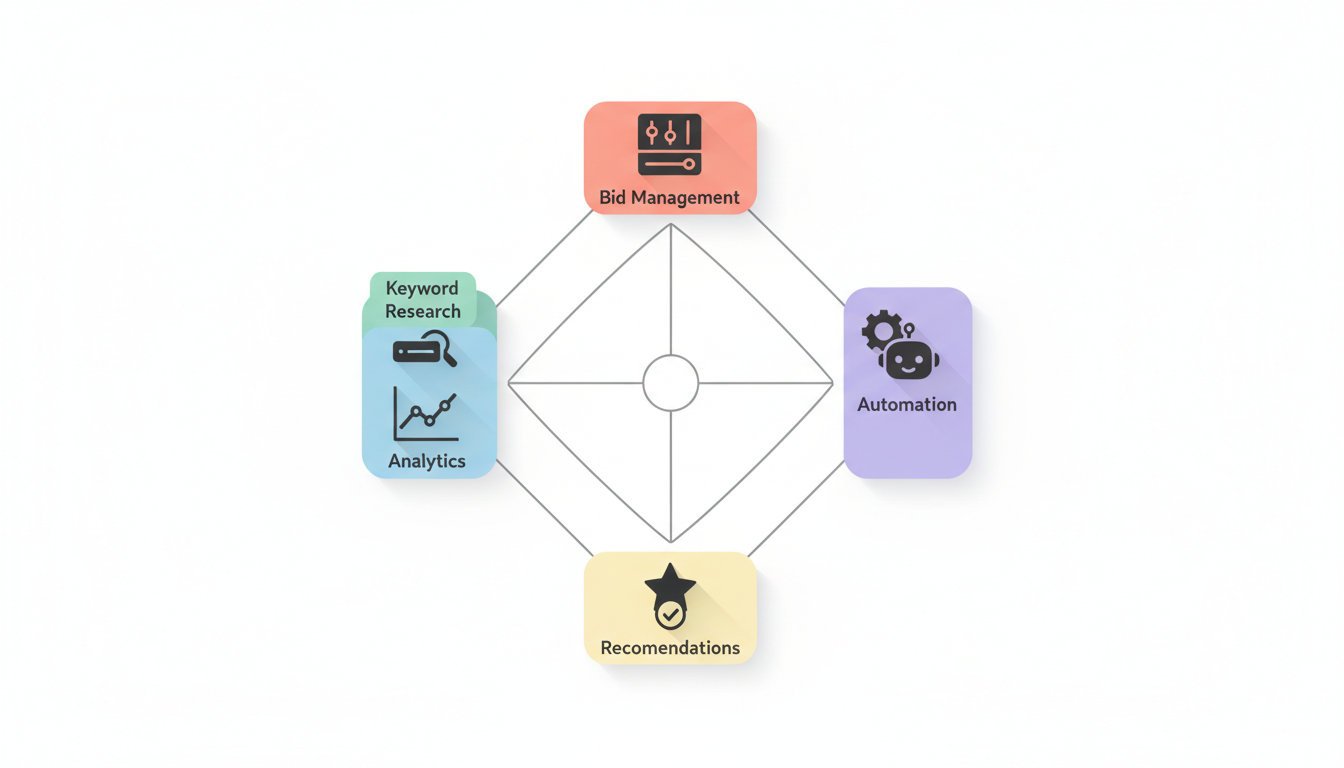
Keyword Research Tools
Keyword research forms the foundation of every successful SEM campaign. These tools help you discover what your customers are searching for and how competitive those terms are.
Google Keyword Planner
Best for: Beginners and budget-conscious advertisers
Google's free tool remains essential for any SEM practitioner. It provides:
- Search volume estimates
- Competition levels
- Suggested bid ranges
- Keyword ideas based on your website or seed terms
Limitations: Data is grouped into ranges rather than exact numbers unless you're actively spending in Google Ads.
Semrush
Best for: Comprehensive competitive intelligence
According to OptinMonster, SEMrush is the top all-in-one SEO tool. For SEM specifically, it excels at:
- Competitor PPC keyword analysis
- Ad copy research
- Historical advertising data
- Search volume trends and difficulty scores
WordStream notes that SEMrush provides search volume trends, Google PPC keyword data, keyword intent, and search volume and difficulty all in one place.
Pricing: Starts at $129.95/month for the Pro plan.
Ahrefs
Best for: Backlink analysis and keyword gaps
According to OptinMonster, Ahrefs excels in backlink analysis and keyword gaps. For SEM, use it to:
- Find keywords competitors rank for organically that you should target with ads
- Identify content gaps for landing page creation
- Research competitor domain strength
Spyfu
Best for: Competitor ad intelligence
SpyFu specializes in revealing your competitors' advertising strategies:
- Every keyword competitors have bought
- Every ad variation they've tested
- Historical performance data
- Budget estimates
This intelligence helps you learn from competitors' successes without making their mistakes.
Bid Management
Managing bids across thousands of keywords requires specialized tools, especially as campaign complexity grows.
Native Platform Tools
Google Ads Smart Bidding
According to MonsterInsights, AI has moved from a nice-to-have feature to the engine driving most PPC campaigns. Google's Smart Bidding strategies include:
Strategy | Best For | Requirements |
Target CPA | Lead generation | 30+ conversions/month |
Target ROAS | E-commerce | Revenue tracking enabled |
Maximize Conversions | Campaign scaling | Conversion tracking set up |
Maximize Conversion Value | High-value sales | Value tracking enabled |
Microsoft Advertising Copilot
Microsoft's AI assistant helps with campaign creation and optimization, offering similar automated bidding capabilities to Google.
Third-Party Bid Management
For advertisers managing large budgets across multiple platforms, third-party tools offer additional capabilities:
Optmyzr
- Automated rules and scripts
- Cross-platform management
- Custom optimization algorithms
- Shopping feed management
Marin Software
- Enterprise-level bid automation
- Cross-channel attribution
- Budget forecasting
- Custom bidding algorithms
WordStream Advisor
- Simplified interface for SMBs
- 20-minute work week optimization
- Cross-platform dashboards
- Automated recommendations
Analytics & Reporting
Understanding what's working requires robust analytics. These tools help you measure and visualize performance.
Google Analytics 4
Essential for: All advertisers
GA4 provides:
- Conversion tracking and attribution
- Audience insights
- Cross-device journey mapping
- Integration with Google Ads
Google Looker Studio (Data Studio)
Best for: Custom reporting and dashboards
Create automated reports that pull from:
- Google Ads
- Google Analytics
- Microsoft Ads
- Custom data sources
Visualize trends, compare performance, and share insights with stakeholders. For comprehensive insights into microsoft ads reporting metrics, custom dashboards help you track performance across both major search platforms.
Platform-Specific Dashboards
According to HawkSEM's approach mentioned by SEOProfy, their ConversionIQ system connects marketing channels and data platforms into a single dashboard, helping optimize campaigns in real time.
Similarly, WebFX's RevenueCloudFX platform helps clients track how ads translate into actual sales.
These examples highlight why many agencies build proprietary dashboards—off-the-shelf tools often don't connect all the dots between ad spend and revenue. Working with a search engine marketing agency guide can help you evaluate which dashboard approach fits your business needs.
Call Tracking Tools
For businesses where phone calls drive revenue, Nimbata offers native integration with Google Ads, Meta, HubSpot, and Salesforce, helping marketers synchronize call data insights to optimize advertising campaigns.
Automation Tools
Automation has become central to SEM success. According to OuterBox Design, Google Ads has shifted from keyword-defined visibility to an AI-driven strategy where intent, structured data, and first-party signals dictate ad delivery.
Google Ads Automation Features
Performance Max Campaigns
According to Claire Jarrett's Google Ads best practices, Performance Max campaigns are no longer experimental—they're central to how Google expects you to run ads. In 2026, we're getting more transparency and insights, though they're still not fully transparent.
AI Max for Search
A newer campaign type that uses AI to expand keyword targeting based on intent signals rather than exact keyword matches.
Responsive Search Ads
Automatically test headline and description combinations to find winning variants.
Marketing Automation Platforms
According to Filestage's marketing software guide, marketing agencies mostly use automation software to:
- Automate data synchronization
- Manage leads across platforms
- Streamline email marketing
- Connect CRM platforms with marketing tools
Zapier and Integration Tools
Nimbata notes that Zapier boasts thousands of connectors beyond CRM systems, ad platforms, and marketing tools, enabling marketers to connect and synchronize data for effective lead generation campaigns.
Use Zapier to:
- Push leads from ads to your CRM automatically
- Trigger email sequences from ad conversions
- Sync conversion data back to ad platforms
- Create custom automation workflows
Recommendations
Different businesses need different tool stacks. Here are our recommendations based on budget and complexity.
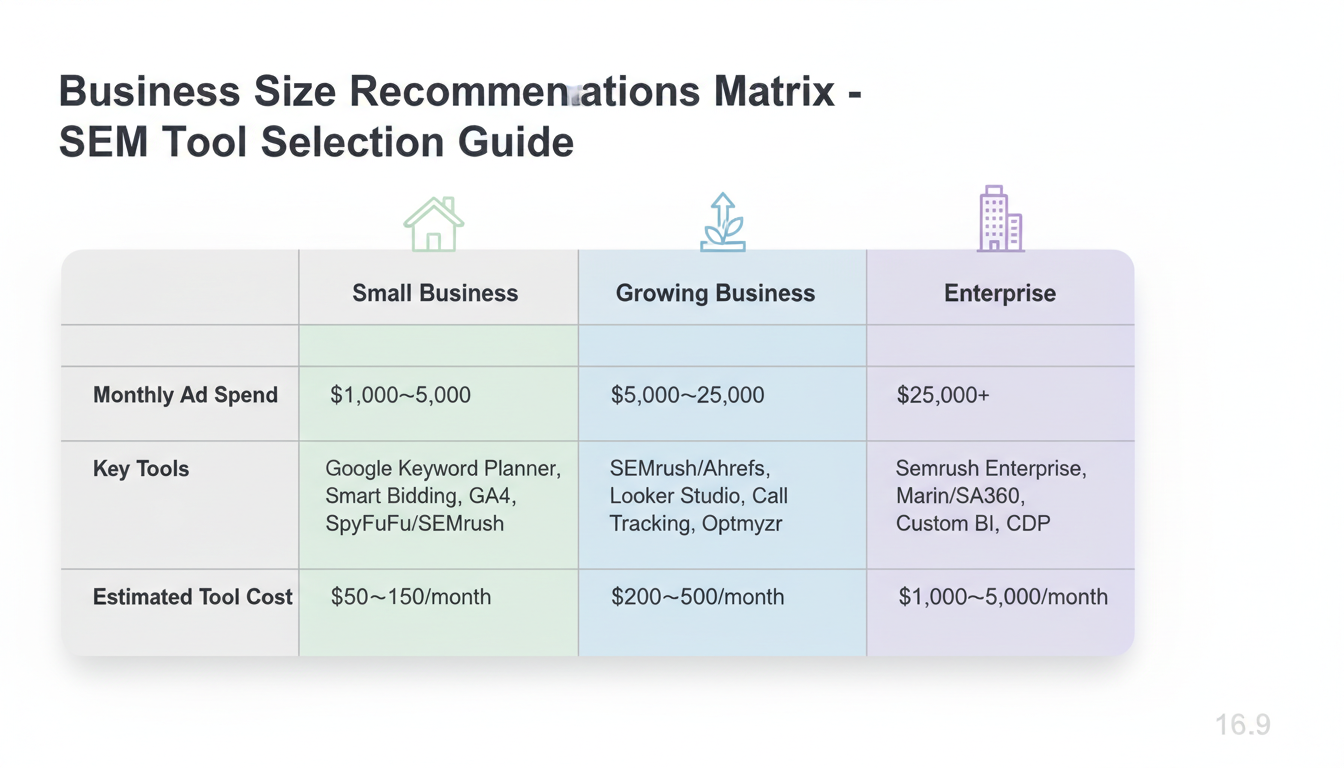
For Small Businesses ($1,000-$5,000/Month Ad Spend)
Essential Tools:
- Google Keyword Planner (free)
- Google Ads Smart Bidding (built-in)
- Google Analytics 4 (free)
- SpyFu or SEMrush (one tool for competitor research)
Estimated Tool Cost: $50-$150/month
Focus on mastering native platform tools before adding complexity. Learning how to advertise on bing guide alongside Google Ads can help you capture additional search traffic at lower costs.
For Growing Businesses ($5,000-$25,000/Month Ad Spend)
Recommended Stack:
- SEMrush or Ahrefs (comprehensive research)
- Google Looker Studio (reporting)
- Call tracking tool (if calls matter)
- Optmyzr or WordStream (bid management)
Estimated Tool Cost: $200-$500/month
At this level, third-party tools pay for themselves through better optimization and time savings. Consider whether to outsource ppc management guide or build an in-house team with these tools.
For Enterprise ($25,000+/Month Ad Spend)
Recommended Stack:
- SEMrush Enterprise
- Marin Software or SA360 (bid management)
- Custom BI dashboards
- Call tracking with attribution
- CDP for first-party data management
Estimated Tool Cost: $1,000-$5,000/month
Enterprise advertisers need tools that can handle scale, cross-channel attribution, and sophisticated automation.
Don'T Overlook These Free Tools
- Google Ads Editor: Bulk editing and offline campaign management
- Microsoft Advertising Editor: Same for Microsoft Ads
- Google Ads Scripts: Custom automation with JavaScript
- Google Tag Manager: Simplified conversion tracking
Tool Selection Criteria
According to The4's SEM tools guide, when evaluating SEM tools, prioritize:
- Keyword research capabilities: Search volume, competition, trend analysis
- Competitive analysis: Insight into competitor strategies
- Reporting quality: Custom reports and actionable insights
- Integration options: Works with your existing tech stack
Frequently Asked Questions
What'S the Best Free SEM Tool for Beginners?
Google Keyword Planner remains the best tool for beginners. It provides keyword ideas, search volumes, and competition data directly from Google. Combine it with Google Ads Editor for free bulk editing capabilities and Google Analytics 4 for free conversion tracking.
Do I Need Third-Party Tools If I Use Google'S Native Options?
For small budgets under $5,000/month, native tools are often sufficient. However, third-party tools like SEMrush and SpyFu provide competitive intelligence that Google doesn't offer—seeing what keywords competitors bid on and what ads they run. According to OptinMonster, SEMrush is the top all-in-one tool for this purpose.
How Much Should I Budget for SEM Tools?
Budget approximately 5-10% of your ad spend for tools, with a minimum of $100-200/month for essential subscriptions. For a $5,000/month ad spend, budget $250-500/month for tools. The ROI from better optimization typically exceeds the tool costs significantly.
The right search engine marketing tools help you discover profitable keywords, automate bid management, and measure performance accurately. Start with native platform tools like Google Keyword Planner and Smart Bidding, then add third-party tools as your budget and complexity grow. Focus on tools that integrate well with your existing tech stack and provide actionable insights that directly improve campaign performance.