
TikTok Business Center is the command hub for managing your professional presence on TikTok. Whether you run a single brand or manage multiple clients as an agency, understanding this platform is essential for TikTok advertising success in 2026.
Think of it this way: if TikTok Ads Manager is the cockpit where you fly the plane, TikTok Business Center is the control tower that owns the airport. This guide walks you through everything you need to know about TikTok for Business setup and management.
What Is Business Center?
TikTok Business Center (formerly TikTok Business Suite) is a centralized platform that unifies all your TikTok business tools in one place. According to Metricool's 2026 guide, you can access TikTok Ads Manager, Creator Marketplace, Business Account, and TikTok Shop from this single dashboard.
Core Features of Business Center
Business Center provides several key capabilities:
FeatureDescriptionAsset ManagementManage ad accounts, pixels, catalogs, and TikTok profiles in one placeTeam CollaborationInvite team members and assign specific roles and permissionsPartner SharingGrant external agencies access without sharing login credentialsAnalytics DashboardView content trends, follower demographics, and conversion insightsCreative HubAccess trending content and the Commercial Music Library
Why You Need Business Center in 2026
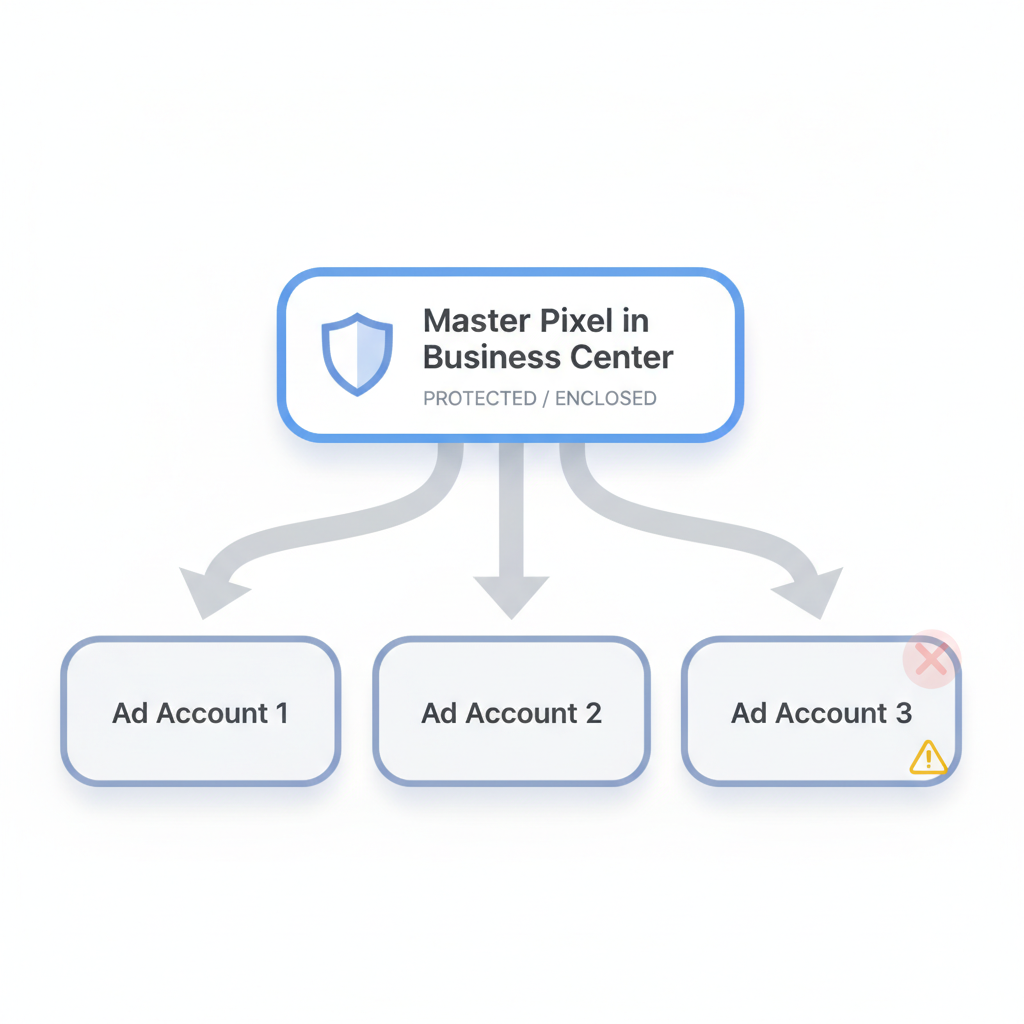
With the rise of Smart+ campaigns and Catalog Sales, proper asset structure determines whether your data flows correctly or gets blocked. Building pixels and managing audiences within Business Center provides protection - if an ad account gets restricted, your core assets remain intact.
For agencies looking to scale their operations, learning how to start a TikTok ad agency in 2026 requires mastering Business Center's multi-account management capabilities.
Setting Up Your Account
Getting started with TikTok Business Center requires a TikTok for Business account first. Here's how to set everything up properly.
Step 1: Switch to a TikTok Business Account
If you have a personal TikTok account, switching to a business account is straightforward:
Step 2: Create Your Business Center
Once you have a TikTok Business Account:
Step 3: Connect Your Assets
After creating your Business Center, connect and organize your assets:
Managing Multiple Accounts
One of Business Center's greatest strengths is multi-account management - essential for agencies and brands with multiple product lines.
Creating Multiple Ad Accounts
You can create separate ad accounts for:
According to industry best practices, treating ad accounts as "disposable execution units" while keeping core assets in Business Center protects your business from catastrophic data loss.
Asset Sharing Across Accounts
Business Center allows you to share assets across multiple ad accounts:
Asset TypeSharing CapabilityPixelsAssign to multiple ad accountsAudiencesShare custom and lookalike audiencesCatalogsUse across different campaignsCreativeAccess from any connected account
Understanding TikTok retargeting and remarketing strategies becomes much more effective when you properly configure audience sharing across your ad accounts.
Billing Management
Manage finances across all accounts from one dashboard:
User Permissions
Proper permission management keeps your Business Center secure while enabling team collaboration.
Role Types
Business Center offers several predefined roles:
RoleCapabilitiesAdminFull control over all settings, assets, and usersAnalystView-only access to analytics and reportsOperatorManage specific tasks like creating ads or responding to commentsFinance AdminAccess to billing and payment management
Setting Up Team Access
To add team members:
Partner Access for Agencies
Working with an external marketing agency? Add them as a "Partner" rather than sharing credentials:
This approach provides transparency and security - partners manage your assets using their own accounts while you maintain ownership.
Business Center vs Ads Manager
Understanding the distinction between these two platforms is critical for effective TikTok advertising.
Key Differences
FunctionAds ManagerBusiness CenterRun AdsYesNoView ROAS DataYes (detailed)Aggregated onlyCreate PixelsYes (risky)Yes (recommended)Manage CatalogsNoYesTeam ManagementIndividualBulk/TeamsShare AudiencesNoYesVerify DomainNoYes
When to Use Each Platform
Use Ads Manager for:
Use Business Center for:
If you're experiencing issues with your campaigns, our guide on troubleshooting TikTok ads not spending covers common problems that can stem from improper Business Center configuration.
The Golden Setup Workflow
For the most secure structure in 2026:
This ensures your pixel history and audience data survive even if an individual ad account faces issues.
Troubleshooting Common Setup Errors
The setup steps above look linear, but most failures happen at three points. The first is connecting assets before the Business Account is fully verified, which leaves pixels and catalogs stranded with no owner; verify the account first, then attach assets. The second is granting a partner full admin instead of a scoped role, which either blocks their work or hands over control you wanted to keep - match the role to the task. The third is building audiences in Ads Manager rather than Business Center, which means a restricted ad account takes the audience with it; the asset-protection pattern only works if the audience lives in the center. Each of these is a five-minute fix when caught early and a week of reconstruction when found after the account is restricted, so the setup is worth doing in the order the guide gives and not in the order the platform prompts.
Migrating an Existing Account into Business Center
Most real accounts were not born in Business Center, so the practical task is migration, not creation. Start by claiming or requesting access to the existing pixel and catalog rather than recreating them, because a fresh pixel loses the conversion history that feeds Smart+ optimization. Move assets into the center before moving spend, so the data flows through the protected structure from the first new campaign. Reassign team roles in the center and remove the old direct logins, since shared credentials are the exact risk the partner model removes. The migration is unglamorous, but it is the difference between an account that survives a restriction and one that loses its audiences and pixel history the moment an ad account is flagged, and the order - assets, then roles, then spend - is what keeps the cutover from breaking delivery.
Security and Access Hygiene
Business Center concentrates power, so its access model is the control surface for the whole TikTok presence. Review roles quarterly and revoke anyone who no longer needs them, because a stale admin is a standing risk and a former agency partner with retained access is a liability. Use the Finance Admin role narrowly - only the people who reconcile billing should hold it - and keep the Operator role for the day-to-day ad builders who should never touch payment. Enable two-factor authentication on every account and treat a login-shared-with-a-freelancer as a breach waiting to happen, because the partner model exists precisely so you never have to share credentials. The secure center is the one where access is boring: scoped, reviewed, and tied to a named person, not a shared password that anyone on the team could use.
Frequently Asked Questions
Is TikTok Business Center Free to Use?
Yes, both Business Center and Ads Manager are completely free. You only pay for your advertising budget (ad spend). There are no subscription fees or platform charges for using these business tools.
Do I Need Business Center If I'M a Solo Creator?
If you only boost posts using TikTok's Promote feature, Business Center isn't required. However, if you plan to run conversion campaigns, sell products through TikTok Shop, or scale your advertising, Business Center is essential for proper asset management and security. Small business owners should review our TikTok ads for small business guide to understand the full setup requirements.
Can I Transfer a Pixel from Ads Manager to Business Center?
Yes, you can request access to an existing pixel. Go to Business Center > Assets > Pixels > Add Pixel > Request Access and enter the Pixel ID from the personal ad account. However, creating a new Master Pixel in Business Center is cleaner if you're starting fresh.
What'S the Account Optimization Score?
New in 2026, TikTok introduced an optimization score within Business Center that measures how well you utilize platform tools. It evaluates factors like pixel health, Commercial Music Library usage, and comment response time. Higher scores can improve overall account health and reach.