
TikTok Creative Center is a free TikTok tool that lets you discover Top Ads, trending hashtags, sounds, and creators, keyword insights, and audience analytics - all powered by official TikTok data. No ad account is required to browse it, making it the go-to research hub for advertisers, creators, and ecommerce brands.
Every successful TikTok advertiser has a secret weapon: the TikTok Creative Center. This free resource library gives you direct access to trending content, top-performing ads, and creative tools—all powered by official TikTok data. If you're not using it to research your competition and discover trends, you're leaving money on the table.
This TikTok Creative Center guide walks you through how to find winning ads, spot emerging trends, and apply those insights to your own campaigns.
What Is Creative Center?
This TikTok Creative Center guide begins with the fundamentals. TikTok Creative Center is a one-stop resource designed for marketers, content creators, and businesses to discover the latest trends, insights, and creative tools on TikTok. Think of it as TikTok's official intelligence hub for advertisers.
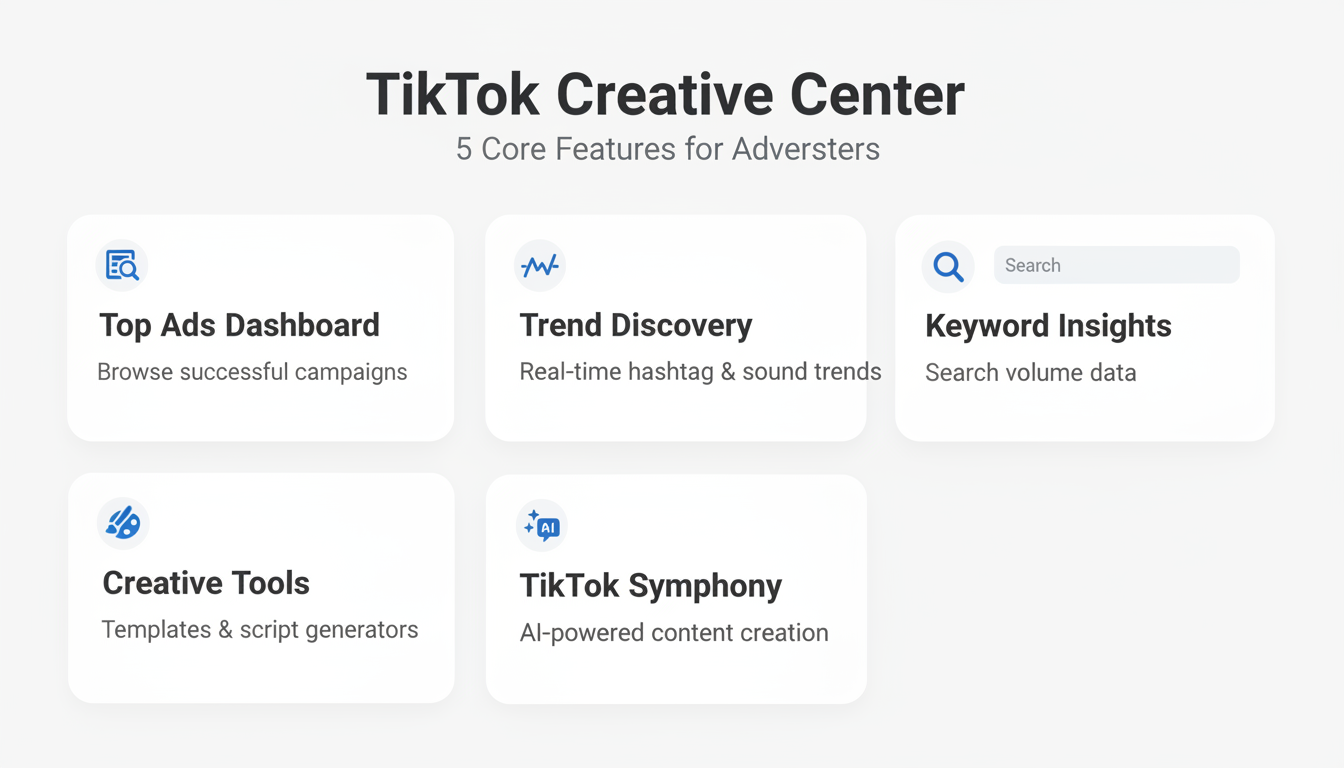
The platform includes several core features:
Feature | What It Does |
Top Ads Dashboard | Library of successful ad campaigns with official TikTok data |
Trend Discovery | Real-time data on trending hashtags, songs, creators, and videos |
Keyword Insights | Search volume and trend data for TikTok keywords |
Creative Tools | Video templates, script generators, and editing resources |
TikTok Symphony | AI-powered creative tools for TikTok-fit content |
Commercial Music Library | Licensed music catalog cleared for use in TikTok ads |
Top Products | Trending ecommerce products leaderboard with audience analytics |
Unlike third-party spy tools, this TikTok Creative Center guide uses official TikTok data, giving you accurate, real-time insights into what's actually working on the platform.
How to Access Creative Center
- Visit ads.tiktok.com/business/creativecenter
- Log in with your TikTok account or create one with your email
- Start exploring trends, top ads, and creative resources
No paid TikTok Ads account required—Creative Center is free for anyone to use.
Accessing TikTok Creative Center: Setup and Troubleshooting
TikTok Creative Center is available to anyone, but there are two distinct access paths and a few common setup issues worth knowing before you start.
Two Access Paths
Direct URL: Go to ads.tiktok.com/business/creativecenter. Basic Top Ads browsing and Trend Discovery are accessible without logging in.
Via TikTok Ads Manager: Log into your Ads Manager account, then navigate to Tools > Creative Library in the top navigation. This path gives you direct access to creative assets alongside your active campaigns.
Business Account Requirement
While basic browsing is free without an account, several key features require a free TikTok Business Account:
- Keyword Insights — full metric access (CTR, CVR, CPA) requires login
- TikTok Symphony — AI tools are only available to Business Account holders
- Commercial Music Library — full catalog browsing requires account verification
- Saving and bookmarking — saving top ads or trends for later reference requires login
Creating a TikTok Business Account is free and takes under two minutes at tiktok.com/business.
Troubleshooting Common Access Issues
- Features not loading: Clear your browser cache and cookies, then reload
- Geo-restrictions: Some features vary by region; disable VPN if certain tabs appear missing
- Ad blocker conflicts: TikTok's own domain can be blocked by aggressive ad blockers—disable for ads.tiktok.com
- Browser compatibility: Chrome or Edge are recommended; some Symphony features have limited Safari support
- Getting 404 errors: Try the full URL: ads.tiktok.com/business/creativecenter/pc/en
How Do You Find Top-Performing Ads in TikTok Creative Center?
The Top Ads Dashboard contains data from thousands of campaigns across 20+ industry categories, updated regularly with performance metrics.
This section of the TikTok Creative Center guide covers ad research. The Top Ads Dashboard is where most advertisers spend their time. This section lets you browse a library of successful campaigns across various industries, providing inspiration and insights into what works.
How to Use the Top Ads Dashboard
Filter by industry: Select your vertical (beauty, ecommerce, finance, etc.) to see ads relevant to your market.
Filter by region: Different markets respond to different creative styles. Filter by country to see what performs in your target geography.
Filter by objective: Choose between conversion-focused ads, awareness campaigns, or engagement-optimized content.
Analyze what you find: When reviewing top ads, pay attention to:
- Hook strategy: How do the first 1-3 seconds capture attention?
- Pacing: How quickly does the content move?
- Audio usage: Are they using trending sounds, voiceover, or music?
- Text overlays: What messaging appears on screen?
- CTA approach: How do they drive action?
Pro tip: Save competitor ads for inspiration and analyze their elements like hooks, pacing, and user-generated content style to refine your own campaigns.
Top Ads Advanced Features
Beyond basic filtering, the Top Ads Dashboard includes several advanced capabilities that help you extract deeper insights from the ad library.
Top Ads Spotlight: This curated sub-feature highlights standout ad campaigns hand-picked by TikTok's editorial team. Spotlight ads represent best-in-class creative across industries and are updated regularly, making them a reliable source of inspiration for high-performing concepts.
Ad format filtering: Narrow your search by specific ad formats including In-Feed Ads, TopView, Spark Ads, and Branded Effects. This helps you analyze creative strategies for the exact placement you plan to use.
Ad language filtering: Filter ads by the language used in the creative. This is especially useful for multi-market campaigns where you need to see what messaging resonates in different languages.
Creative Insights: The Creative Insights analytics sub-tab provides aggregated data on creative trends across the Top Ads library. It surfaces patterns like average video length, common hook types, popular music genres, and text overlay frequency—giving you benchmarks for your own creative production.
Creative Patterns: This data layer identifies recurring structural patterns in top-performing ads, such as problem-solution arcs, before-and-after reveals, or unboxing sequences. Use Creative Patterns to inform your storyboarding process and align your ad structure with proven formats.
Reverse-Engineering Winning Ads
When you find ads that resonate with your target audience, break them down systematically:
- Structure: Map out the ad's timeline (hook to problem to solution to CTA)
- Talent: Note if it uses creators, customers, or professional actors
- Production value: Assess whether it feels native or polished
- Sound design: Identify the audio strategy and any trending elements
- Format: Check the aspect ratio, length, and editing style
The best ads on TikTok often feel less like marketing and more like storytelling. Keep this in mind as you analyze and adapt winning approaches. For deeper analysis of your campaigns, understanding TikTok ads reporting analytics can help you measure which creative approaches drive the best results.
Top Products: TikTok'S Ecommerce Trend Tracker
Top Products ranks ecommerce items across more than 15 categories, refreshed daily with data from TikTok Shopping, organic posts, and paid campaigns combined.
Top Products is TikTok's real-time leaderboard of trending ecommerce products—essential for DTC and ecommerce advertisers.
The Top Products feature is one of the most underused sections covered in this TikTok Creative Center guide—and one of the most valuable for ecommerce advertisers. It gives you a real-time leaderboard of trending products across TikTok Shopping and organic content, updated regularly based on actual platform activity.
How to Use Top Products
Access it at Creative Center > Trends > Top Products. From there, apply filters to narrow your research:
- Region: Filter by US, UK, Southeast Asia, and other key markets to identify regional product trends
- Category: Browse by vertical—Beauty, Electronics, Home & Garden, Sports, Fashion, and more
- Time period: Toggle between 7-day and 30-day windows to distinguish flash trends from sustained demand
What Top Products Tells You
Each product card surfaces actionable data beyond just the product name:
- Audience analytics: Demographics and interest breakdowns for who is engaging with and buying the product
- Related hashtags: Organic hashtags driving discovery for that product—useful for both paid and organic content strategy
- Trend velocity: Whether the product is rising, peaking, or declining in popularity
Ecommerce Research Workflow
Here's how to turn Top Products data into a campaign strategy:
- Identify a trending product in your category with a 7-day upward trajectory
- Cross-reference with Top Ads to see what creative angles are performing for that or similar products
- Use Keyword Insights to find which terms are driving CTR and CVR for that product category
- Build your ad creative around the trending angle, targeting the audience demographics from the product card
How Do You Find Trending Content in TikTok Creative Center?
Staying relevant on TikTok means knowing what's trending before it peaks. This TikTok Creative Center guide covers Trend Discovery to help you identify these shifts early, allowing you to create timely content that resonates.
What Trend Discovery Shows You
Trending Hashtags: See which hashtags are gaining momentum in your region. The tool shows post volume, growth rate, and related content examples.
Trending Songs: Audio is central to TikTok success. Discover which sounds are rising in popularity before they become oversaturated.
Trending Creators: Identify influencers gaining traction in your niche—potential partners for campaigns.
Trending Videos: See what organic content is performing best to understand current audience preferences.
TikTok'S 3-Tier Trend Taxonomy
TikTok classifies trends into three distinct tiers based on their lifespan and cultural impact. Understanding this taxonomy helps you decide how to allocate creative resources and which trends are worth investing in.
Trend Moments: Short-lived viral content that spikes and fades within days. These include specific sound clips, meme formats, or challenge variations that dominate the For You Page briefly. Trend Moments are best suited for organic content or rapid-response paid campaigns where you can produce and publish within 24-48 hours. The risk-reward is high: catch it early and you ride the wave, but move too slowly and the moment has passed.
Trend Signals: Evolving behaviors and content patterns that last weeks to months. Trend Signals represent shifts in how users create and consume content—such as the rise of GRWM (Get Ready With Me) formats, green screen storytelling, or split-screen reaction videos. These are ideal for planned campaign creative because they give you enough runway to produce polished content that still feels timely.
Trend Forces: Long-term cultural shifts on TikTok that persist for a year or more. These reflect fundamental changes in platform behavior—like the shift toward educational content, authenticity over production value, or community-driven commerce. Trend Forces should inform your overall brand strategy on TikTok rather than individual campaigns. Aligning your content pillars with active Trend Forces ensures sustained relevance.
Use the Trend Discovery dashboard to identify which tier a given trend falls into by examining its growth trajectory and longevity data. Trend Moments show sharp spikes; Trend Signals show sustained growth curves; Trend Forces appear as consistent baselines across multiple months.
How to Apply Trend Insights
The most effective approach combines trending elements with your brand message:
- Browse trending sounds weekly: Identify 3-5 audio tracks that align with your brand voice
- Create content designed around those tracks: Rather than forcing a trend into existing content, build content specifically for the trend
- Move quickly: Trends have short lifespans—aim to publish within days of identifying an opportunity
Use TikTok's Creative Center to find trending sounds in your niche, then create product videos synced to the beat or transitions. Pair a great hook with a familiar audio trend for maximum impact. When developing your content strategy around these insights, leveraging TikTok UGC ads can help you create authentic, trend-aligned content that resonates with platform audiences.
Trend Intelligence Features
Beyond basic trend discovery, Creative Center offers deeper analysis:
- Creative Tips Finder: Collection of best practices and expert advice for creating engaging content
- Trend Intelligence: Data on current trends with creative strategies and tips to enhance ad performance
- Creative Expert Courses: Educational resources for improving TikTok creative skills
TikTok Creative Codes: The Framework for Effective Ads
Creative Codes are TikTok's official evidence-based guidelines for building ads that perform natively on the platform.
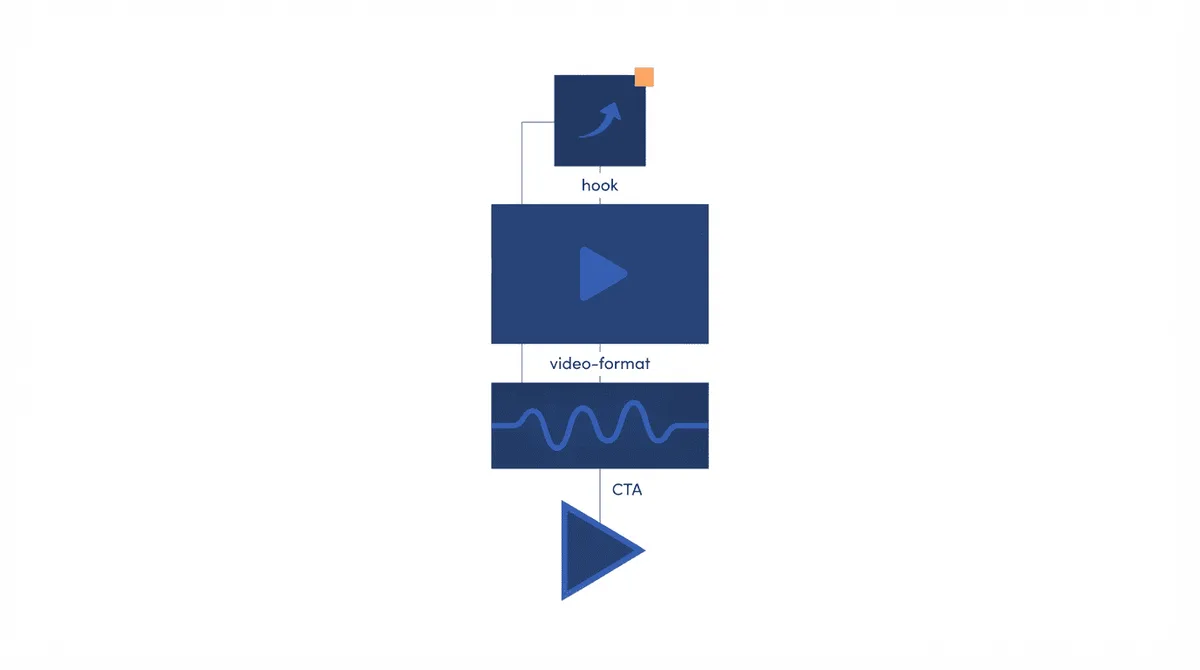
Creative Codes are one of the most powerful features covered in this TikTok Creative Center guide. They are TikTok's official framework for building ads that perform on the platform. Developed from analysis of thousands of top-performing campaigns, Creative Codes distill what makes TikTok ads work into a repeatable set of principles. If you've ever wondered why some ads feel native to TikTok while others feel like repurposed TV spots, Creative Codes explain the difference.
What Are Creative Codes?
Creative Codes are TikTok's official framework of evidence-based guidelines for high-performing ads, covering hook strategy, native production, and CTA integration.
Creative Codes are a set of evidence-based guidelines that TikTok recommends for ad creative. They are built around the core insight that TikTok users engage with content that feels authentic, entertaining, and platform-native. The framework covers:
- Hook within the first second: TikTok data shows that ads capturing attention in the first 1-2 seconds significantly outperform those with slow openings. Creative Codes emphasize leading with a visual or verbal hook that stops the scroll immediately.
- Native production style: Ads shot in a style that mirrors organic TikTok content—vertical video, natural lighting, direct-to-camera delivery—consistently outperform highly polished commercials. Creative Codes encourage a creator-first aesthetic.
- Sound-on design: Unlike other platforms where many users browse with sound off, TikTok is a sound-on environment. Creative Codes emphasize audio as a primary creative element, not an afterthought. This includes voiceover, trending sounds, and original audio.
- Community participation: Ads that invite interaction—through duets, stitches, challenges, or direct questions—generate higher engagement rates. Creative Codes recommend designing ads that feel like the start of a conversation rather than a one-way broadcast.
- Clear CTA integration: Rather than tacking a call-to-action onto the end of an ad, Creative Codes recommend weaving the CTA naturally into the narrative flow of the content.
Applying Creative Codes to Your Campaigns
Use Creative Codes as a checklist during your creative development process:
- Review your ad script against each Creative Code principle before production
- Brief creators and talent on the framework so they understand why certain approaches work
- Score your existing ads against Creative Codes to identify improvement opportunities
- A/B test Creative Code-aligned variants against your current top performers
Creative Codes are available in detail within the Creative Center under the Inspiration section, alongside example ads that demonstrate each principle in action.
Creative Tools: Video Generator, Templates, and Interactive Add-Ons
This section of the TikTok Creative Center guide focuses on standalone creative tools. Beyond Symphony's AI-powered capabilities, TikTok Creative Center includes a suite of tools designed to help you produce ad content faster—even without a dedicated video production team.
Video Generator
TikTok's Video Generator creates short video ads from URLs, images, or product pages using AI—no editing skills required.
The Video Generator is an AI-powered tool that creates video ads from your existing assets. Upload product images, provide a URL, or input text descriptions, and Video Generator produces multiple video variations optimized for TikTok's vertical format. It differs from Symphony Creative Studio in that it focuses on rapid asset-to-video conversion rather than full AI-generated creative. Video Generator is particularly useful for ecommerce advertisers who need to produce high volumes of product videos at scale.
Templates
TikTok's template library offers pre-built video formats organized by industry and objective—ideal for teams without video production resources.
TikTok provides a library of pre-built video templates organized by industry, objective, and style. Each template includes placeholder sections for your product imagery, text overlays, and branding. Templates follow Creative Codes principles by default—they are designed with strong hooks, native pacing, and sound-on formatting built in. Browse templates at Creative Center > Tools > Templates and filter by your industry to find starting points that match your campaign goals.
Script Generator
The Script Generator produces complete ad scripts tailored to your product, audience, and TikTok's hook-problem-solution format—free inside Creative Center.
The Script Generator is a standalone tool (separate from Symphony Assistant) that produces ad scripts based on your inputs: product type, target audience, campaign objective, and desired tone. It generates complete scripts with hook options, body copy variations, and CTA suggestions. While Symphony Assistant offers script generation as one of many capabilities, the Script Generator is purpose-built for rapid script iteration and is accessible without navigating into the full Symphony suite.
Interactive Add-Ons
Interactive Add-Ons are engagement features you can layer onto your TikTok ads to drive interaction beyond passive viewing. These elements transform standard video ads into interactive experiences:
- Shake Surprise: Users shake their phone to reveal a hidden offer, discount code, or product reveal. This mechanic creates a physical engagement moment that increases memorability and drives higher conversion rates on promotional campaigns.
- Pop-ups: Timed overlay cards that appear during your ad with clickable CTAs, product details, or limited-time offers. Pop-ups let you add interactive touchpoints without disrupting the video flow.
- Multi-video Screen: Display multiple video feeds simultaneously within a single ad unit. This format is effective for product comparisons, before-and-after demonstrations, or showcasing multiple use cases in a single creative.
Interactive Add-Ons are configured during the ad creation process in TikTok Ads Manager and can be combined with any standard In-Feed Ad creative.
Commercial Music Library: Licensed Tracks for TikTok Ads
The Commercial Music Library is TikTok's pre-licensed music catalog with over 1 million tracks cleared specifically for paid advertising use.
Pro tip from this TikTok Creative Center guide: Always use the Commercial Music Library for paid TikTok ads—never trending organic songs. Using unlicensed tracks can get your ads flagged or removed.
One of the most critical sections in this TikTok Creative Center guide covers the Commercial Music Library. A common mistake TikTok advertisers make is using trending songs from the organic Trending Songs tab in their paid ads—and getting their content flagged or removed as a result. The Commercial Music Library (CML) solves this problem.
CML vs. Trending Songs: What'S the Difference?
Use Trending Songs for organic content; use the Commercial Music Library (CML) for paid TikTok ads to avoid copyright violations.
The Trending Songs section in Creative Center shows you what's popular on TikTok's organic feed. These tracks are licensed for personal and organic use, but many are not cleared for commercial advertising. Using them in paid TikTok campaigns can result in content removal, account penalties, or copyright disputes.
The Commercial Music Library is a separate, curated catalog of tracks that have been specifically licensed for use in TikTok advertising. Every track in the CML can be used in your In-Feed ads, TopView, and Spark Ads without licensing risk.
How to Access the Commercial Music Library
Go to ads.tiktok.com/business/creativecenter/music or navigate to Creative Center > Sounds > Commercial Music Library. A TikTok Business Account is required for full catalog access.
Filter options available in the CML:
- Genre: Pop, hip-hop, electronic, ambient, classical, and more
- Mood: Energetic, calm, inspirational, playful, dramatic
- Theme: Lifestyle, fashion, food, fitness, technology
- Placement: In-Feed Ads, TopView, Branded Effects
Commercial Music Best Practices
- Always use the Business Use filter when searching for music to confirm ad licensing eligibility
- Match the mood of the track to your campaign objective—energetic tracks for conversion campaigns, ambient for awareness
- Trending CML tracks can give your ad a native TikTok feel without the licensing risk of organic trending sounds
- Check CML regularly as new tracks are added and licensing can change over time
How Do You Turn Creative Center Insights into Better Ads?
This TikTok Creative Center guide section on using insights shows how data from Creative Center should directly inform your ad strategy.
Build a Creative Research Workflow
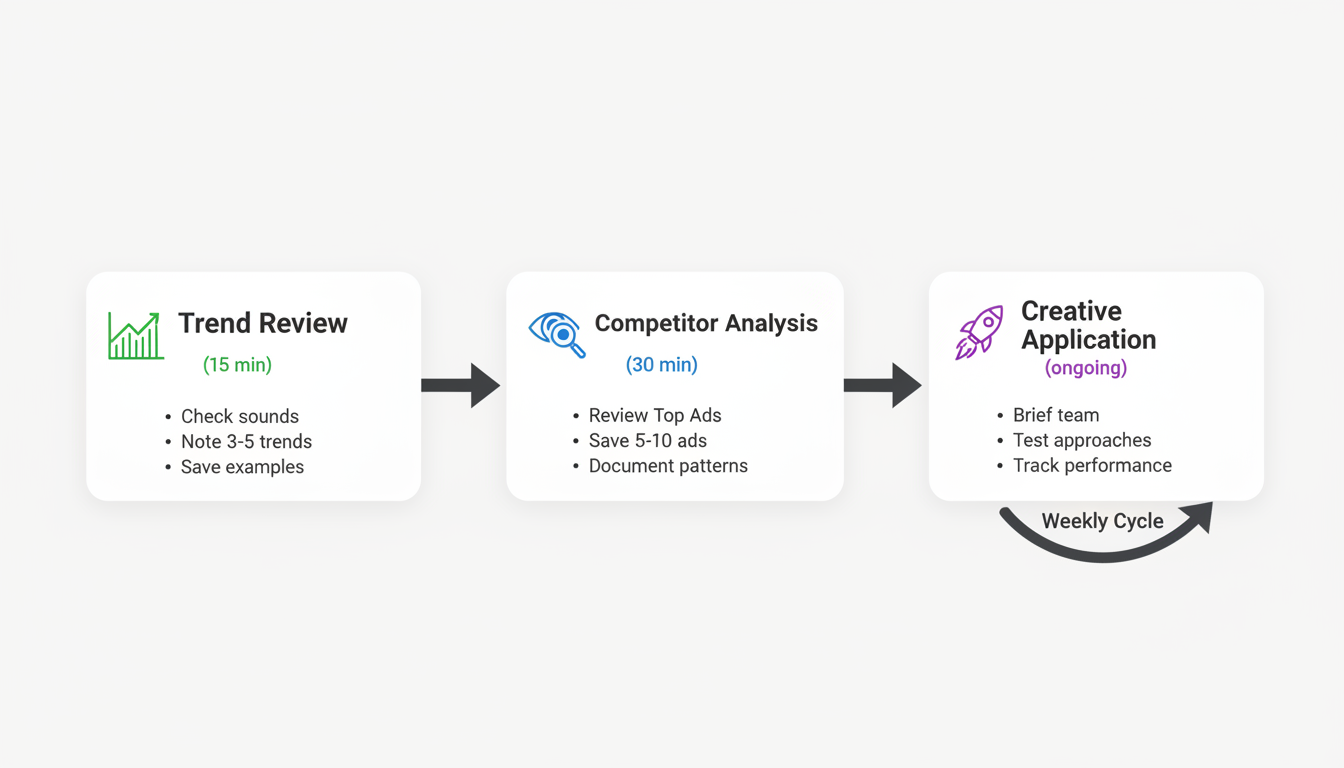
Weekly trend review (15 minutes):
- Check Trend Discovery for rising sounds and hashtags
- Note 3-5 potential trends relevant to your brand
- Save examples of how others are using these trends
Competitor ad analysis (30 minutes weekly):
- Review Top Ads in your industry category
- Save 5-10 ads that perform well
- Document common patterns and differentiators
Creative application (ongoing):
- Brief your creative team or creators on trend opportunities
- Test new approaches based on successful competitor strategies
- Track which Creative Center-inspired content performs best
What Creative Center Can'T Tell You
While Creative Center is powerful, understand its limitations:
- No spend data: TikTok's Creative Center does not display ad spend data for most markets
- Limited competitive intelligence: You can see ad creatives but not targeting or performance metrics
- No real-time alerts: You need to check manually rather than receiving notifications
For deeper competitive analysis, supplement Creative Center with third-party tools like Pipi Ads, Minea, or Foreplay for additional creative inspiration and spy capabilities. If you're comparing platforms, see how TikTok ads vs Facebook ads stack up in terms of creative requirements and audience targeting.
Applying Insights to Creative Production
Use your research to guide creative development:
Insight Type | How to Apply |
Trending audio | Build content around the sound, not just add it as background |
Hook patterns | Test similar opening approaches in your ads |
Format trends | Adopt popular structures (GRWM, POV, listicles) |
Visual styles | Match production quality and aesthetic to top performers |
CTA strategies | Test successful call-to-action approaches |
Keyword Insights: Understanding the Metrics
TikTok Keyword Insights (found at Creative Center > Trends > Keywords) shows which words and phrases are appearing in high-performing TikTok ads. Here's what each metric means so you can use them effectively:
Metric | What It Measures | How to Use It |
Popularity | Relative usage index (0-100 scale) | Higher = more ads actively using this keyword |
CTR | % of viewers who clicked after seeing the keyword in an ad | High CTR keywords drive traffic; test in captions and overlays |
CVR | % of clicks that converted to a purchase or lead | High CVR = strong buyer intent; prioritize for conversion campaigns |
CPA | Average spend to acquire one conversion using this keyword | Lower CPA = more efficient; benchmark against your targets |
6-Second View Rate | % who watched at least 6 seconds of ads using this keyword | Proxy for hook strength—high rate means the creative is stopping the scroll |
Impressions | Total ad exposures for campaigns using this keyword | Scale indicator—high impressions with high CVR = proven winner |
Cost (CPM) | Average cost per 1,000 impressions for ads using this keyword | Higher CPM = more competition; weigh against CVR for ROI |
View-through Rate (VTR) | % of users who watched the full ad after seeing this keyword | High VTR = content holds attention; combine with CTR for full-funnel analysis |
Interactive Time | Average seconds users spend interacting with ads using this keyword | Longer interactive time = deeper engagement; prioritize for awareness and consideration campaigns |
Example workflow: Search a keyword like "fitness supplements" in Keyword Insights, sort by CVR descending, then identify terms with CVR above your baseline and CPA below your target. Add those keywords to your ad captions, script dialogue, and text overlays. Monitor the 6-Second View Rate as a proxy for whether the keywords are resonating in the hook.
TikTok Symphony: AI-Powered Creative Tools
TikTok Symphony reduces video ad production time by up to 80%, enabling teams to produce 10x more creative variants for A/B testing within the same budget.
This TikTok Creative Center guide covers TikTok Symphony—the platform's suite of AI creative tools accessible directly from Creative Center. While it appears as a single row in a feature table, Symphony encompasses several distinct tools that can dramatically accelerate ad production—especially for teams without large creative resources.
Symphony Assistant
Symphony Assistant is an AI chatbot built specifically for TikTok advertising. Unlike general-purpose AI tools, it is trained on TikTok performance data and platform best practices. You can use it to:
- Draft ad scripts: Input your product, target audience, campaign objective, and desired video length—Symphony generates a ready-to-use script with hooks, body copy, and CTA
- Summarize trends: Ask Symphony to summarize what's trending in your category and get a brief with actionable creative angles
- Brainstorm hooks: Generate multiple hook variations for a single product to A/B test
- Write creative briefs: Get a structured brief you can hand to creators or an internal team
Symphony Creative Studio
Symphony Creative Studio is the AI video generation component of Symphony. It takes inputs—product images, URLs, or existing footage—and produces TikTok-optimized video ads. Key capabilities include:
- AI video generation: Turn a product URL or image into a 9:16 video ad in minutes
- Digital avatars: Use pre-built AI avatars as on-screen presenters, eliminating the need for on-camera talent
- AI dubbing and translation: Automatically dub and translate existing video ads into multiple languages for international campaigns, with lip-sync technology that keeps the video natural
- Video repurposing: Upload existing long-form content and have Symphony extract and reformat the most engaging segments into short TikTok-ready clips
Using Symphony in TikTok Ads Manager
Symphony is also embedded directly in the TikTok Ads Manager creative workflow. When building a new campaign, you can:
- Click Generate with AI in the ad creative step
- Input your product details and campaign objective
- Symphony generates video and image ad variants instantly
- Review, select, and launch—without leaving Ads Manager
This integration reduces the creative production loop from days to minutes, making it particularly useful for rapid testing of new angles or launching seasonal campaigns quickly. For a complete walkthrough of the Ads Manager workflow, see our TikTok Ads Manager tutorial.
TikTok'S Creative Ecosystem: Complementary Tools
This TikTok Creative Center guide also covers the broader ecosystem. TikTok Creative Center is one part of a wider set of tools that TikTok offers advertisers and creators. Understanding how these tools connect helps you build a more comprehensive TikTok marketing strategy.
TikTok Academy
TikTok Academy is TikTok's free learning portal with structured courses on advertising, content creation, and platform best practices.
TikTok Academy offers over 30 structured courses and certifications, covering topics from ad creative fundamentals to advanced bidding strategies for TikTok campaigns.
TikTok Academy is a free education platform offering structured courses on advertising, content creation, and platform best practices. It covers everything from beginner-level account setup to advanced topics like creative testing frameworks and attribution modeling. Use Academy courses to train team members on TikTok fundamentals before diving into Creative Center's more advanced features.
TikTok Creator Marketplace
The TikTok Creator Marketplace is TikTok's official platform for connecting advertisers with creators for paid collaborations and UGC campaigns.
The TikTok Creator Marketplace (TTCM) is TikTok's official influencer discovery and collaboration platform. It connects brands with creators based on audience demographics, content category, and performance metrics. When you identify trending content styles in Creative Center's Top Ads or Trend Discovery sections, use TTCM to find creators who can produce that style of content authentically for your brand.
Creative Studio
Creative Studio is TikTok's standalone editing app with multi-track timelines, transitions, and effects libraries for direct TikTok publishing. Use it when you need more production control than Creative Center's templates and Video Generator offer.
Workflow and Strategy Tips
To get the most out of this TikTok Creative Center guide, combine the tools and data from Creative Center into a structured workflow. Here are strategies for getting the most out of the platform across your campaign lifecycle. For a deeper checklist, see our guide to TikTok Creative Center best practices.
Creative Testing Optimization
Use Creative Center data to build a systematic testing framework rather than guessing at what might work:
- Identify top patterns: Review Top Ads in your category and document the 3-5 most common creative structures (e.g., hook-problem-solution, testimonial, product demo)
- Build variants: For each pattern, create 2-3 variations using different hooks, audio tracks, and CTAs sourced from Trend Discovery and Keyword Insights
- Test in controlled batches: Launch 3-5 creatives per ad group with identical targeting. Let each variant accumulate at least 1,000 impressions before making decisions
- Iterate on winners: Take your top performer and create new variants that modify one element at a time—different hook, different audio, different CTA—to isolate what drives results
Campaign Calendar Planning with Trends
Align your content calendar with TikTok's trend cycles to maximize relevance:
- Weekly: Check Trend Discovery every Monday for new Trend Moments you can capitalize on with quick-turn content
- Monthly: Review Trend Signals to identify evolving content formats worth investing in for the coming 4-6 weeks
- Quarterly: Assess Trend Forces and align your brand content pillars with long-term cultural shifts on the platform
- Seasonally: Cross-reference Top Products and Keyword Insights data with upcoming holidays, events, and shopping seasons to pre-build creative assets
UGC and Testimonial-Style Content Best Practices
Creative Center data consistently shows that user-generated content and testimonial-style videos outperform polished brand creative on TikTok. Apply these principles to your ad production:
- Shoot vertically on a phone: Match the native look of organic TikTok content. Ads shot on professional cameras with studio lighting often underperform on the platform.
- Use real customers or relatable creators: Authentic voices drive higher trust and engagement than professional actors in most categories.
- Lead with the experience, not the product: Structure testimonial ads around the transformation or result rather than product features. "Here's how this changed my morning routine" outperforms "This product has 5 great features."
- Keep it conversational: Direct-to-camera delivery in a casual, unscripted tone aligns with TikTok Creative Codes and consistently shows higher completion rates in Top Ads data.
Ready to Scale Your TikTok Ads?
Stackmatix helps startups turn TikTok Creative Center insights into high-performing campaigns.
Once your research points to a campaign, plan spend against our TikTok ads cost breakdown so your budget matches realistic CPMs and CPCs before you launch.
TikTok Creative Center gives you the data, but turning those insights into high-performing campaigns takes strategy and execution. Stackmatix is an AI-powered growth marketing agency that helps venture-backed startups build and scale TikTok ad campaigns that convert. Get started with Stackmatix and let our team handle your TikTok strategy, creative production, and optimization. Contact Stackmatix for a free consultation and see how we can turn your Creative Center research into measurable growth.
Key Takeaways
Bookmark these 6 key points from this TikTok Creative Center guide before launching your next TikTok ad campaign.
- TikTok Creative Center is free — no paid ads account required. Access it at ads.tiktok.com/business/creativecenter.
- Top Ads Dashboard lets you filter by industry, region, and objective to study winning creative formulas from real campaigns.
- Creative Codes are TikTok's evidence-based framework — hook in the first 3 seconds, use native production style, design for sound-on.
- Commercial Music Library is required for paid ads — never use organic trending songs in your ad creative.
- TikTok Symphony AI tools can generate video ads from a product URL in minutes using the 9:16 vertical format.
- Trend Discovery covers three tiers: emerging (0-1 week), growing (1-4 weeks), and established (4+ weeks) trends.
Related: our TikTok Symphony guide.
Frequently Asked Questions
Here are answers to the most common questions about using TikTok Creative Center, covered in this TikTok Creative Center guide.
When Did TikTok Creative Center Launch?
TikTok Creative Center launched in 2021 and has grown to serve over 10 million active advertisers globally across more than 20 supported markets.
TikTok Creative Center was officially launched in 2021 as a free resource hub for advertisers and creators. It has expanded significantly since then, adding TikTok Symphony AI tools, Keyword Insights, the Commercial Music Library, and the Top Products feature as dedicated sections.
How Do I Access TikTok Creative Center?
Visit ads.tiktok.com/business/creativecenter and log in with a free TikTok account—no paid ads account required.
You can access TikTok Creative Center directly at ads.tiktok.com/business/creativecenter. You can also reach it through TikTok Ads Manager by navigating to Tools > Creative Library. Basic browsing—including Top Ads and trending content—does not require a login, but features like Keyword Insights and Symphony require a free TikTok Business Account.
Is TikTok Creative Center Free?
Yes—TikTok Creative Center is completely free with no paid account required. All features including Top Ads, Trends, and Symphony tools are accessible.
Yes, TikTok Creative Center is completely free to use. You can access all features—including Top Ads Dashboard, Trend Discovery, and Creative Tools—without paying for a TikTok Ads account. A free TikTok Business Account unlocks advanced features including full Keyword Insights metrics, Symphony AI tools, and Commercial Music Library access.
Do You Need an Ad Account to Use TikTok Creative Center?
No. You do not need a paid TikTok Ads account to use TikTok Creative Center - basic Top Ads browsing and trend discovery are open to anyone. A free TikTok Business Account only unlocks advanced features like full Keyword Insights and Symphony AI tools.
What Are TikTok Creative Codes?
Creative Codes are TikTok's evidence-based guidelines for building effective ads—covering hooks, native production, sound-on design, and CTA strategies.
TikTok Creative Codes are TikTok's official framework for building effective ad creative on the platform. They are evidence-based guidelines covering hook strategy, native production style, sound-on design, community participation, and CTA integration. Creative Codes are derived from analysis of thousands of top-performing campaigns and are available in the Creative Center under the Inspiration section. Following Creative Codes helps your ads feel native to the TikTok experience rather than like repurposed content from other platforms.
How Do I Use TikTok Creative Center for Competitor Research?
Start with the Top Ads Dashboard and filter by your industry, region, and campaign objective. Browse competitor ad creatives to identify their hook strategies, audio choices, ad formats, and CTAs. Use the Creative Insights sub-tab to see aggregated patterns across top-performing ads.
Then cross-reference with Keyword Insights to discover which terms competitors are using in high-performing campaigns. Save ads that stand out for regular review, and use Creative Patterns data to understand which structural formats—problem-solution, testimonial, unboxing—are winning in your vertical.
How Do I Find Trending Sounds and Music on TikTok Creative Center?
Use the Trends tab in TikTok Creative Center to find trending songs; use the Commercial Music Library for paid ads.
Go to Creative Center and navigate to the Trends tab, then select Songs. You can filter by region, industry, and time period to find relevant sounds. For music you intend to use in paid ads, use the Commercial Music Library (Creative Center > Sounds > Commercial Music Library) rather than the organic Trending Songs tab—the CML contains tracks specifically licensed for advertising use.
What Is TikTok Keyword Insights?
TikTok Keyword Insights covers over 500,000 keywords with performance metrics including CTR, CVR, CPA, and 6-second view rate across all major ad categories.
TikTok Keyword Insights shows which keywords and phrases drive performance in TikTok ads, including CTR, CVR, and view rate data.
TikTok Keyword Insights is a research tool within Creative Center that shows which keywords and phrases are performing in TikTok ads. It displays metrics including Popularity, CTR, CVR, CPA, and 6-Second View Rate, helping advertisers identify which terms to include in ad captions, scripts, and text overlays. Access it at Creative Center > Trends > Keywords.
How Often Is Creative Center Data Updated?
Trend data updates in near real-time; Top Ads refresh regularly. Check daily for trending sounds and hashtags.
Trend data updates in near real-time, with Top Ads refreshed regularly. For the most current trending sounds and hashtags, check the platform daily or at minimum weekly. If you're new to the platform, familiarize yourself with TikTok Ads Manager to better understand how to implement these trends in your campaigns.
Can I See Competitor Ad Spend in Creative Center?
No. Creative Center shows ad creatives, run dates, and some targeting parameters, but does not reveal specific spending amounts or budget ranges. Focus on creative insights rather than budget estimation.
How Many Views on TikTok to Make $1000?
You need roughly 25–50 million views via the Creator Fund, but brand deals can reach $1000 with far fewer views.
TikTok's Creator Fund pays approximately $0.02–$0.04 per 1,000 views, meaning you would need roughly 25–50 million views to earn $1,000 through the Creator Fund alone. Higher earnings come from TikTok LIVE gifts, brand sponsorships, and affiliate marketing—which can generate $1,000 with far fewer views depending on your niche and audience engagement.
What Is the 3 Second Rule in TikTok?
The 3 second rule states that viewers decide in the first 3 seconds whether to keep watching—your hook must act immediately.
The 3 second rule in TikTok refers to the critical opening hook window: viewers decide within the first 3 seconds whether to keep watching or scroll. TikTok's own Creative Codes emphasize this—your hook must immediately signal value, curiosity, or entertainment. Ads and organic content that fail to capture attention in this window see significantly higher drop-off rates.
Can You Make $5000 a Month on TikTok?
Yes—creators who combine brand deals, affiliate commissions, and TikTok LIVE gifts regularly earn $5000 a month or more.
Yes, making $5000 a month on TikTok is achievable for creators who combine multiple revenue streams: brand deals, affiliate commissions, TikTok LIVE gifts, and digital product sales. Creators with 50,000–200,000 engaged followers in high-CPM niches (finance, business, beauty) regularly reach this level. The TikTok Creative Center can help you identify trending content formats and sounds to accelerate your growth.
Related: Tiktok Marketing Strategy 2026