
Google AI Overviews are not showing up most often because of your region, your query type, or a browser extension blocking them - not a setting you forgot to switch on. There is no on/off button for most users. AI Overviews appear automatically in supported regions for broad, informational questions, so the fix is usually to check your location, rephrase the query, and disable ad blockers.
If AI-generated summaries have stopped appearing at the top of your Google results, this guide walks through every common cause in order and gives you a quick test for each one. It is the troubleshooting companion to our guide on how to turn on Google AI Overviews. And when an AI Overview does appear above the organic results, it changes what users click - which is exactly what our guide to CTR SEO covers.
TL;DR: Why AI Overviews Are Not Showing Up
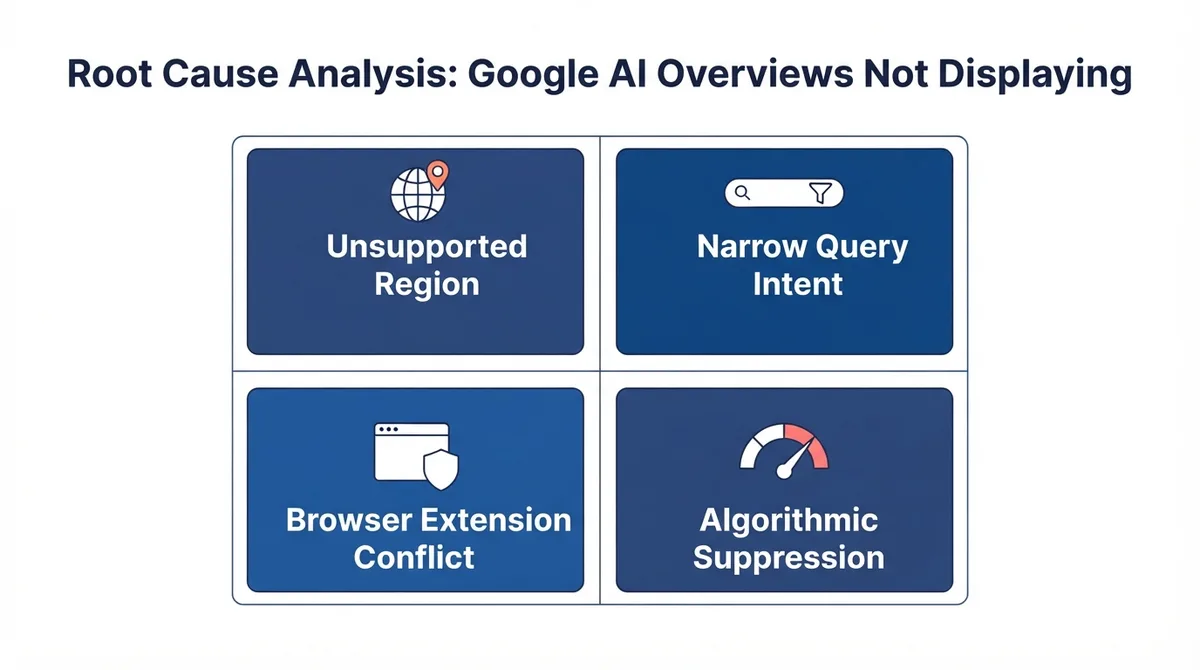
- Region: AI Overviews only appear in supported countries. Outside them, nothing you change will show them.
- Query type: They trigger for broad, informational questions - not simple lookups, navigation, or shopping.
- Extensions: Ad blockers and "hide AI Overview" extensions actively remove them.
- Account/session: Being signed out or having certain search settings can suppress them.
- It is intermittent by design: Google does not show an AI Overview for every eligible search.
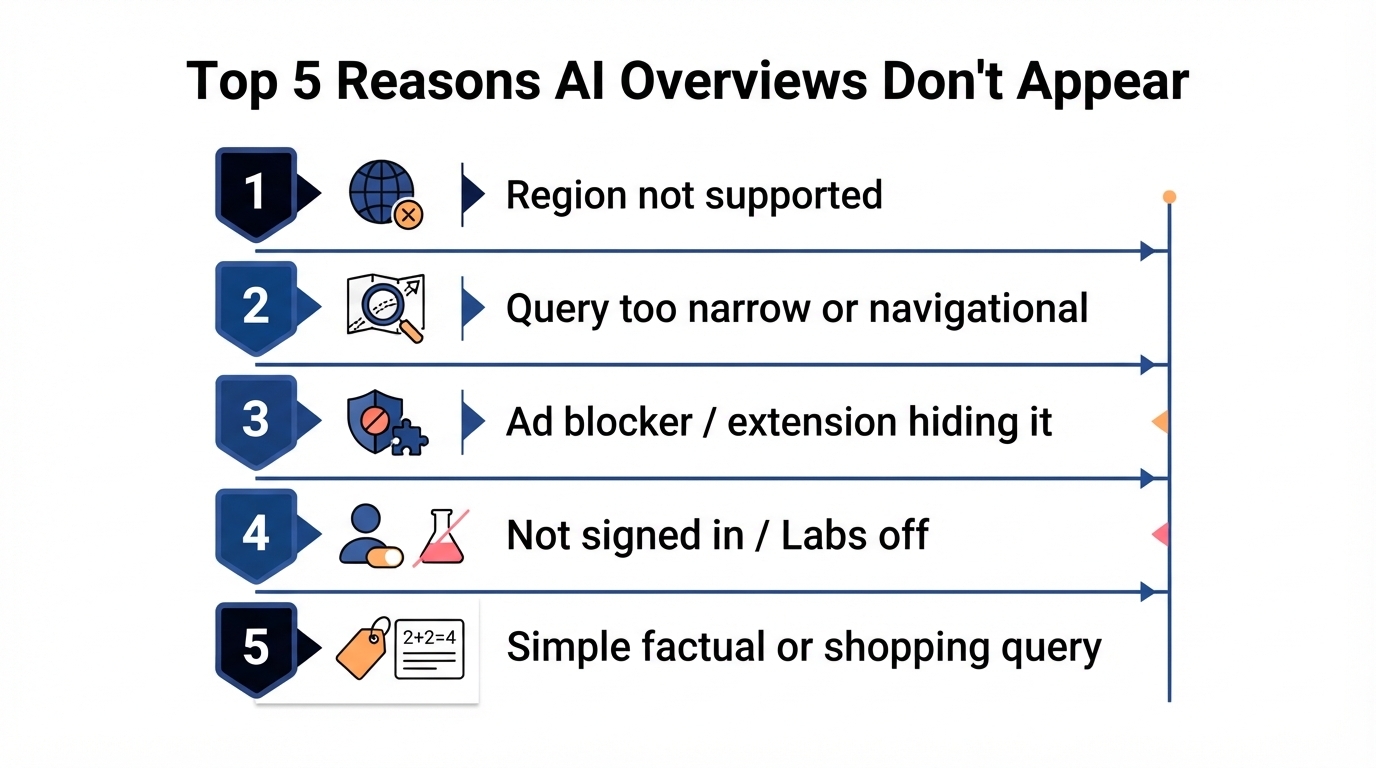
Why Is My AI Overview Not Working?
In most cases, "not working" means one of five things is true. Work through them top to bottom - the first match is almost always your answer.
1. Your Region Does Not Support AI Overviews
AI Overviews rolled out to different countries on different timelines. If you are outside a supported market, they will not appear no matter what you change.
Quick test: search a broad question like "what are the benefits of solar panels for homes." If no AI-generated summary with cited sources appears at the top for any informational query, your region is the likely cause. Wait for rollout, or expect limited availability.
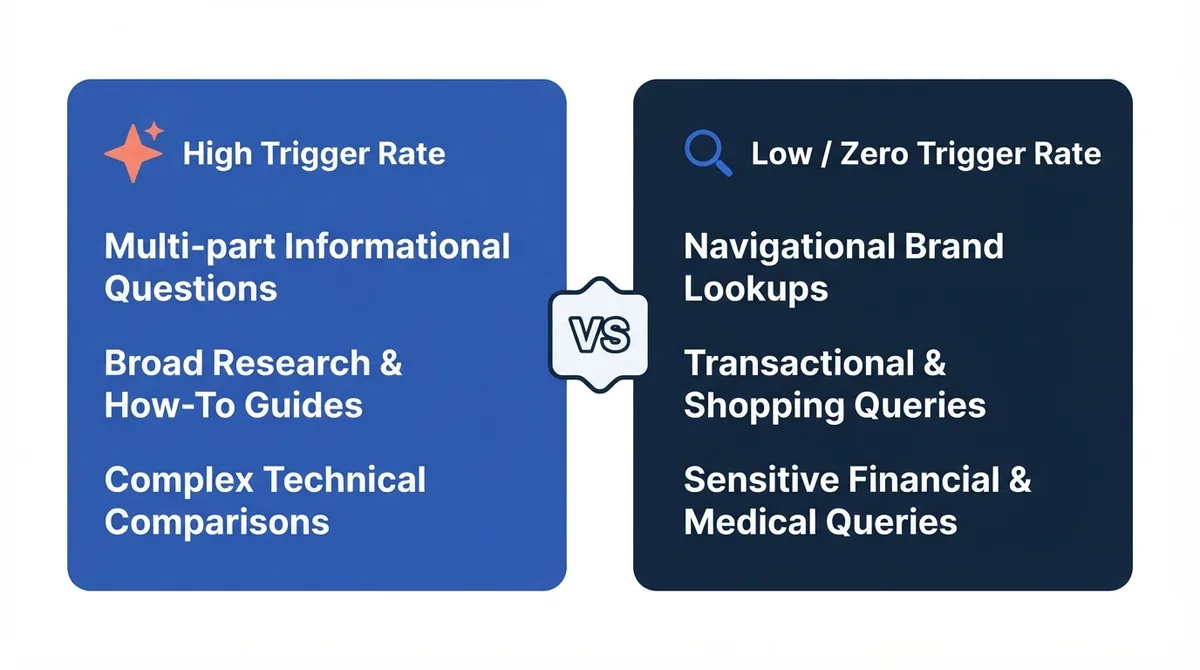
2. Your Query Is Too Narrow, Navigational, or Transactional
AI Overviews are built for questions that benefit from a synthesized answer. They rarely appear for:
- Simple factual lookups (a single number or date)
- Navigational searches (a brand or website name)
- Shopping and product queries
- Local "near me" searches
- Breaking news and time-sensitive topics
Quick test: try "explain the water cycle" or "how does photosynthesis work." These consistently trigger AI Overviews in supported regions. If they work but your original query does not, the query type was the issue.
3. A Browser Extension Is Hiding It
Ad blockers and purpose-built "hide Google AI Overview" extensions remove the panel before you see it. uBlock Origin with certain filter lists can also strip it.
Quick test: open an incognito or private window (extensions are usually disabled there) and run the same query. If the AI Overview appears in incognito but not in your normal window, an extension is the culprit.
4. You Are Signed Out or Your Search Settings Suppress It
Some AI features depend on your Google account and search settings. Sign in, then review your Google AI Overview settings to confirm nothing is restricting personalized results or content types via SafeSearch.
5. Google Simply Chose Not to Show One
Even for eligible queries, Google does not render an AI Overview every time. Result mix changes constantly. If four of the causes above are ruled out, retry the search later or with slightly different wording. If you publish content and want to know whether your pages are earning AI Overview visibility, our guide to AEO tracking tools covers how to measure it.
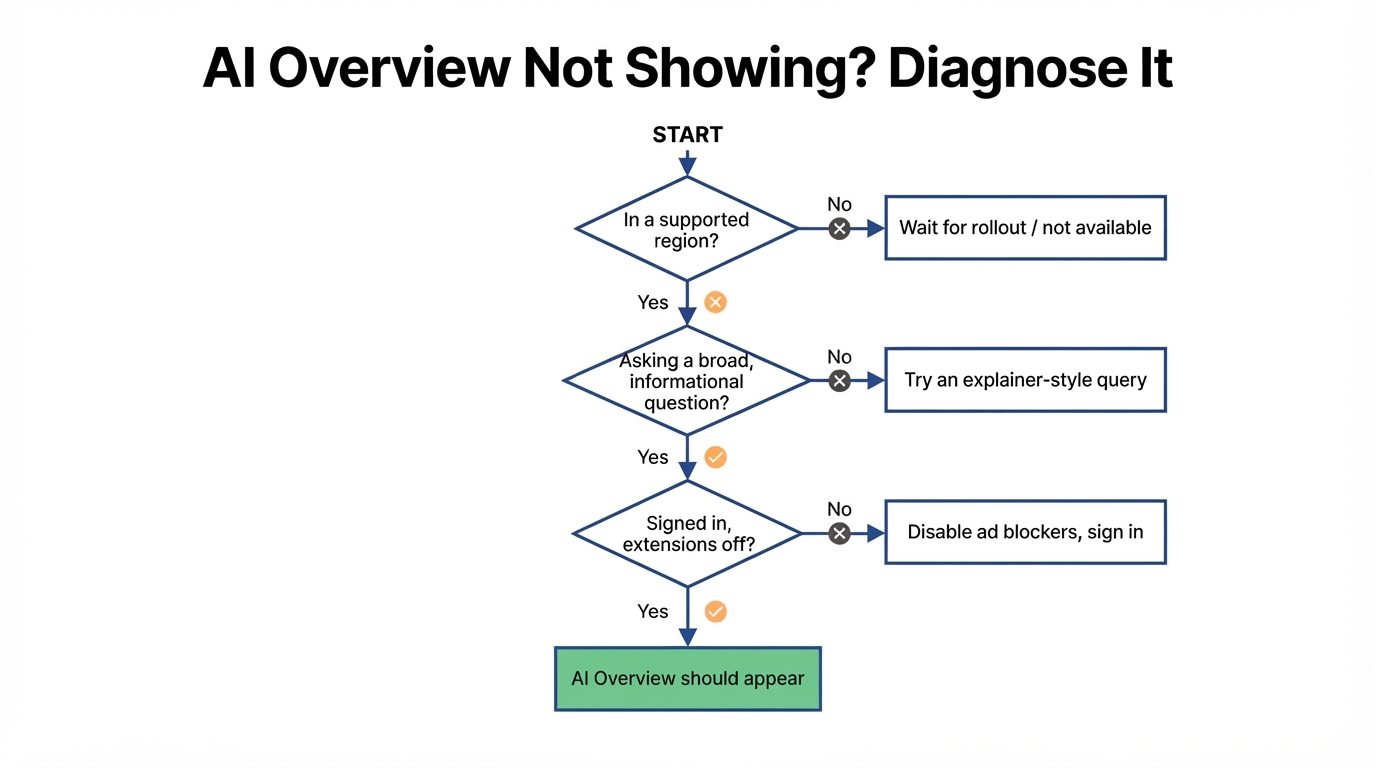
How Do I Get AI Overviews to Show Up Again?
If you see the feature but get the message "can't generate an AI overview right now, try again later," that is a generation error, not a visibility problem - see our fixes for the AI Overview generation error. For publishers, tracking whether AI Overviews cite your content is a different process from general brand monitoring - our guide to AI citation tracking vs brand monitoring explains the distinction.
Follow these steps in order. Most people are fixed by step 3.
- Confirm your region is supported by testing a broad informational query.
- Rephrase your search as an open, explainer-style question.
- Open an incognito window to rule out extensions, then whitelist Google in your ad blocker if that was the cause.
- Sign in to your Google account and check your search settings.
- Clear cookies and cache for google.com, restart the browser, and retry the test query.
Why Did AI Overviews Disappear After Showing Before?
If AI Overviews used to appear and suddenly stopped, the usual causes are a newly installed extension or ad blocker filter, a browser or account change, or simply that your recent searches were narrower or more transactional. Run the incognito test first - a disappearing AI Overview is an extension problem far more often than a Google-side change. If you deliberately want them gone, see our guide on disabling Google AI Overviews.
Do AI Overviews Show Up on Mobile?
Yes. AI Overviews appear in the Google app and mobile browsers in supported regions, and the same three factors - region, query type, and any content blockers in your mobile browser - decide whether they show. Behavior can differ slightly between devices; see AI Overviews on mobile vs desktop for the differences.
Frequently Asked Questions
Why Is Generating an AI Overview Not Working for Me?
"Generating..." that never finishes is usually a connection or extension issue. Disable ad blockers, open an incognito window, clear your Google cookies, and retry. If it still stalls, your region or query type may not be eligible for an AI Overview at all.
Is There a Setting to Turn AI Overviews Back On?
There is no direct on/off switch for most users. AI Overviews are enabled by default in supported regions. Where experimental versions exist, you can opt in through Google Search Labs, but you cannot force one to appear for an ineligible query.
Why Do AI Overviews Show for Some Searches but Not Others?
Google only shows an AI Overview when it judges a synthesized answer helpful. Broad, informational, and comparison questions trigger them; simple lookups, navigation, shopping, and local searches usually do not.
Does Using a VPN Affect AI Overviews?
It can. A VPN that routes you through an unsupported region may hide AI Overviews, while one pointing at a supported region may show them. Check your effective location if results look inconsistent.
Key Takeaways
- AI Overviews not showing up is almost always region, query type, or an extension - in that order.
- There is no manual on switch for most users; they appear automatically in supported regions.
- The fastest diagnosis is the incognito test plus a known broad query like "explain the water cycle."
- Want them gone instead? Use the settings and extension methods, not a hidden toggle.
How AI Overviews Affect Your SEO Traffic
When an AI Overview appears above the organic results for a query you target, it changes the click distribution. Users who get their answer directly from the AI panel may not click through to any organic listing. Track your pages that earn AI Overview citations separately from standard organic rankings - a page can lose organic clicks while gaining brand visibility through AI citations. Use Google Search Console's performance report filtered by query to spot shifts, and cross-reference with our guide to tracking AI Overview visibility for a complete picture.